

Last year, I wrote a comprehensive guide on how to select the right AI agentic framework. We talked about AutoGen, CrewAI, and LangGraph. It’s been almost a year and a half, and the industry has completely shifted.
We’ve moved past the framework era. Now, it’s all about the harness.
The reality is, the same underlying LLM can perform vastly differently depending on the harness it runs inside. A model that struggles to build a simple web app in one environment might ship a complex full-stack application flawlessly in another. The model provides the raw intelligence, but the harness provides the control, the memory, and the execution environment.
In this article, we’ll break down exactly what an agent harness is, how it differs from a framework, and look at the top 10 harnesses - both closed and open-source - that you should know about right now.
Do check out my previous articles and stay subscribed to learn more about AI, Agents, and productivity


What Is an Agent Harness? (And How It Differs from Agent Framework)
These two terms get used interchangeably. They shouldn’t.
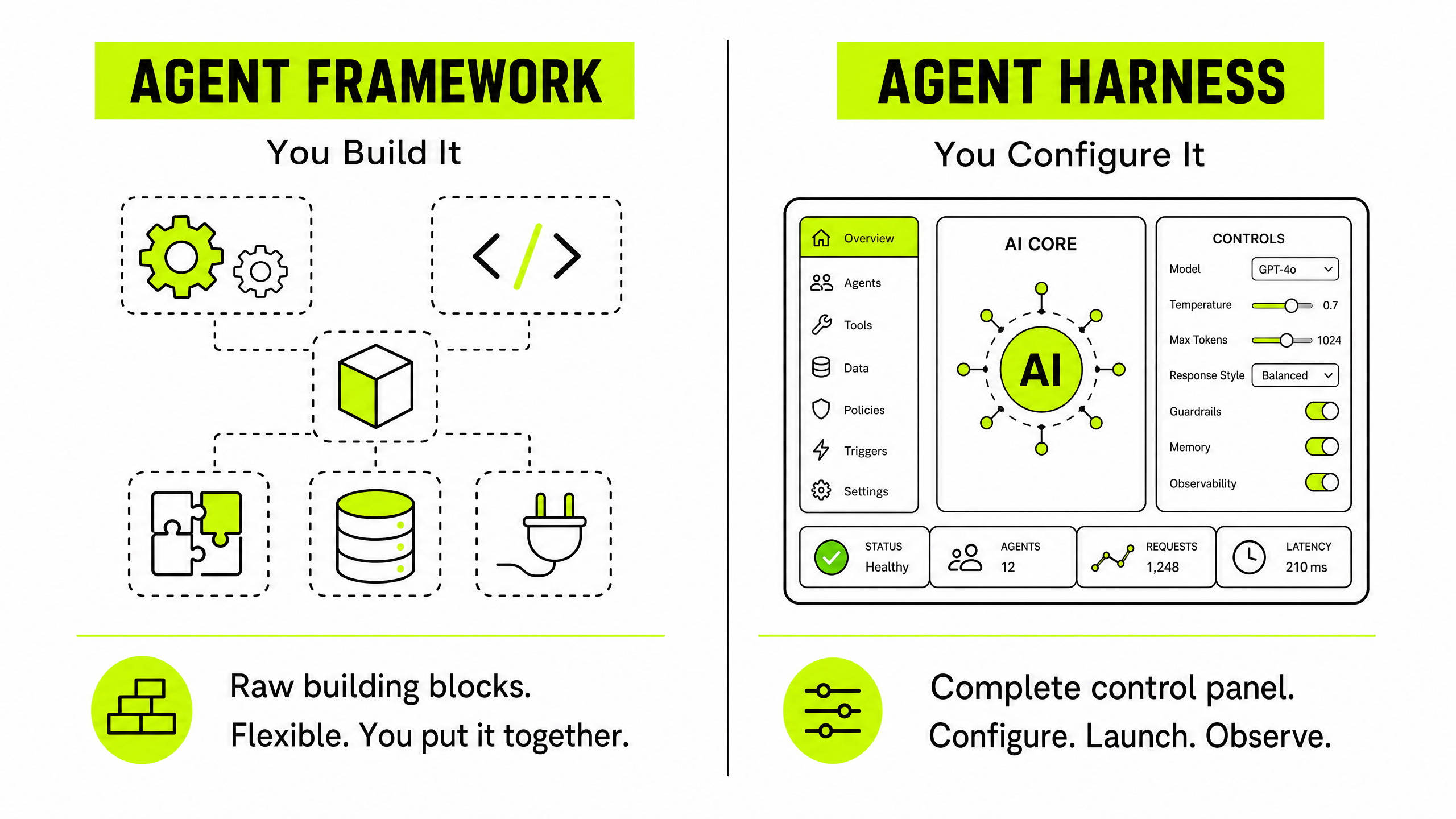
Agent Frameworks: You Build It
A framework - LangChain, LlamaIndex, AutoGen - is a software library. It hands you the raw building blocks: model abstractions, tool-calling primitives, memory modules. You write the code that connects them. You figure out what happens when a model hallucinates a tool call, how to manage state between turns, and how to recover from a failed API request.
Frameworks offer maximum flexibility. They also require significant engineering effort before anything reliable runs.
Agent Harnesses: You Configure It
A harness is the application-layer scaffolding that turns a model into a functional agent. The plumbing is already connected. You configure it, point it at your tools, and run.
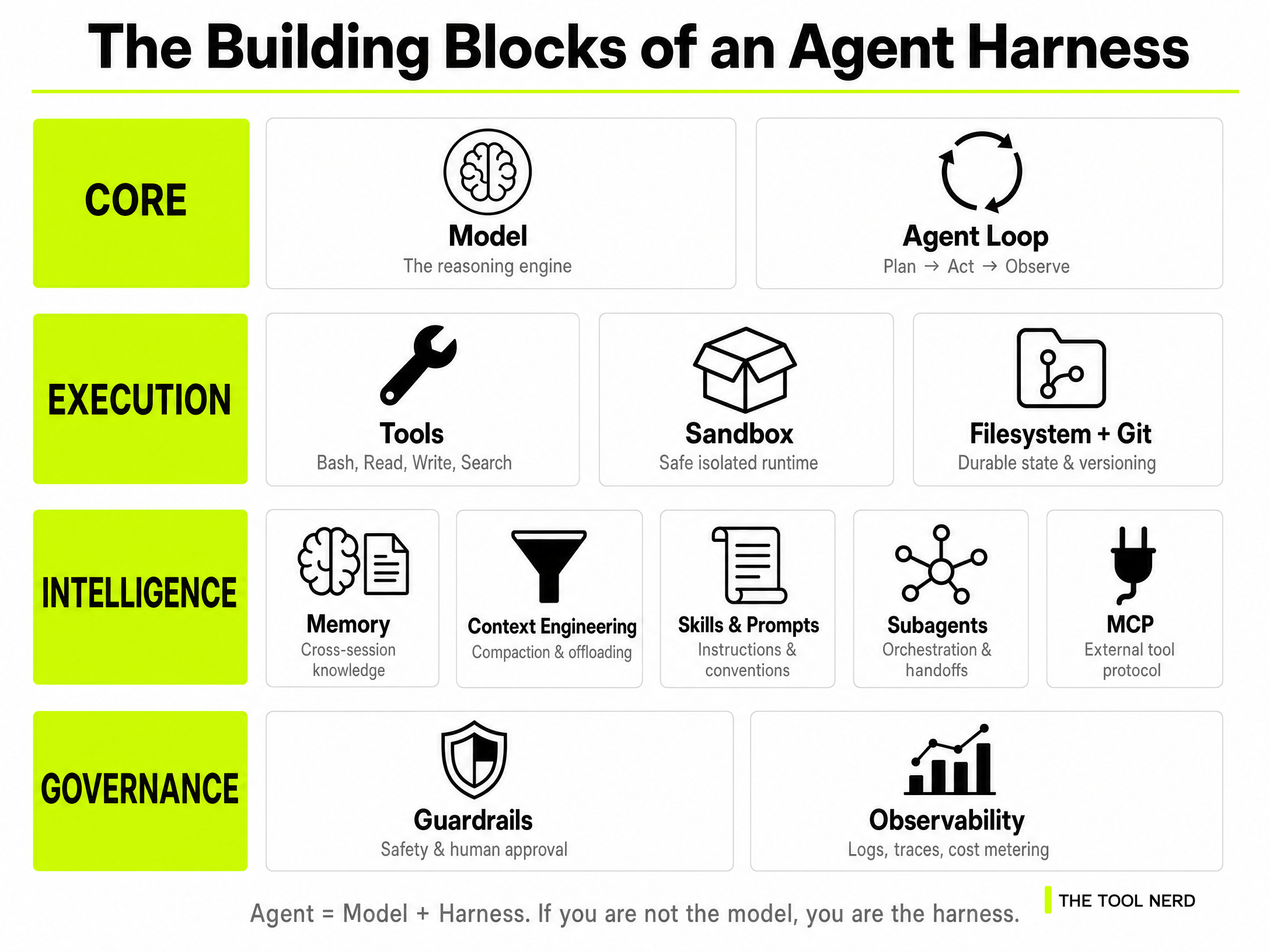
A solid harness handles 4 Major building blocks - that frameworks leave to you:
Core
Model — The reasoning engine at the centre of the harness. Every decision, plan, and response flows from here. The harness exists to make it reliable.
Agent Loop — The Plan → Act → Observe cycle that runs automatically. The model doesn’t manage its own iteration. The harness does.
Execution
Tools — The actions the agent can take: Bash, Read, Write, Edit, Web Search, Browser. The harness exposes them, dispatches them, and handles what comes back.
Sandbox — The isolated runtime where tools execute safely, away from your live systems. Pre-installed runtimes, Git, and test CLIs come ready out of the box.
Filesystem + Git — Durable state for the agent. The filesystem is where it reads, writes, and offloads work. Git gives it versioning, rollback, and a shared surface for multi-agent coordination.
Intelligence
Memory — How the agent retains knowledge across sessions through files like AGENTS.md and CLAUDE.md. Without it, every session starts from zero.
Context Engineering — How the harness manages the model’s context window. Compaction summarises old history. Tool-call offloading moves large outputs to the filesystem. Progressive disclosure reveals tools only when needed.
Skills & Prompts — Task-specific instructions and conventions injected into the agent’s context. Every rule in a good AGENTS.md traces back to a real failure someone saw.
Subagents — The ability to spawn specialised agents for subtasks - a planner, an executor, a tester - and merge their results back into the main thread.
MCP — The Model Context Protocol. The standard interface for connecting the harness to external tools, data sources, and services beyond its built-in toolset.
Governance
Guardrails — Safety controls that block irreversible actions - deleting data, sending messages, making purchases - without human approval.
Observability — Logs, traces, cost metering, and latency tracking. Tells you what the agent did, how long it took, and exactly where it failed.
The Top 10 Agent Harnesses in 2026
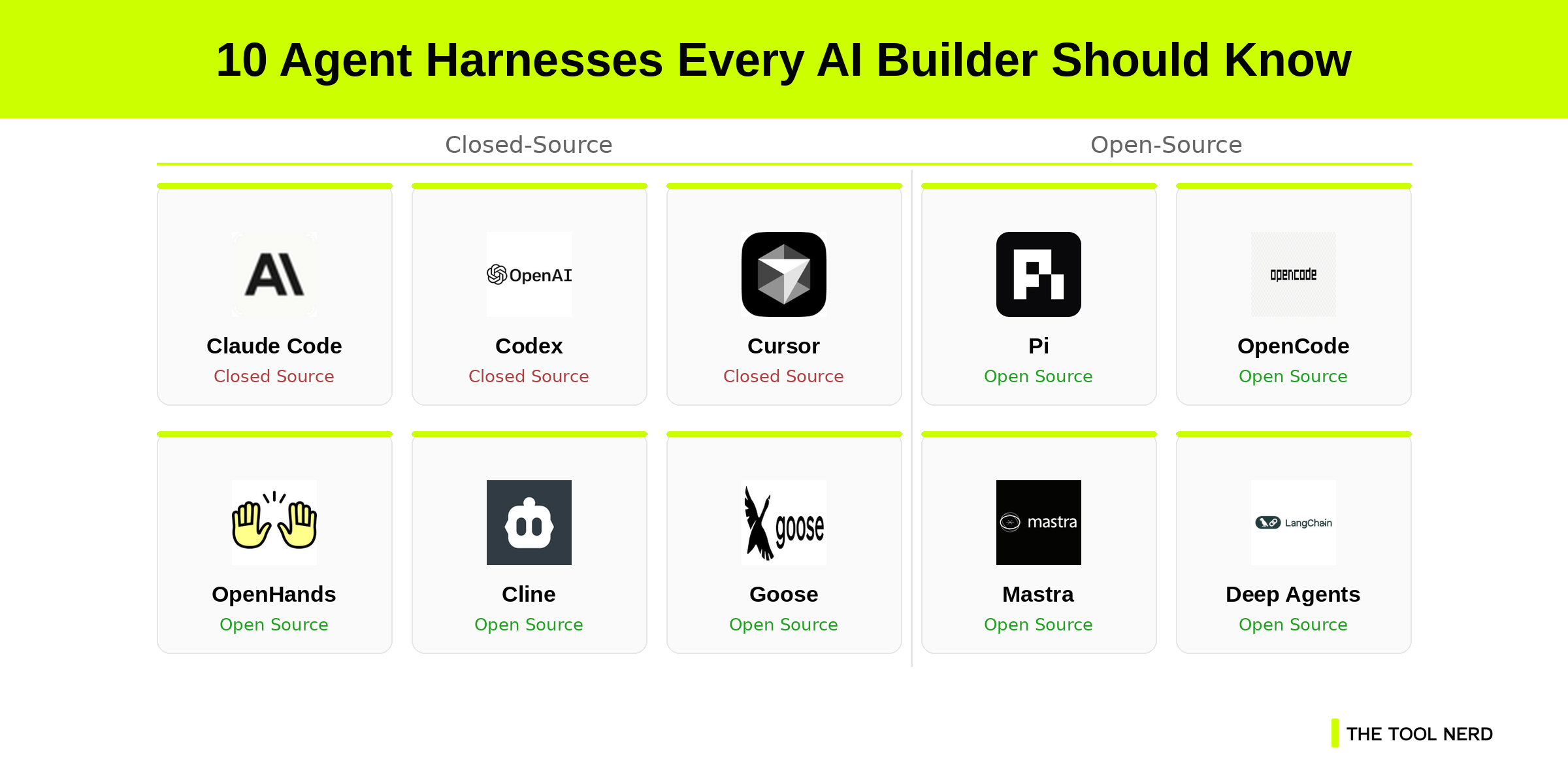
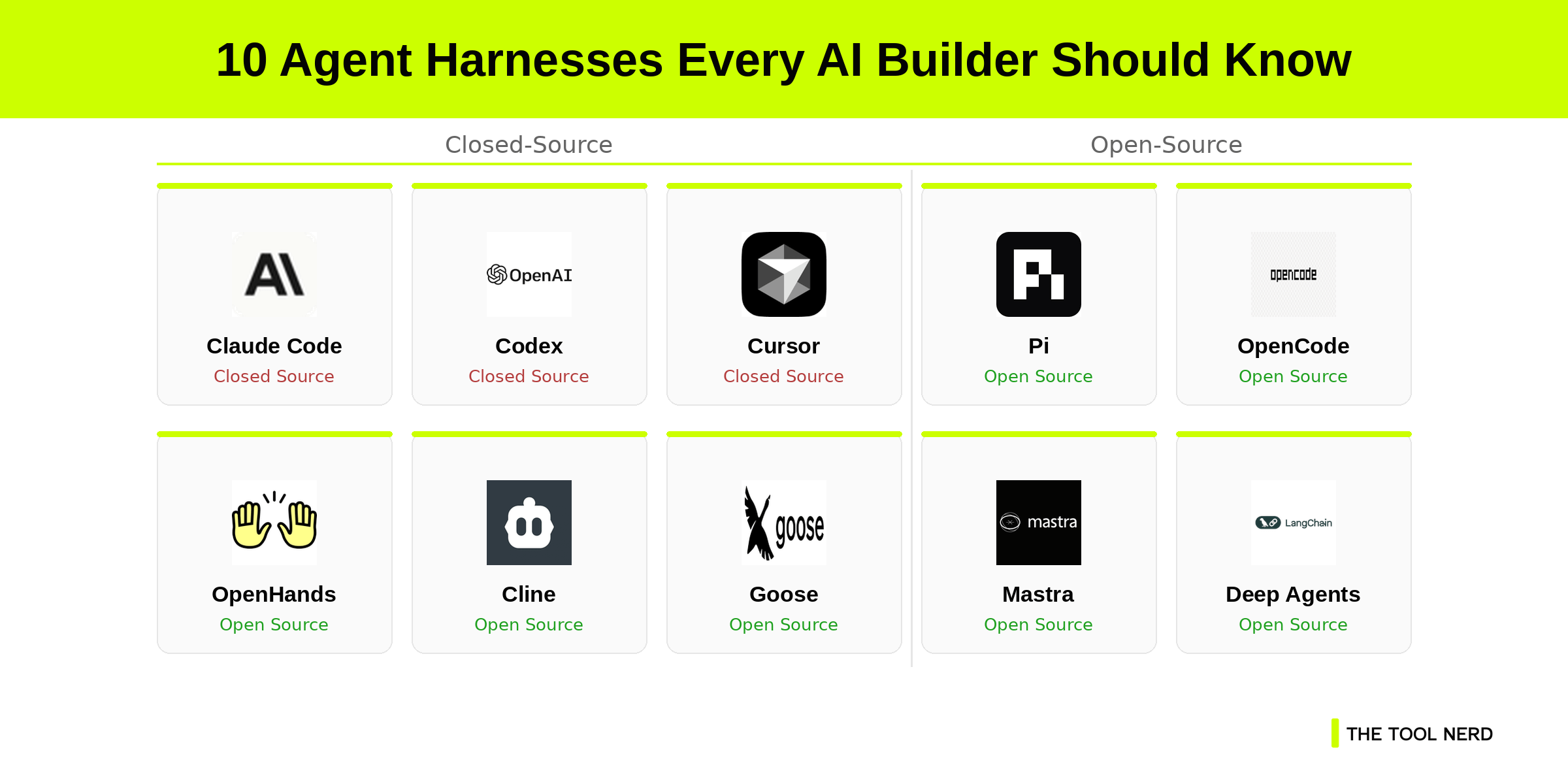
1. Claude Code (Anthropic’s Terminal Harness)
Website: code.claude.com
Open Source: No
SDK: Yes — Claude Agent SDK
Desktop App: Yes — claude.com/download
Launched: February 2025
When Anthropic launched Claude Code in February 2025, it set a new benchmark for what a terminal agent could do. Available via the terminal, the desktop app, and in the cloud, Claude Code is a complete harness ecosystem rather than a single tool. Anthropic also released the Claude Agent SDK, which lets developers build custom applications using the exact same harness infrastructure that powers Claude Code itself.
The harness handles context engineering automatically - compressing long sessions, managing tool results, and keeping the model oriented across complex multi-step tasks. If you want to see it in action, my guide on building a Claude-Managed AI Agent walks through the full setup.

2. Codex (OpenAI’s Agentic Harness)
Website: openai.com/codex
GitHub: github.com/openai/codex
Open Source: CLI is open source (Apache 2.0) — 92,334 stars
SDK: Yes — OpenAI Agents SDK
Desktop App: Yes — developers.openai.com/codex/app
Launched: April 2025 (CLI); February 2026 (Desktop App)
OpenAI launched Codex CLI in April 2025 as an open-source terminal agent, then followed up with the Codex Desktop App in February 2026. The CLI is open source and available on GitHub. The full Codex platform and harness infrastructure are closed.
OpenAI’s harness engineering focuses on bidirectional communication between the model and the execution environment - ensuring reliable streaming progress and clean tool execution across long-running tasks. The Codex Desktop App also integrates with ChatGPT mobile, so you can hand off tasks between devices.
I find Codex Desktop to be damn good in comparison to Claude Cowork in terms of User experience.
3. Cursor
Website: cursor.com
Open Source: No
SDK: Yes — Cursor SDK (TypeScript + Python)
Desktop App: Yes — cursor.com/download
Launched: April 2026 (SDK Beta)
Cursor made a deliberate bet on harness infrastructure when it released the Cursor SDK in April 2026. The SDK lets developers build agents directly on Cursor’s harness - model-agnostic, deployable from CI/CD pipelines or backend services.
Benchmarks have shown the same model scoring noticeably higher on coding tasks when running inside Cursor’s harness versus other environments. The harness is doing real work here, not just passing prompts through.
4. Pi
Website: pi.dev
GitHub: github.com/earendil-works/pi
Open Source: Yes (MIT License) — 64,296 stars
SDK: Yes — npm package
Desktop App: Yes — pi.dev
Launched: August 2025
Pi is fully open source and one of the most minimal agent harnesses available. The biggest advantage is customizability. You can tailor the harness to your own workflows and company style - and share those configurations with others through extensions. You don’t adapt your workflow to Pi; Pi adapts to you.
Pi ships with a deliberately focused toolset: Read, Bash, Edit, Write, Find, and LS.
No bloat, no unnecessary MCP integrations by default. You extend it with your own skills, prompt templates, and themes, then bundle those extensions to share with your team. For teams that want a consistent, opinionated agent environment without the overhead of a larger platform, Pi is hard to beat.
Pi was also one of the foundational inspirations behind OpenClaw. If you’ve followed my coverage of OpenClaw, you’ll recognize the same philosophy: give a powerful agent a clean, minimal surface to work from.

5. OpenCode
Website: opencode.ai
GitHub: github.com/anomalyco/opencode
Open Source: Yes (MIT License) — 176,675 stars
SDK: Yes
Desktop App: Yes (Beta) — opencode.ai/download
Launched: April 2025
OpenCode is the most-starred open-source coding agent of 2026, crossing 150,000 GitHub stars within months of launch. It’s a full-featured terminal harness with two built-in agents you can switch between - a default build agent with full access, and a read-only plan agent for scoping work before executing it. OpenCode also ships with its own SDK for building custom applications on top of the harness, and a desktop app in beta across macOS, Windows, and Linux.
6. OpenHands
Website: openhands.dev
GitHub: github.com/All-Hands-AI/OpenHands
Open Source: Yes — 77,852 stars
SDK: Yes
Desktop App: Yes — openhands.dev
Launched: March 2024
OpenHands - formerly OpenDevin - is one of the most complete open-source agent harnesses available. It provides a full platform for building agents that interact with code, terminals, file systems, and web browsers. It ships as a desktop app, CLI, and API. OpenHands is particularly strong for teams that want to run self-hosted, always-on engineering agents without paying for a managed platform.
7. Cline
Website: cline.bot
GitHub: github.com/cline/cline
Open Source: Yes (Apache 2.0) — 63,573 stars
SDK: Yes
Desktop App: No — IDE Extension and CLI only
Install: cline.bot
Launched: July 2024
Cline operates as an SDK, an IDE extension, and a CLI assistant - trusted by 8 million developers. It features robust Plan/Act modes and deep MCP integration, making it one of the most extensible open-source harnesses available. Cline doesn’t have a standalone desktop app; it lives inside your editor. For developers who spend most of their time in VS Code, that’s not a limitation - it’s where they already are.
8. Goose.ai
Website: goose-docs.ai
GitHub: github.com/aaif-goose/goose
Open Source: Yes — 49,930 stars
SDK: Yes
Desktop App: Yes — goose-docs.ai
Launched: January 2025
Developed by Block’s Open Source Program Office, Goose is a general-purpose AI agent that runs locally on your machine. It handles research, writing, automation, and data analysis - not just code. Goose ships with a desktop app, CLI, and API, and connects with tools and services through extensions. For builders who want an open-source harness that works across more than just a code editor, Goose is one of the few that delivers on that promise.
9. Mastra
Website: mastra.ai
GitHub: github.com/mastra-ai/mastra
Open Source: Yes — 25,280 stars
SDK: Yes
Desktop App: No — Local Studio UI
Studio: mastra.ai/docs/studio
Launched: October 2024 (framework); June 2026 (Mastra Harness)
Mastra is a modern TypeScript framework that formally announced its Harness primitive in June 2026.
It lets you build interactive AI agents with multiple modes, persistent threads, tool approvals, and model switching - all within a TypeScript-native environment. Mastra doesn’t ship a standalone desktop app, but its local Studio UI gives you a full visual interface for building, testing, and managing agents during development. Strong choice for TypeScript teams that want production-ready harness infrastructure with observability built in from day one.
10. Deep Agents (LangGraph)
Website: docs.langchain.com/oss/python/deepagents/overview
GitHub: github.com/langchain-ai/deepagents
Open Source: Yes (MIT License) — 24,870 stars
SDK: Yes
Desktop App: No — CLI and SDK only
Launched: July 2025
Built by the LangChain team on top of the LangGraph runtime, Deep Agents is an opinionated, batteries-included harness for long-running, multi-step tasks. It ships with built-in planning, task delegation via subagents, and automated context engineering. No desktop app - this one is built for developers who want to run agents from scripts, pipelines, and backend services. If you’re already deep in the LangChain ecosystem, Deep Agents is the natural next step toward production-grade agentic workflows.
What Are Meta-Harnesses - And Why They’re the Next Big Thing
As teams start using multiple harnesses simultaneously, a new category has emerged: the meta-harness. These tools let you run Claude Code, Codex, Pi, and others within a single unified environment - keeping sessions, policies, and skills consistent regardless of which underlying harness is doing the work.
Omnigent by Databricks is the most prominent example right now. Open-source under Apache 2.0 and launched in June 2026, it sits above the tools you already use, providing a shared orchestration layer for composition, governance, and collaboration.
Vercel AI SDK v7 introduced the HarnessAgent API in June 2026, providing a single programmatic interface for running Claude Code, Codex, and Pi from one codebase.
The meta-harness category is early, but the direction is clear. Teams that run multiple harnesses will want a single control plane. That’s what meta-harnesses provide.
Are Agent Harnesses Only for Coding? Not Anymore
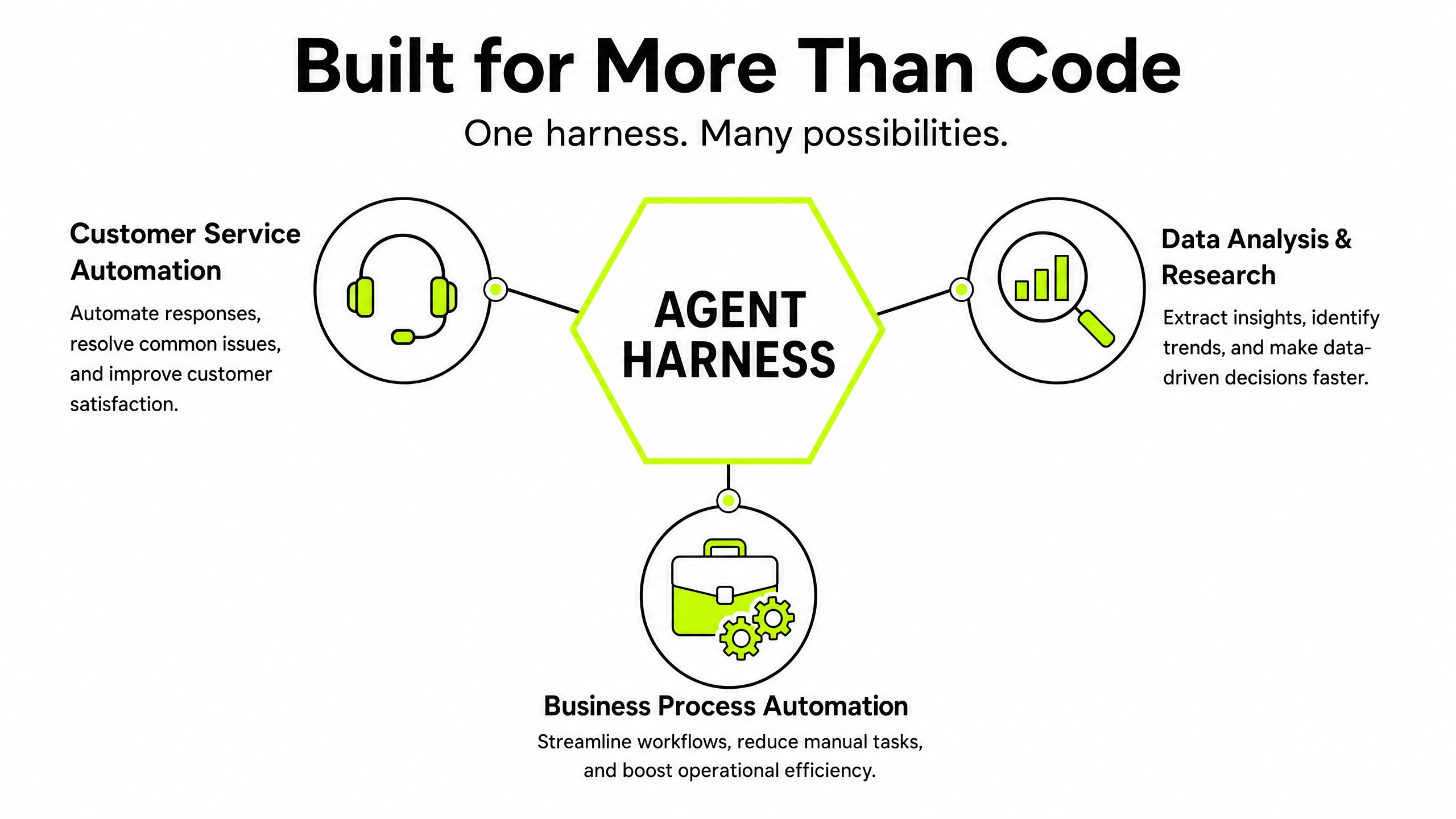
The coding agent conversation dominates the headlines, but the harness architecture works for any domain where an agent needs to plan, act, and recover across multiple steps.
In customer service automation, harnesses manage the full state of a customer interaction - querying internal databases, executing refunds, and escalating edge cases, all within a controlled execution environment.
In data analysis and research, agents autonomously query data warehouses, run statistical models, and compile research reports over hours or days without losing context.
In business process automation, harnesses are replacing rigid RPA workflows with agentic systems that handle exceptions and edge cases without human intervention.
The pattern is the same across all three: the model provides the reasoning, and the harness provides the reliability.
Which Agent Harness Should You Pick?
Stop obsessing over which foundational model to use. The models will continue to leapfrog each other every few months - that race never ends.
The harness is where the real leverage is. It determines how reliably your agent executes, how well it recovers from failure, and how much engineering you need to maintain it. A great harness makes a good model look excellent. A poor harness makes an excellent model look unreliable.
If you want the most complete closed-source experience, Claude Code or Codex is the benchmark.
If you want open-source flexibility with the largest community, OpenCode is where the momentum is.
If you want minimal and customizable, Pi is the one to build on. I prefer this.
And if you’re a TypeScript team building production agents, Mastra just shipped exactly what you need.
Pick your harness. Configure your tools. Let the agent do the work.
Start building your agents and your workflows.
Related reading: How to select the right AI Agentic Framework · Building a Claude-Managed AI Agent · OpenClaw: Setup Guide
Really good information! This is the way as we can use models for ease, pricing and job needs. I have no tech background but got so inspired by this that I am on my own journey too! I can’t wait to read more from you! ✨🌱