

I have been building with Claude Code and other coding tools like Cursor, Codex, and Factory for a while now. They are incredible out of the box, but here is the truth: the model itself isn’t the secret weapon. “Skills” are what make these Coding Agents truly powerful.
Think of AI Agent Skills as the “apps” for your AI agent. They are reusable, procedural best practices that you can inject directly into your agent’s brain. Instead of prompting your AI to “be a good developer,” you install a Skill that forces it to follow a specific, battle-tested workflow.
Whether you are using Claude Code, Cursor, Codex, or Windsurf, these AI agent skills ensure that your agent doesn’t just work - it works correctly. In this guide, I’m breaking down the top 10 AI agent skills that have completely transformed how I build products, from initial brainstorming to shipping production code.
The Open Agent Skills Ecosystem: Skills.sh
Before we dive into the list, we need to talk about where you can find these skills. You can find a plethora of skills in skills.sh.
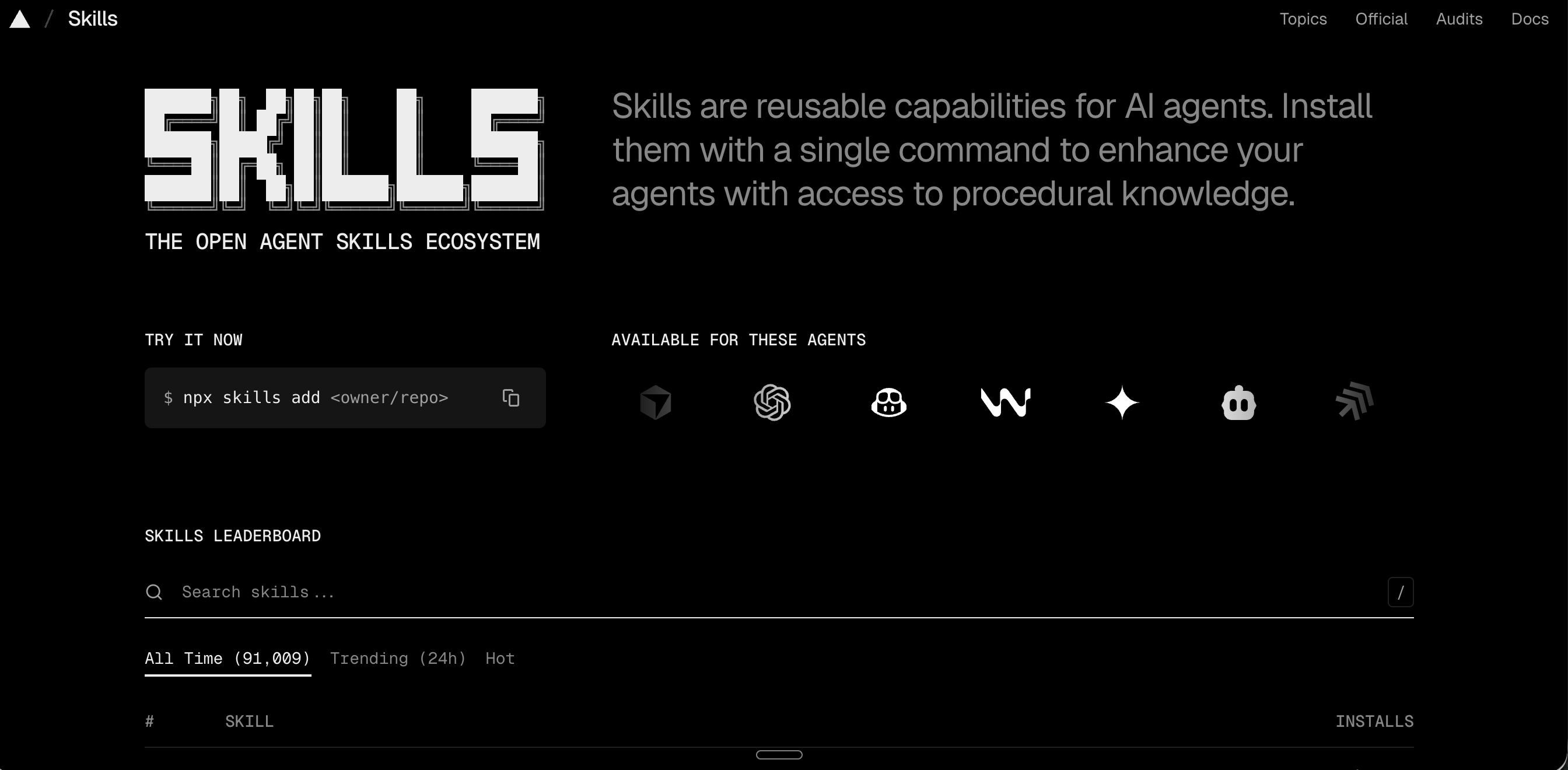
Built and maintained by the Vercel team, skills.sh is the open directory for agent capabilities. It currently hosts over 91,000 skills across various topics—from React best practices to security audits and marketing strategies. It supports a massive ecosystem of agents, meaning a skill built for Claude Code can often be utilized by Cursor or GitHub Copilot. It’s the ultimate repository for copying the mental models of the world’s best engineers and enhancing your AI workflow.
Reference: If you’re new to building your own AI agent skills, check out my previous guide on How to Build Claude Skills: Complete Guide + MCP.


The Top 10 AI Agent Skills for Enhanced Productivity
I’ve curated this list based on my daily usage and the trending data from skills.sh.
1. Brainstorming (obra/superpowers)
Total Installs: 147.7K
Install Command: npx skills add obra/superpowers
This is where every project of mine starts. I use the brainstorming skill to define product requirements or validate a raw idea. It doesn’t just give you a list of ideas; it pressure-tests your assumptions using first principles. This skill is invaluable for cutting through the noise and getting to the core of a problem. It forces your agent to ask critical questions, challenge assumptions, and explore alternative solutions, ensuring that the foundation of any project is solid before a single line of code is written.
2. Skill Creator (anthropics/skills)
Total Installs: 196.1K
Install Command: npx skills add anthropics/skills
The meta-skill. If you want to build your own custom workflows, this is essential. It helps you define the schema, write the instructions, and even set up evaluations to make sure your skill actually works. This skill empowers you to transform your unique processes into reusable, shareable assets. It guides you through the entire lifecycle of skill development, complete with testing frameworks to ensure reliability. I wrote about the Skill Creator 2.0 update here.
3. Frontend Design (anthropics/skills)
Total Installs: 391.8K
Install Command: npx skills add anthropics/skills
This is the most popular skill on the market for a reason. It gives your agent the official Anthropic design guidelines, ensuring that any UI it generates is clean, accessible, and modern. No more “AI-looking” buttons. It translates abstract design principles into concrete, actionable instructions, allowing your agent to generate high-fidelity mockups and component libraries that adhere to established design systems.
4. Caveman (juliusbrussee/caveman)
Total Installs: 124.4K
Install Command: npx skills add juliusbrussee/caveman
Context is expensive. Caveman is my secret weapon for context improvement and saving tokens. It aggressively prunes unnecessary files and forces the agent to speak in terse, minimal-token English.
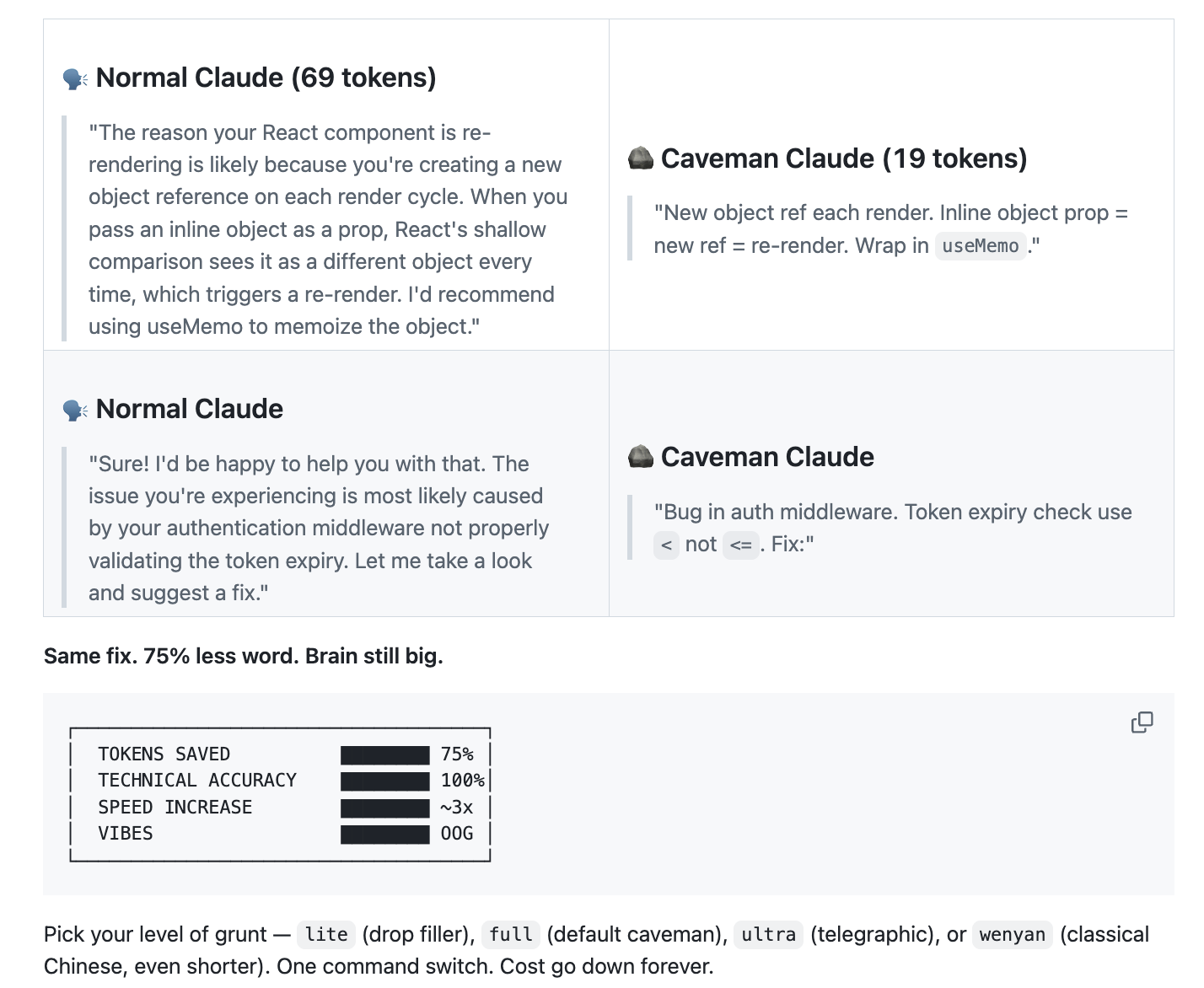
Here is a real “Before and After” from the repository:
Normal Agent (69 tokens): “The reason your React component is re-rendering is likely because you’re creating a new object reference on each render cycle. When you pass an inline object as a prop, React’s shallow comparison sees it as a different object every time, which triggers a re-render. I’d recommend using useMemo to memoize the object.”
Caveman Agent (19 tokens): “New object ref each render. Inline object prop = new ref = re-render. Wrap in
useMemo.”
It cuts token usage by up to 65% without losing technical substance.
5. Agent Browser (vercel-labs/agent-browser)
Total Installs: 257.0K
Install Command: npx skills add vercel-labs/agent-browser
Stop copying and pasting documentation. agent-browser allows your coding agent to actually “see” the web, navigate to docs, and extract the information it needs to solve a bug or implement a new API. It eliminates the need for manual information retrieval, allowing the agent to integrate external knowledge seamlessly into its problem-solving process.
6. Hyperframes (heygen-com/hyperframes)
Total Installs: 36.1K
Install Command: npx skills add heygen-com/hyperframes
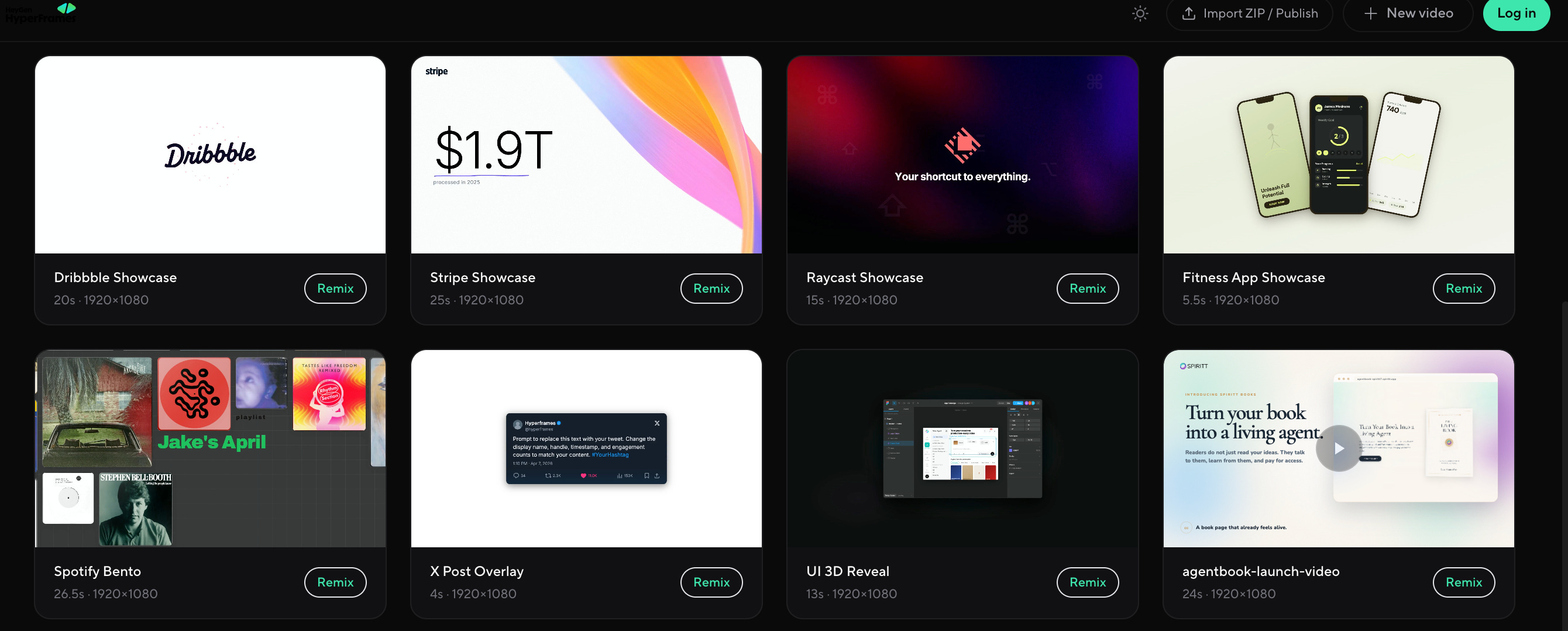
Want to show off your product? I use Hyperframes to create high-quality videos of my product ideas directly from the terminal. It’s a game-changer for building “demo-first” products. By simply describing your product’s features, Hyperframes can produce professional-grade video content, accelerating the feedback loop during product development.
What you can build:
Animated Social Overlays: Create Instagram “Follow” cards or X post cards with smooth entry animations.
Dynamic UI Showcases: Render 3D iPhone and MacBook showcases for your web apps.
VFX Text Cursors: Add cinematic flair to your product landing pages with just a few lines of HTML/CSS.
> Watch it in action: Demo of HeyGen’s HyperFrame | Claude + HeyGen: Automated Videos Tutorial
Check out https://www.hyperframes.dev/ for some inspiration
7. Remotion Best Practices (remotion-dev/skills)
Total Installs: 299.9K
Install Command: npx skills add remotion-dev/skills
If you’re building video-based products, you need this. It injects the best practices for Remotion (React-based video) into your agent, making it trivial to programmatically generate complex animations. It streamlines the creation of dynamic video content by leveraging the agent’s ability to understand and apply complex programming paradigms.
Community Favorites:
Travel Route on Map: A stunning 3D map animation with landmarks, perfect for travel apps.
Three.js Ranking Videos: Data-driven “Top 20” ranking videos with cinematic transitions.
Product Launch Teasers: High-energy launch videos for X (Twitter) that look like they were made by a professional motion designer.
> Watch it in action: Remotion + Claude Skills: The Future of Video Creation | Generate Animated Videos with Claude Code
8. Marketing Skills (coreyhaines31/marketingskills)
Total Installs: 103.6K
Install Command: npx skills add coreyhaines31/marketingskills
Building the product is only half the battle. I use Corey Haines’ marketing skills for SEO audits and copywriting. It helps me ensure that what I build actually reaches the people who need it. This suite equips your agent with the knowledge to perform competitive analysis, generate compelling ad copy, and optimize content for search engines.
9. Grill-me (mattpocock/skills)
Total Installs: 110.3K
Install Command: npx skills add mattpocock/skills
Matt Pocock is a legend in the TypeScript world. His grill-me skill allows your agent to interrogate your codebase, finding architectural flaws and suggesting improvements that most developers would miss. It acts as an expert code reviewer, identifying subtle bugs and performance bottlenecks to ensure your codebase remains robust.
10. Context Mode (mksglu/context-mode)
Total Installs: 465+ (Trending)
Install Command: /plugin install context-mode@context-mode (Claude Code)
If you’re tired of your agent “forgetting” things halfway through a session, Context Mode is the ultimate fix. While other skills focus on what the agent does, Context Mode optimizes how it remembers. It uses a sandbox approach to keep raw tool data out of your context window, achieving a staggering 98% reduction in token usage.
The “Think in Code” Paradigm:
Instead of reading 50 files into context to analyze them (which would cost ~700 KB), Context Mode nudges the agent to write a script that performs the analysis and returns only the result (~3.6 KB). It’s the difference between a data processor and a code generator.
My “Superpower” Workflow: From Idea to Code
I don’t just use these skills in isolation. I chain them together into what I call my Superpower Workflow.
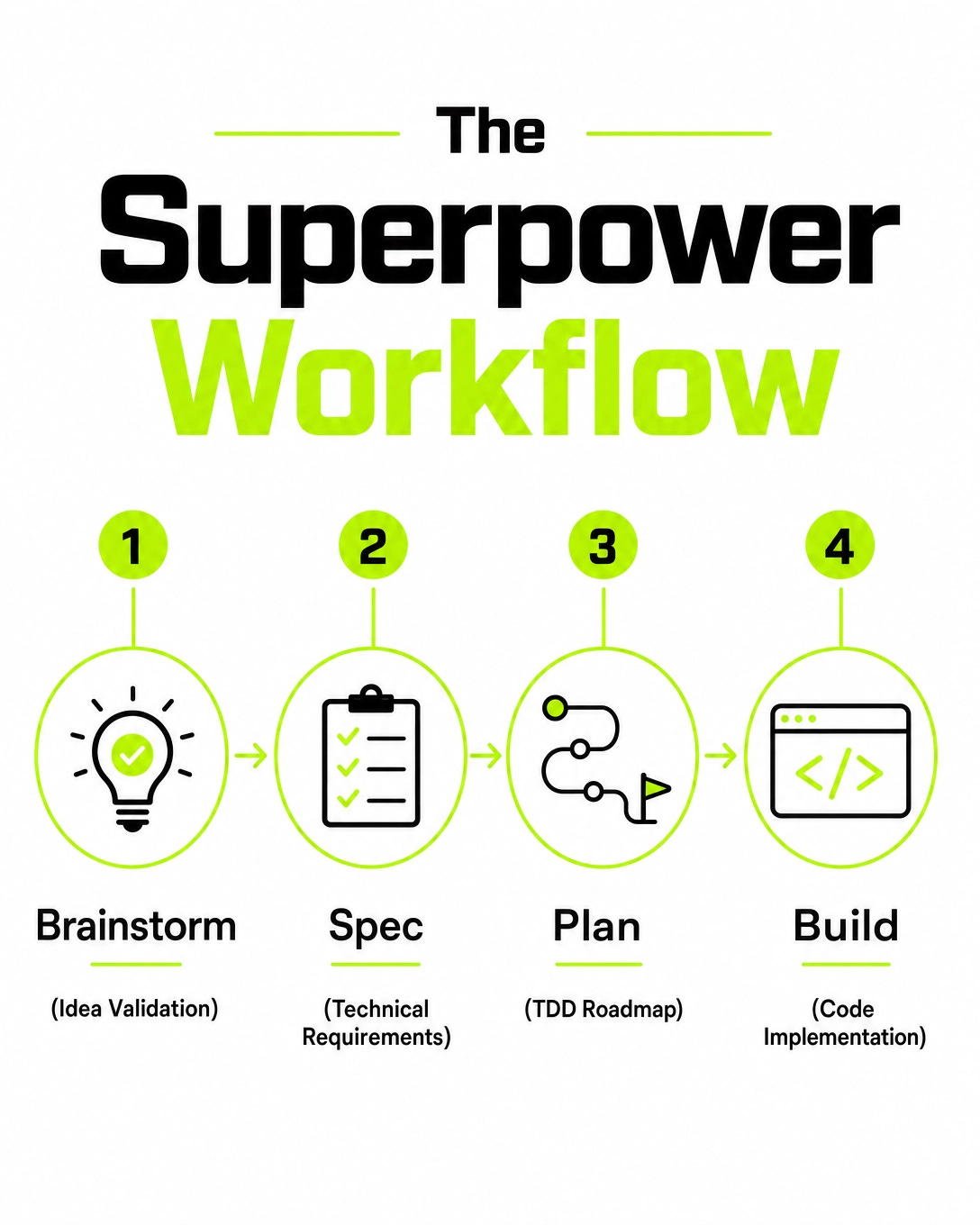
Brainstorm: Use
brainstormingto validate the idea.Spec: Use a custom skill to write the technical spec.
Plan: Use
writing-plansto map out the implementation.Build (TDD): I use a Test Driven Development (TDD) methodology. I have the agent write the tests first, watch them fail, and then write the code to make them pass.
> Deep Dive: I actually wrote a full breakdown of How Claude Built a TDD Skill if you want to see this in action.
The Verdict: Elevate Your AI Workflow with Agent Skills
AI Agent Skills are the bridge between “AI as a chatbot” and “AI as an engineer.” If you aren’t using them, you’re working twice as hard for half the result.
Looking for more tools? Check out my full directory at tools.thetoolnerd.com.
Markdown system prompts are not skills. Just instructions for black box code and token spending on mistakes, bugs, and bad function calls. Try skillware instead. Packaged, modular, transparent functions any model can use out of the box. 0 tokens spending. 0 mistakes.