

When Anthropic launched Skills, it was a big deal for anyone building with AI. It’s the next big thing that happened after the Model Context Protocol (MCP) and created a community where people could share their expertise as “Skills.”
These are like small, reusable tools that help AI do specific tasks. By making the framework open-source, Anthropic allowed everyone to build on it. You have multiple marketplaces created to discover skills.
One of the famous one’s is - https://skills.sh
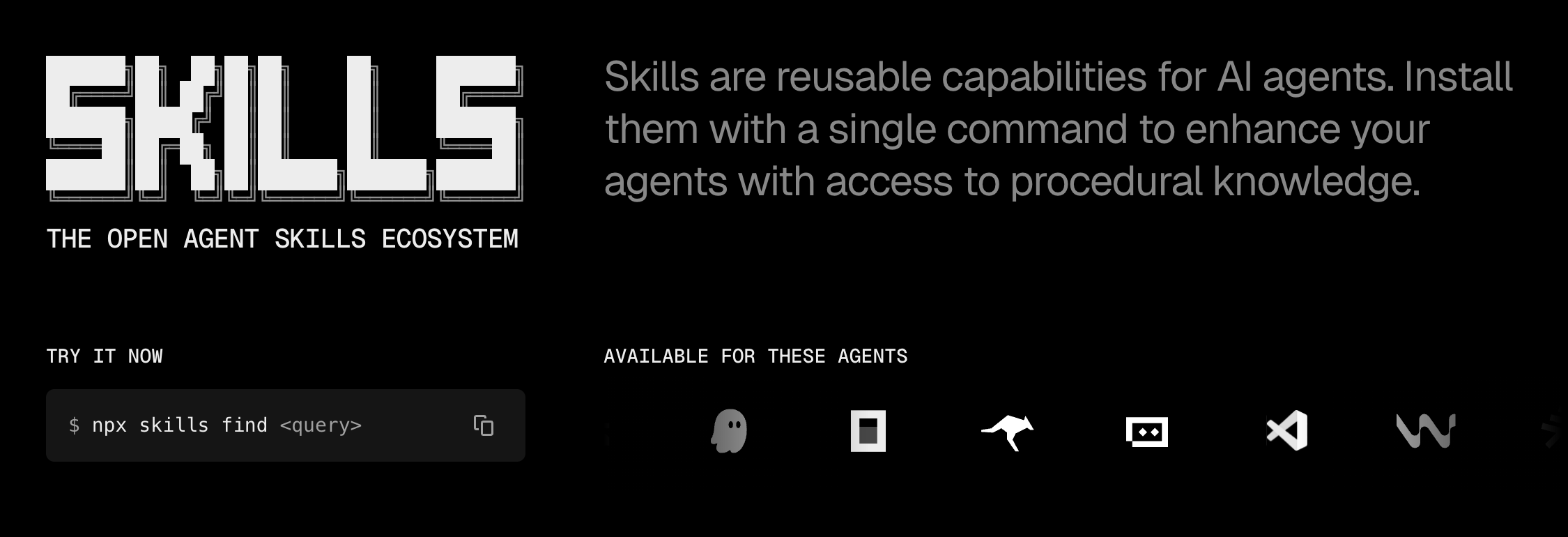
People started turning their daily work—like summarizing documents or writing code—into these automated skills.
If you want to learn more about SKILLS , MCPs, Claude Code check out these articles:


But there was a problem. Building a skill felt more like guessing than engineering. The first version of Skill Creator helped you start, but it didn’t help you check if your skill actually worked well. You would write instructions, run the skill, and if it failed, you had to guess how to fix it.
This new update is a significant improvement.
It removes the guesswork and makes building skills much more reliable. Here is what you need to know.
From Guessing to Engineering
Before this update, Skill Creator was just a basic tool to help you set up files. Once you had the files, you were on your own. You would write your instructions and hope for the best. If the AI made a mistake, you had to manually change your prompts and try again.
Now, there is a clear, four-step process to make sure your skills are solid:
Create
Eval
Improve
Benchmark
The Four Modes: How to Build Better Claude Skills
This new way of working is a loop. It builds, tests, and fixes the skills until they are perfect.
Why This New Version of Claude Skill is Better
The new Skill Creator is much more reliable because of three main features.
1. The Evaluation Pipeline: Testing Your AI
This is the most important part. You can now create test cases. You give the AI an input and tell it what the correct output should be. For example, Anthropic had a skill for reading PDFs that sometimes struggled with forms. By using these tests, they found exactly where it failed and fixed it.
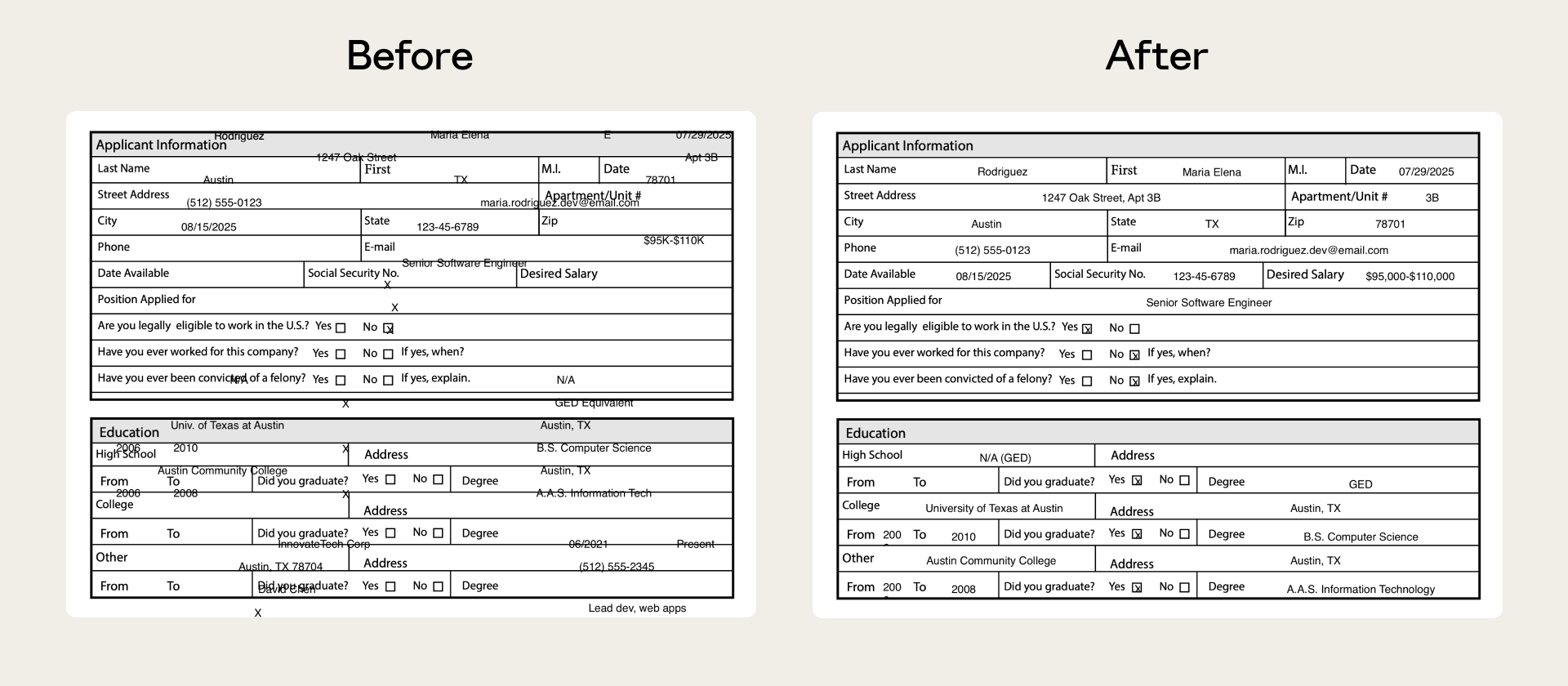
This is like a “check-up” for your AI. Without it, you never really know if your skill is reliable.
2. AI Assisted Debugging
When a test fails, the Improve mode analyzes the failure logs and suggests changes to the skill’s instructions.
Instead of manually guessing how to fix the prompt, you get targeted suggestions based on what actually failed during the evaluation runs.
It’s not fully autonomous self-repair, but it dramatically speeds up debugging.
3. Regression Testing: Keeping it Safe
As skills get more complex, they can break easily. The Benchmark mode lets you run a full set of tests every time you change something. It shows you how many tests passed, how long it took, and how much it cost.
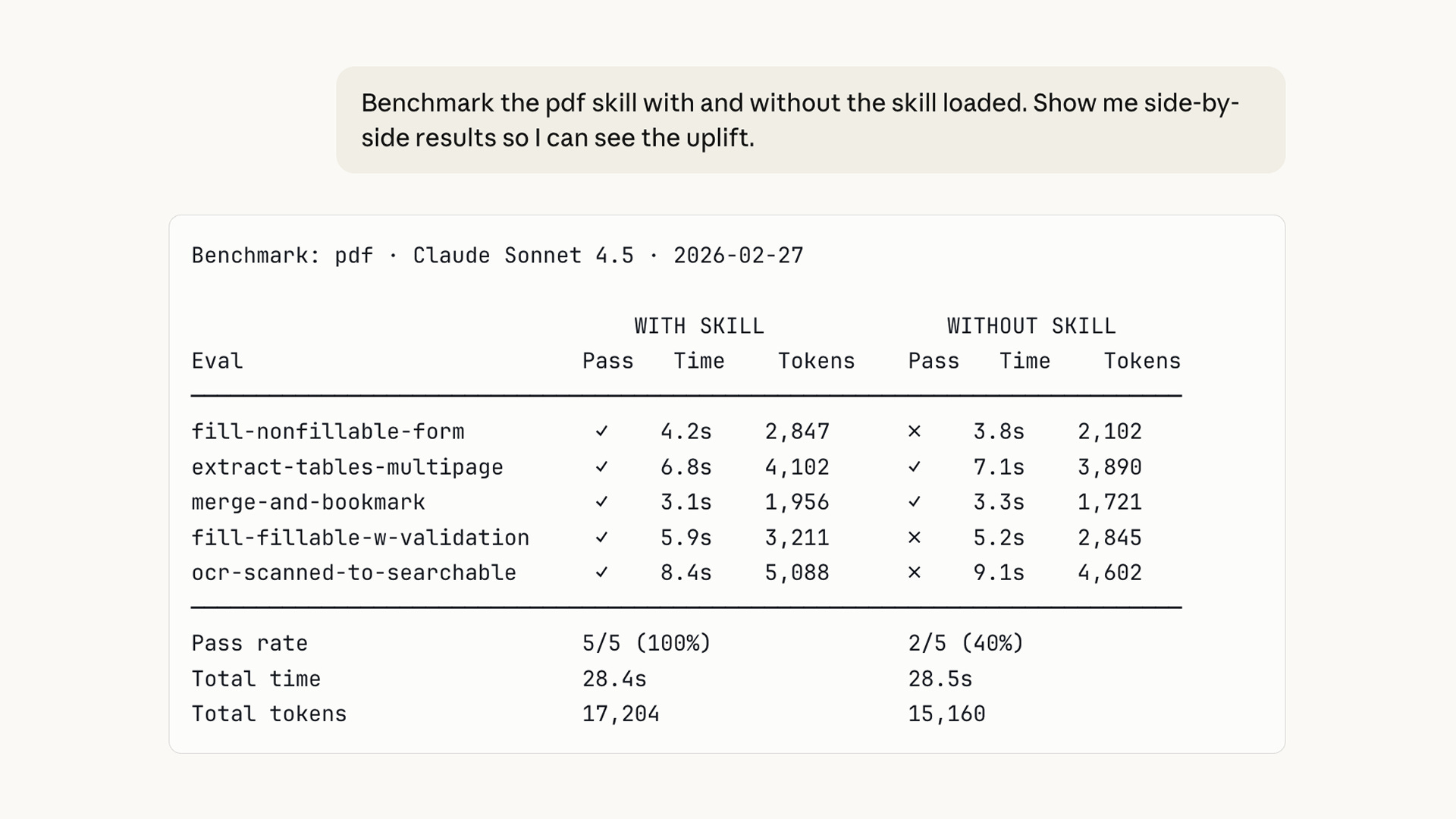
This is a safety net. It gives you the confidence to improve your skills without worrying about breaking them.
If you found these articles useful, please share them with others who might benefit.
Two Types of Skills You Can Build
Anthropic explains that skills usually fall into two categories.
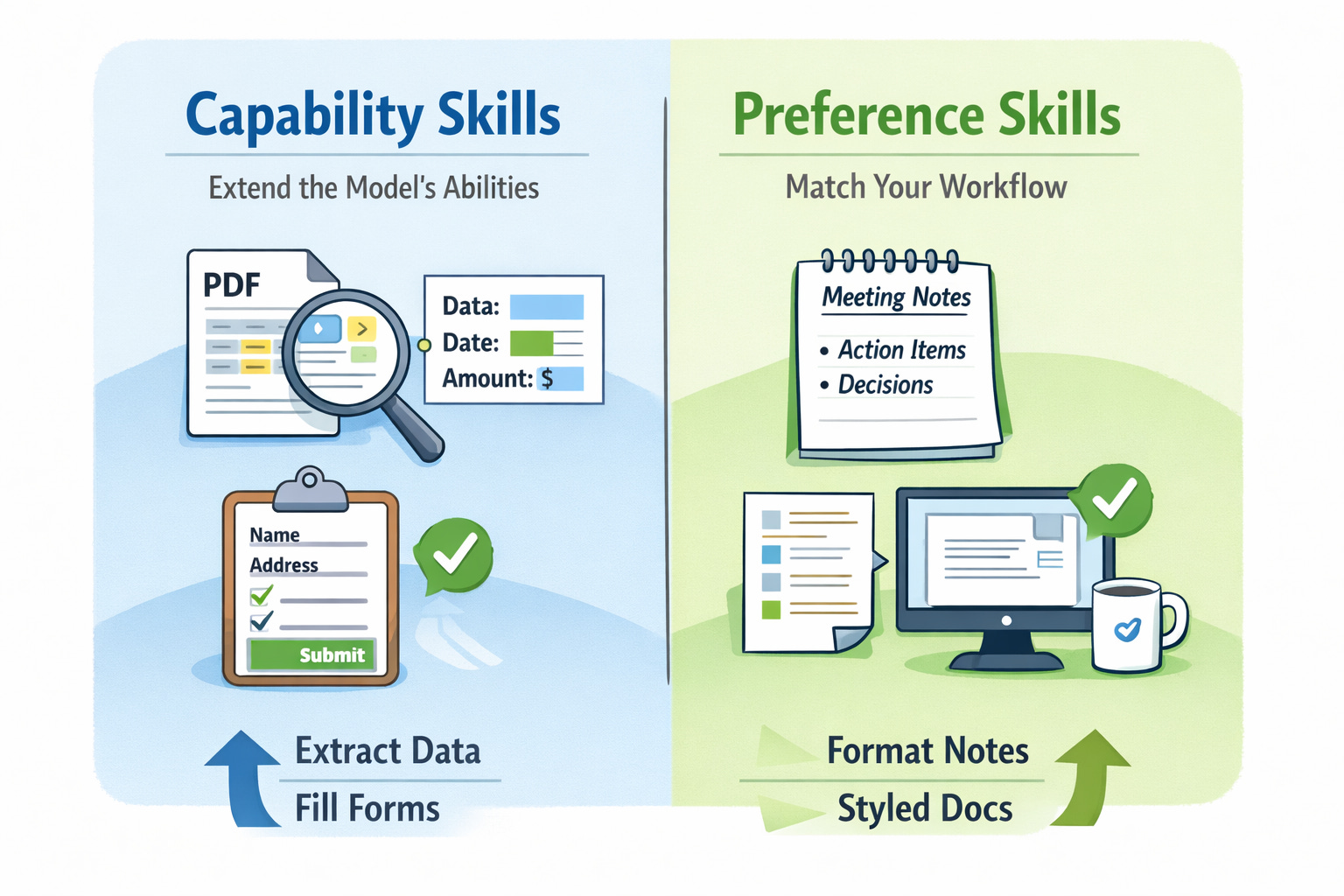
Capability skills extend what the base model can do.
For example, a skill that extracts information from complex PDFs or fills out forms.
Preference skills encode how you want work done.
For example, formatting meeting notes in a specific structure or writing documentation in your company’s style.
The new evaluation system helps you measure both.
If a capability skill becomes unnecessary because the base model improves, the tests will reveal it. If a preference skill stops behaving the way you expect, the benchmarks will catch it.
Advanced Features: Faster Testing and Comparisons
Anthropic also added multi-agent support. This means you can run many tests at the same time using different “agents.” It makes testing much faster.
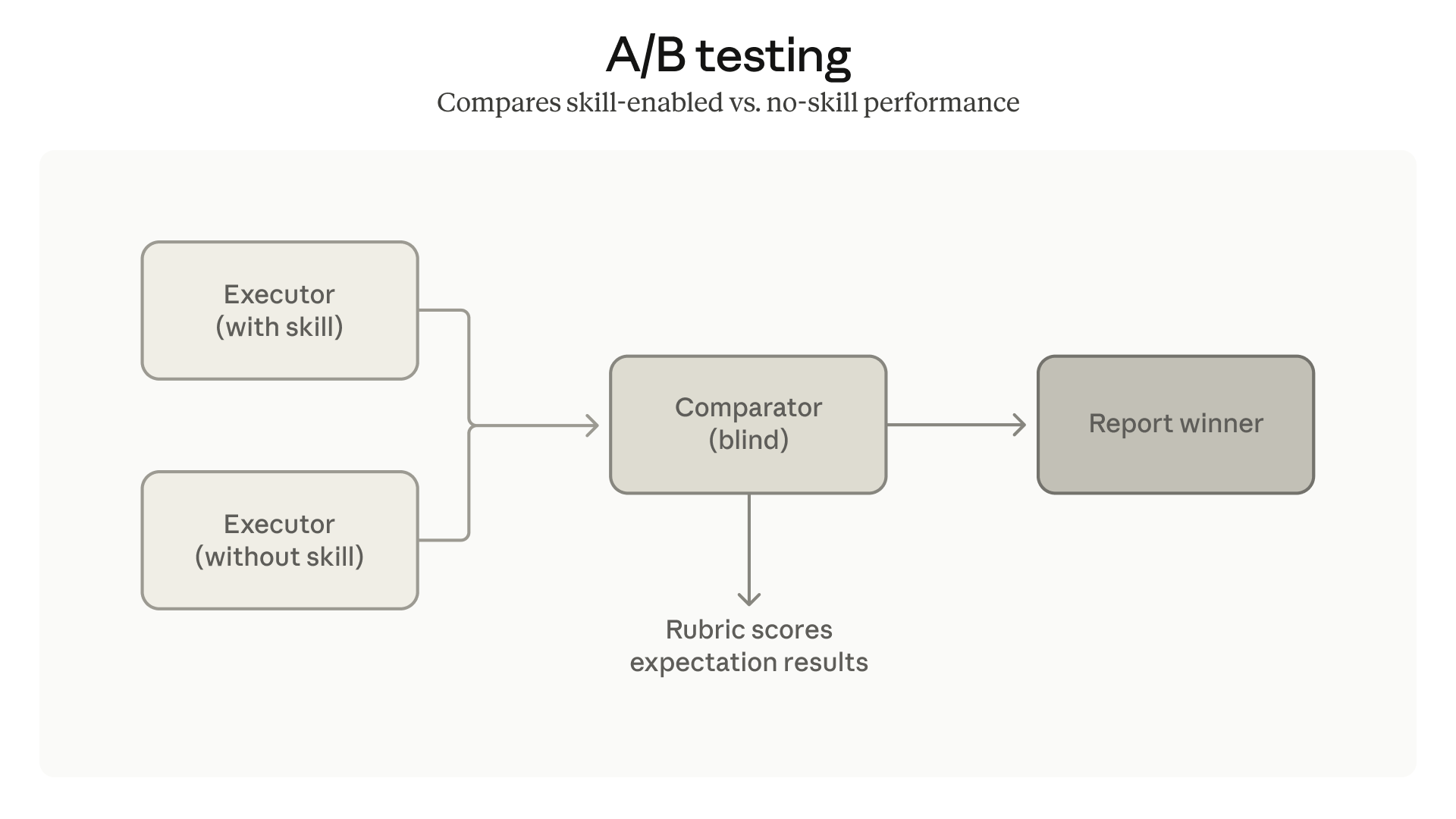
There are also comparator agents for A/B testing. You can compare two different versions of a skill to see which one is better. The AI judges the results without knowing which version is which, so the choice is fair.
Making Sure the Claude Skill Starts at the Right Time
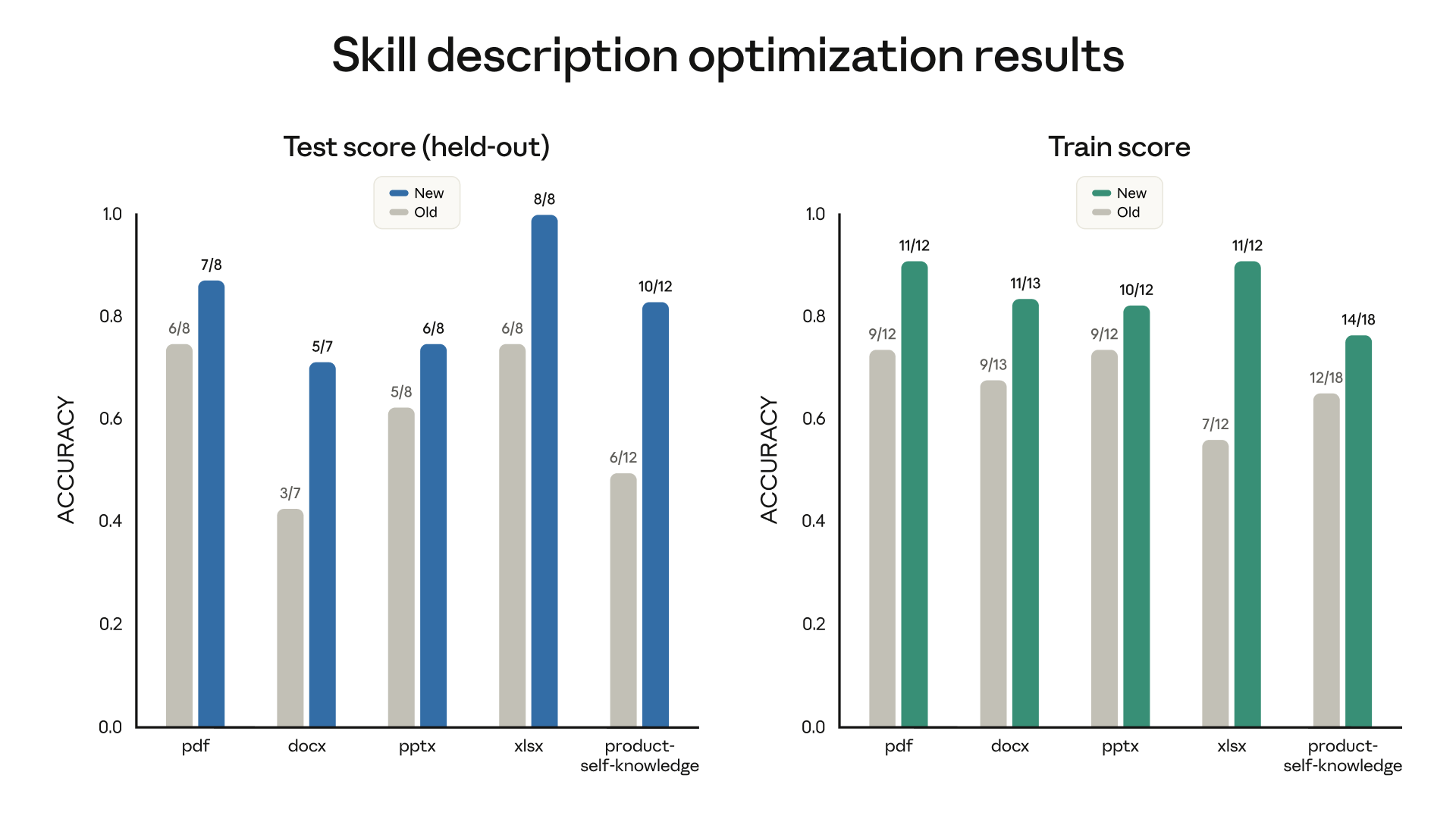
A skill is only useful if it starts when you need it. Skill Creator now helps you write better descriptions so the AI knows exactly when to use the skill. It looks at your description and suggests ways to make it clearer.
Final Thoughts: A Must-Have for AI Builders
This update is a big step forward. It moves us away from just “guessing” with prompts and toward building real, reliable AI tools.
By giving us tools to test and fix our skills, Anthropic has made it possible to build AI that we can actually trust. If you want to build professional AI tools, you should start using this new workflow today.
In the next article you will see how claude created a skill using the updated Claude Skill Creator 2.0
Claude wrote the skill, designed the test cases, ran six parallel agents, graded the outputs, opened the review UI, and packaged the result. The only human input after the initial prompt was a single word: “approved.”