

If you read this all the way through, you will end up with a working blueprint for a second brain that compounds over time. The goal is to replace scattered PDFs, browser tabs, notes, and chat threads with a system that keeps getting better as you add material.
That is what makes Andrej Karpathy’s llm-wiki gist worth studying. GitHub shows the gist was first published on April 4, 2026.1 The idea is simple and strong: instead of asking an LLM to rediscover your knowledge from raw files every time, you let it maintain a persistent wiki that keeps improving as new sources come in.1
This guide turns that pattern into a practical setup for TheToolNerd readers. The stack is straightforward.
Use Obsidian as the local knowledge base, use an agentic coding assistant such as Claude Code to maintain the wiki, and use a simple ingest workflow so every useful article, note, or transcript has a home.
If you already work with AI coding tools, this also fits well with my earlier write-ups on Claude Code and Windsurf. For adjacent tools, browse the TheToolNerd directory.
What you will get from this guide
Before you start building, it helps to know what this setup is supposed to give you.
Why this pattern matters
Most people still use LLMs like temporary search layers. They upload documents, ask a question, get an answer, and move on. That works for one-off retrieval, but it does not build memory. Karpathy’s argument is different. He describes a persistent, LLM-maintained wiki that sits between you and your raw documents, so synthesis happens once and then gets updated over time instead of being recomputed from scratch on every question.
“The wiki is a persistent, compounding artifact. The cross-references are already there. The contradictions have already been flagged. The synthesis already reflects everything you’ve read.” - Andrej Karpathy
That is the real shift. You stop treating the model like a temporary answer machine and start using it as a maintainer for a knowledge system.
Check out my previous articles:


The core idea in plain English
Keep your raw material raw, and let the model build the layer you actually read.
Your articles, notes, screenshots, transcripts, and PDFs live in a raw/ folder. Those files remain the source of truth. The model does not rewrite them. It reads them and updates a separate wiki made of Markdown pages. That wiki becomes the place where tools, concepts, companies, ideas, and cross-references live.
When you ask a question like “What AI editors have I covered?” the model no longer has to sift through untouched files every single time. It can check the wiki, read the index, follow the relevant pages, and answer from a body of knowledge that has already been organized.
The architecture without the fluff
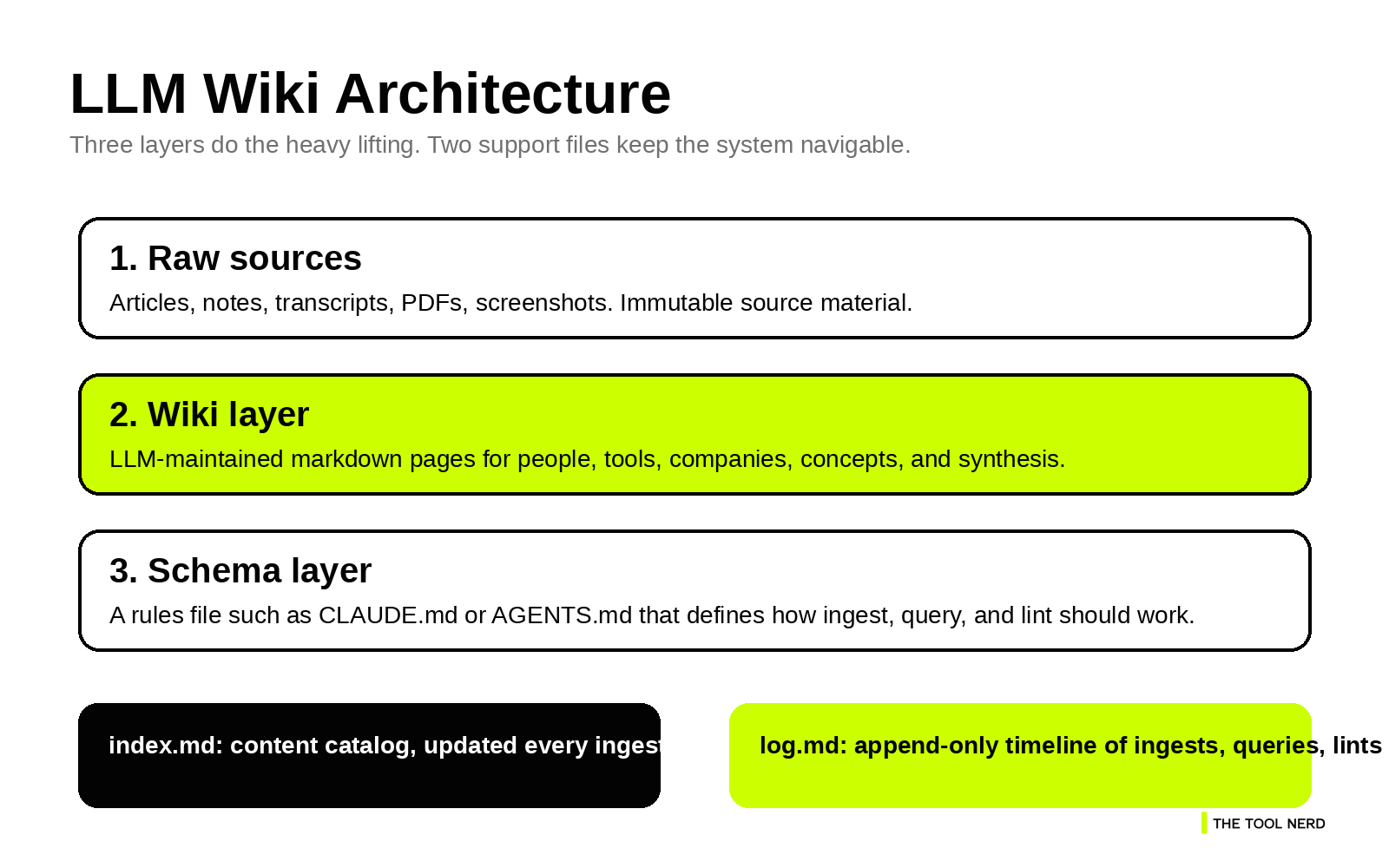
Karpathy keeps the pattern intentionally abstract, but the practical version is easy to follow once you break it into layers.1
What matters most is the separation of responsibilities. raw/ is where source material lives. wiki/ is where the model writes pages. CLAUDE.md or AGENTS.md is where the operating rules live. index.md tells the model what pages already exist, and log.md tells it what happened recently.
Without that structure, you have a chatbot browsing a folder. With it, you have a repeatable maintenance workflow. How the system works
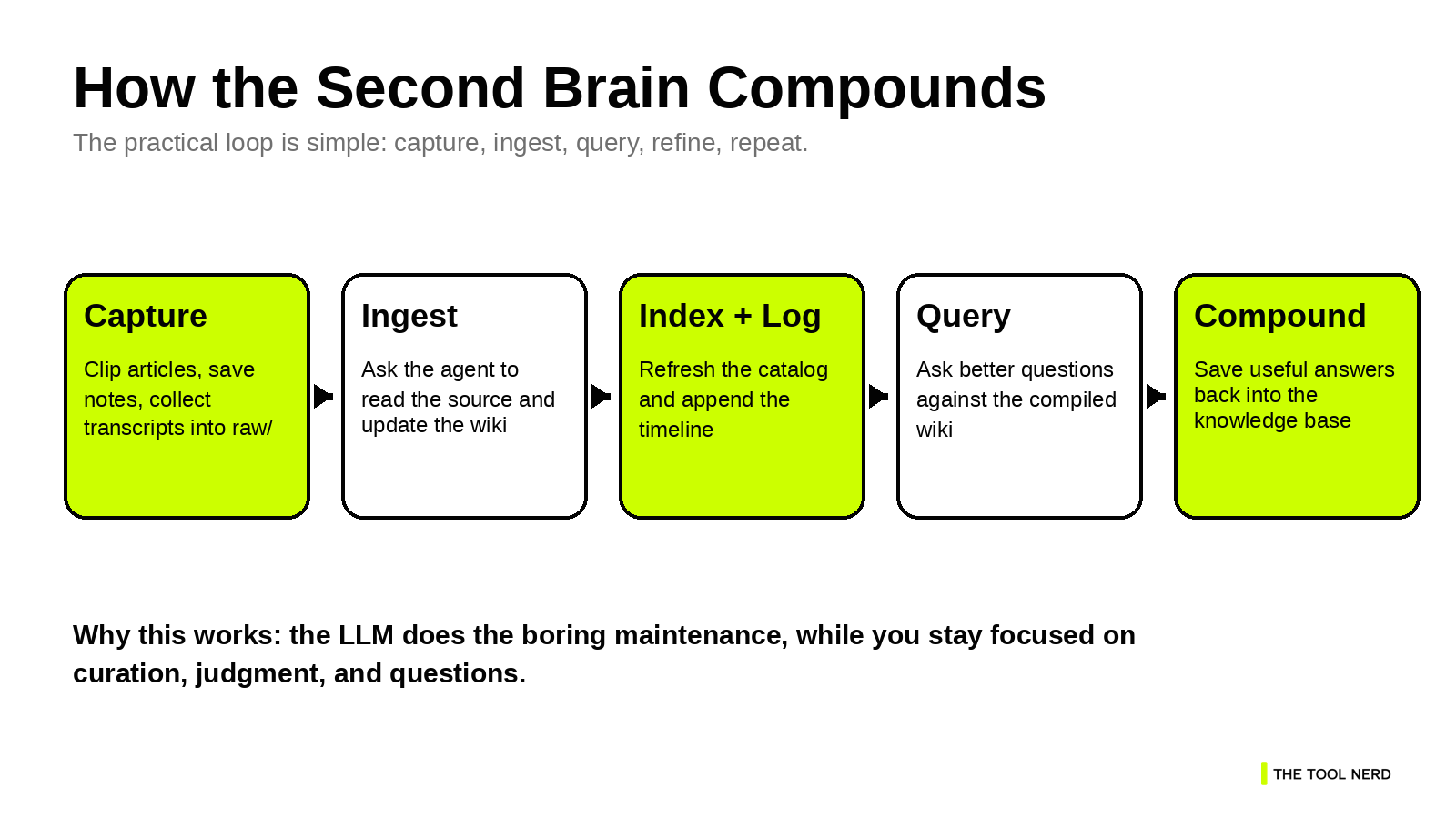
What makes the LLM Wiki pattern practical is that the operating model stays small. Karpathy reduces it to three operations: ingest, query, and lint.1 That is the right level of complexity for a first version.
Ingest means adding a new source to the raw collection and asking the model to process it. The model reads the source, updates existing pages, creates new ones where needed, refreshes the index, and appends an entry to the log.1
Query means asking questions against the wiki, not against a pile of disconnected files. This improves answer quality because the model is working from pages that already contain structure, cross-links, and synthesis.1
Lint means running a health check on the wiki. The model looks for stale claims, contradictions, missing links, orphan pages, and concepts that deserve their own page.1
Why index.md and log.md matter more than they look
These two files sound administrative, but they are the reason the system stays usable.
index.md is the content map. It tells the model what pages exist and what each one is about. Karpathy notes that this can work surprisingly well at moderate scale, which means you can postpone heavier retrieval infrastructure until you actually need it.1
log.md is the timeline. It records what was ingested, what was queried, and when maintenance passes happened. That gives both you and the model a clear sense of recency and change.1
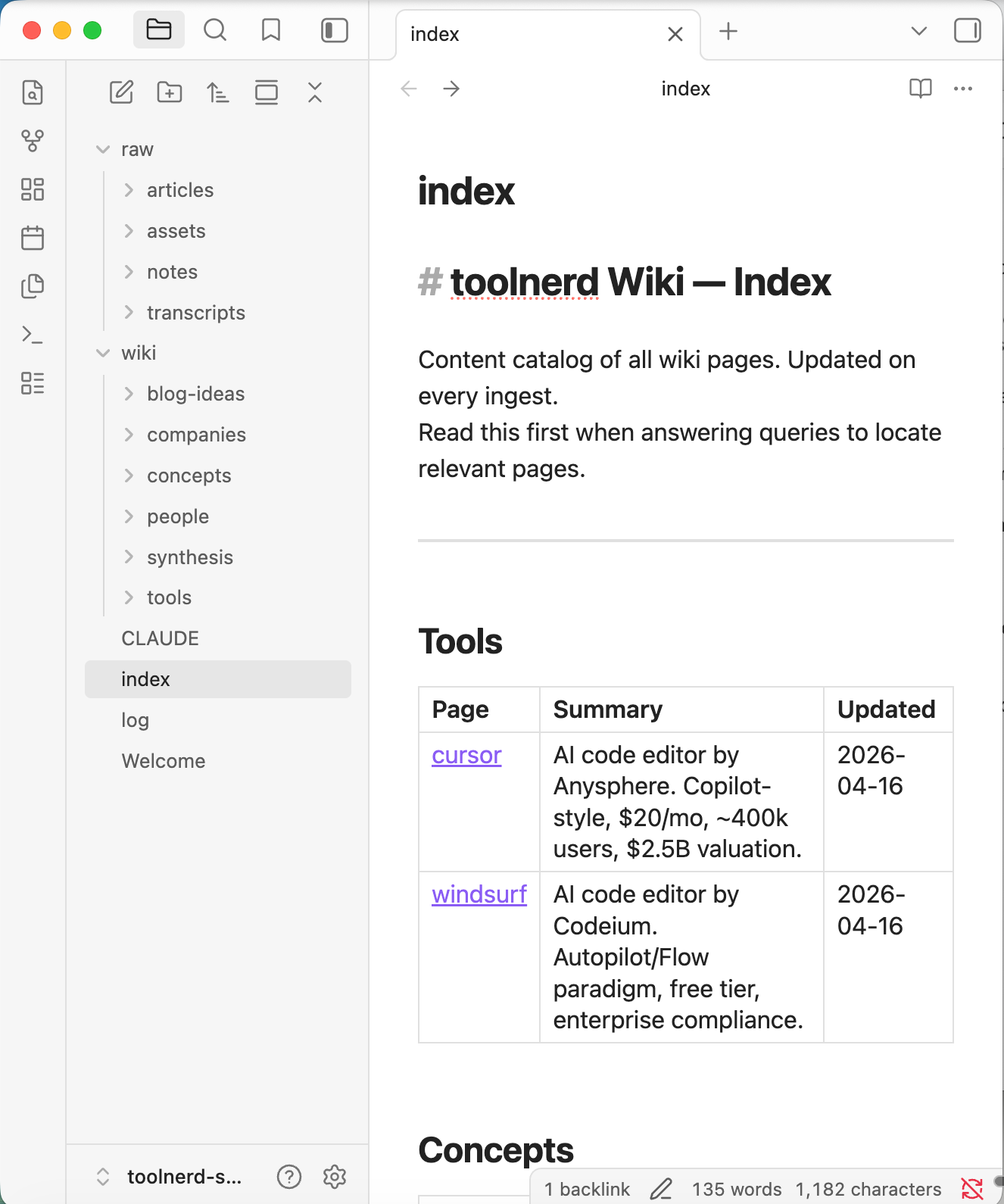
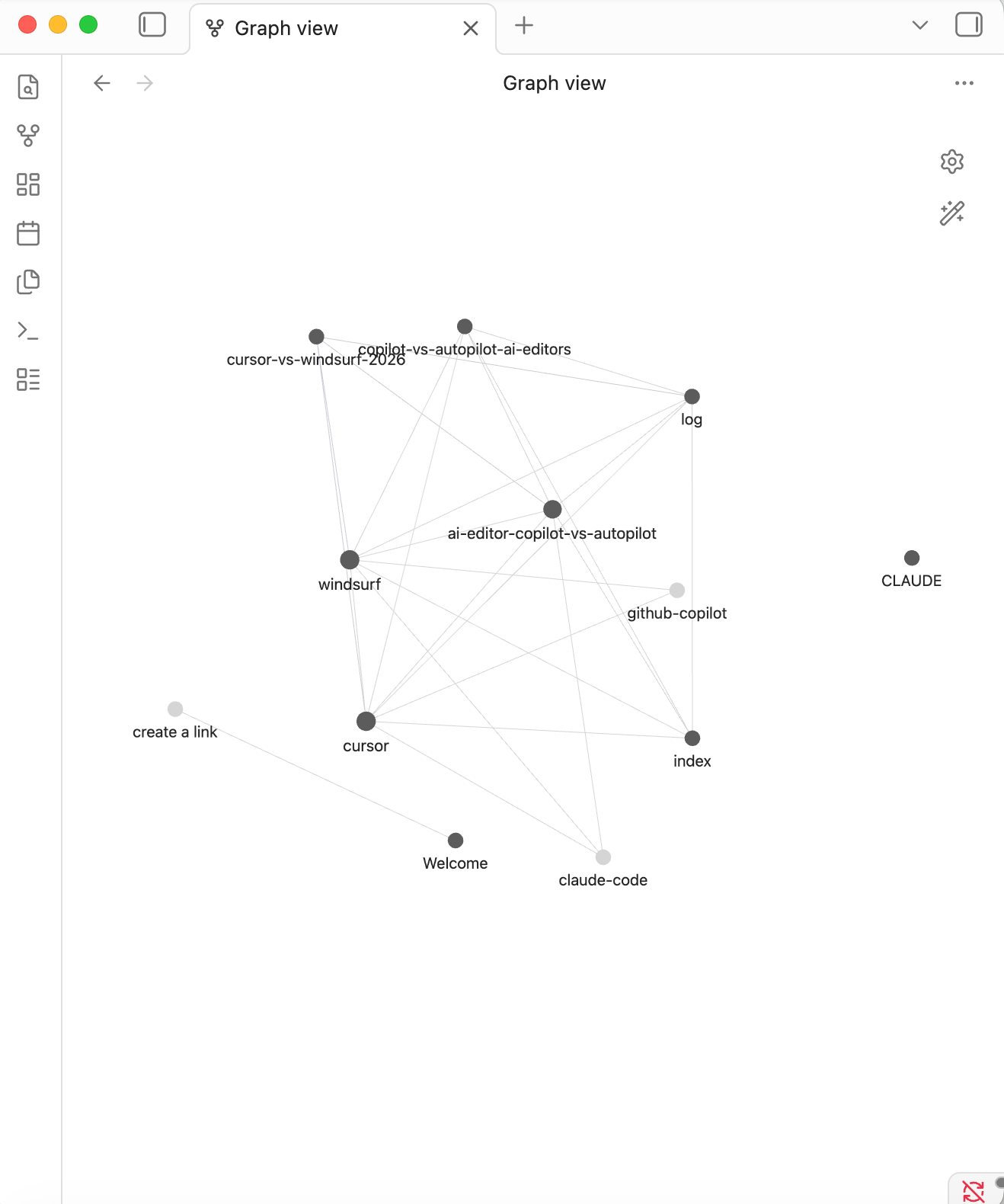
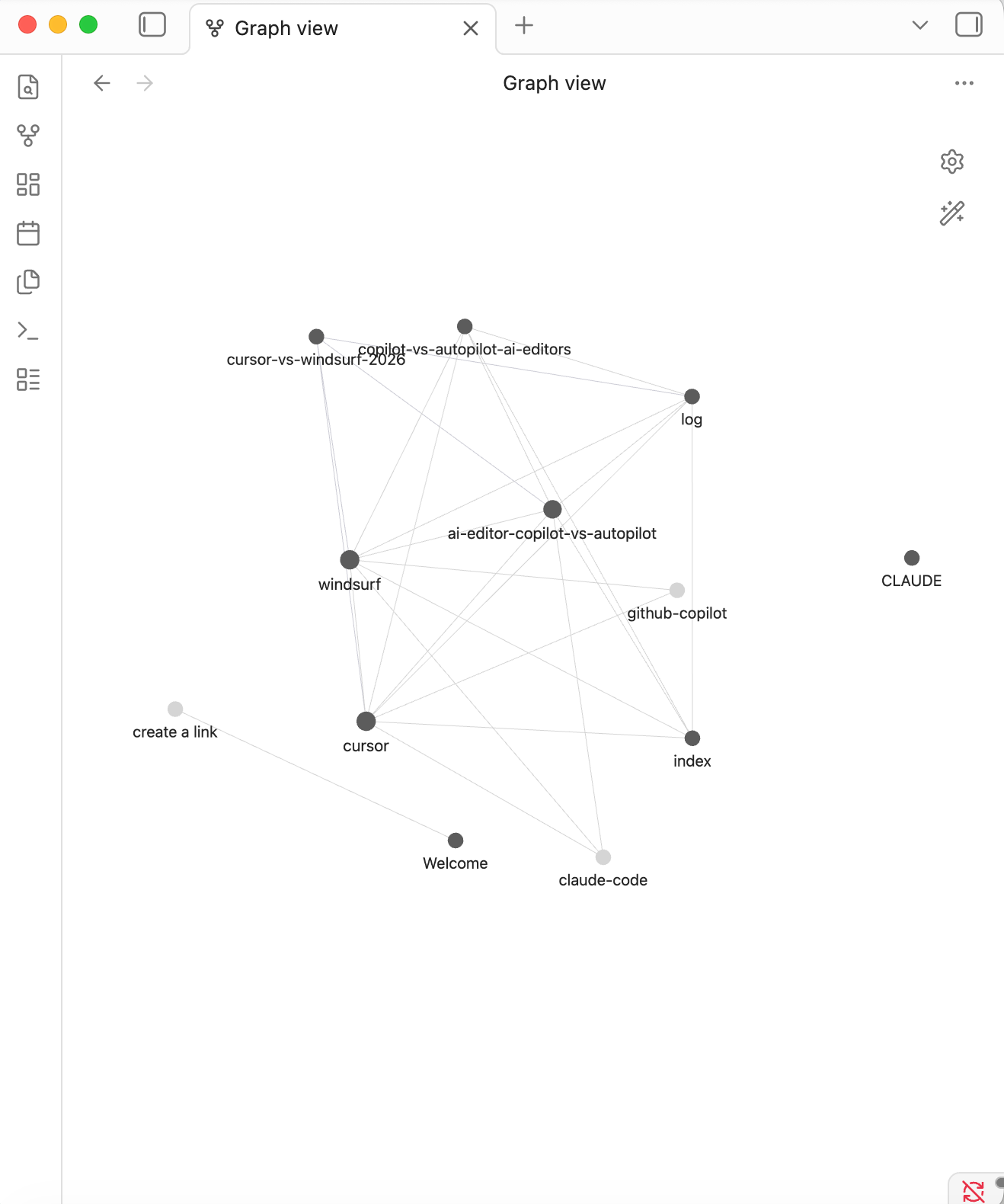
Once a few sources are ingested, the Obsidian graph stops looking decorative and starts acting like a real map. You can see hubs, weak links, and isolated pages quickly.
Step 1: Create a local Obsidian vault
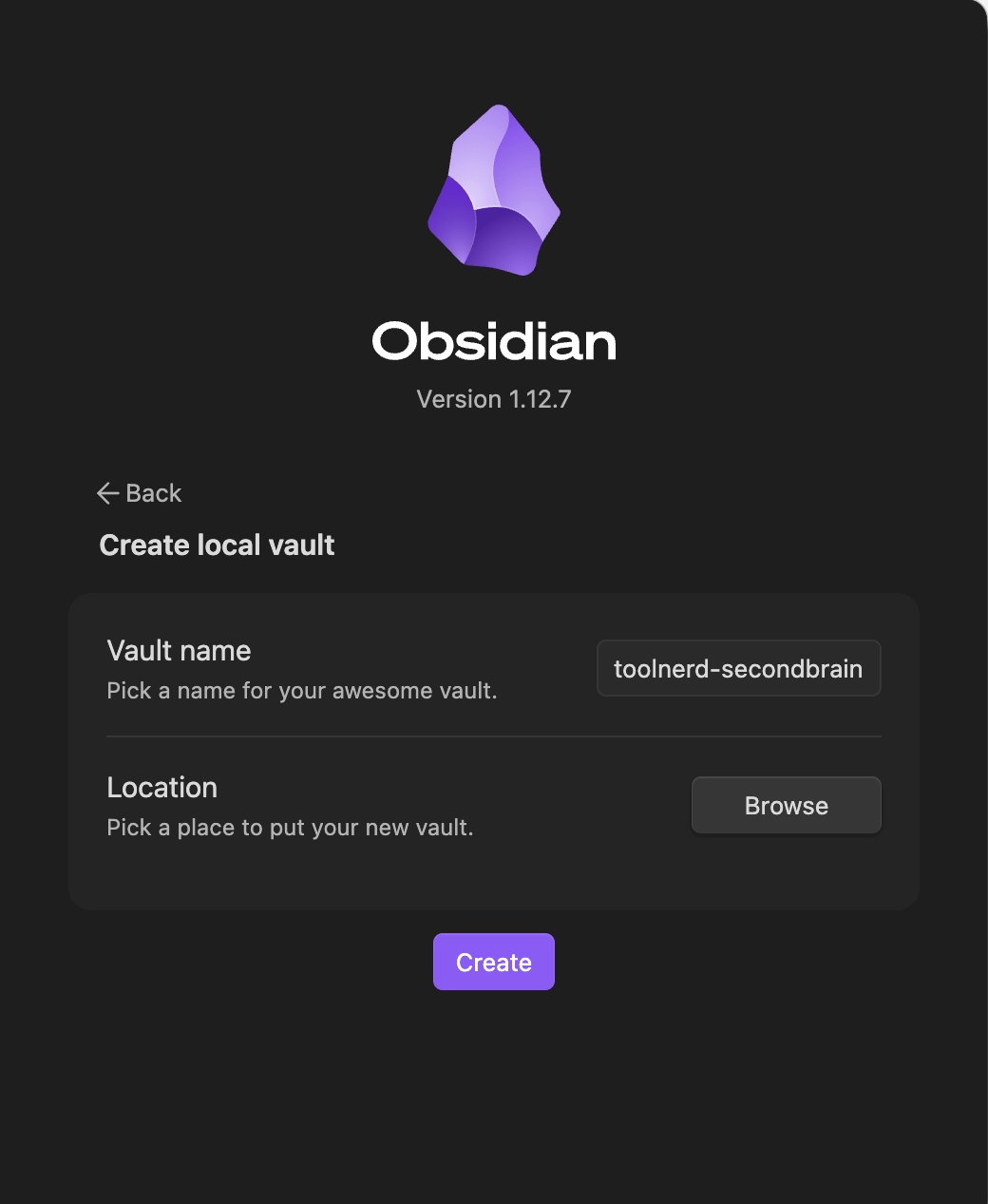
Start with a fresh vault in Obsidian. A literal name such as toolnerd-secondbrain works well because it is easy to reference in your terminal, your coding tool, and your Web Clipper settings.
Keep the vault local. That gives you ordinary folders and files underneath, which is exactly what you want when an agent is reading from raw/ and writing to wiki/.
Step 2: Open the same folder in your coding assistant
Open that vault folder in Claude Code, Cursor, Windsurf, or whichever agentic coding environment you prefer. Then give the agent the llm-wiki gist and ask it to instantiate the pattern inside that vault.
llm wiki : Article
You are now my LLM wiki agent for <purpose>. Please implement this exact idea file as my complete second brain. Guide me step by step through the following:
- Create the Claude.md schema file with the full rules.
- Set up index.md and log.md.
- Define folder conventions.
- Show me the first ingest example.
From now on, every interaction follows this schema.
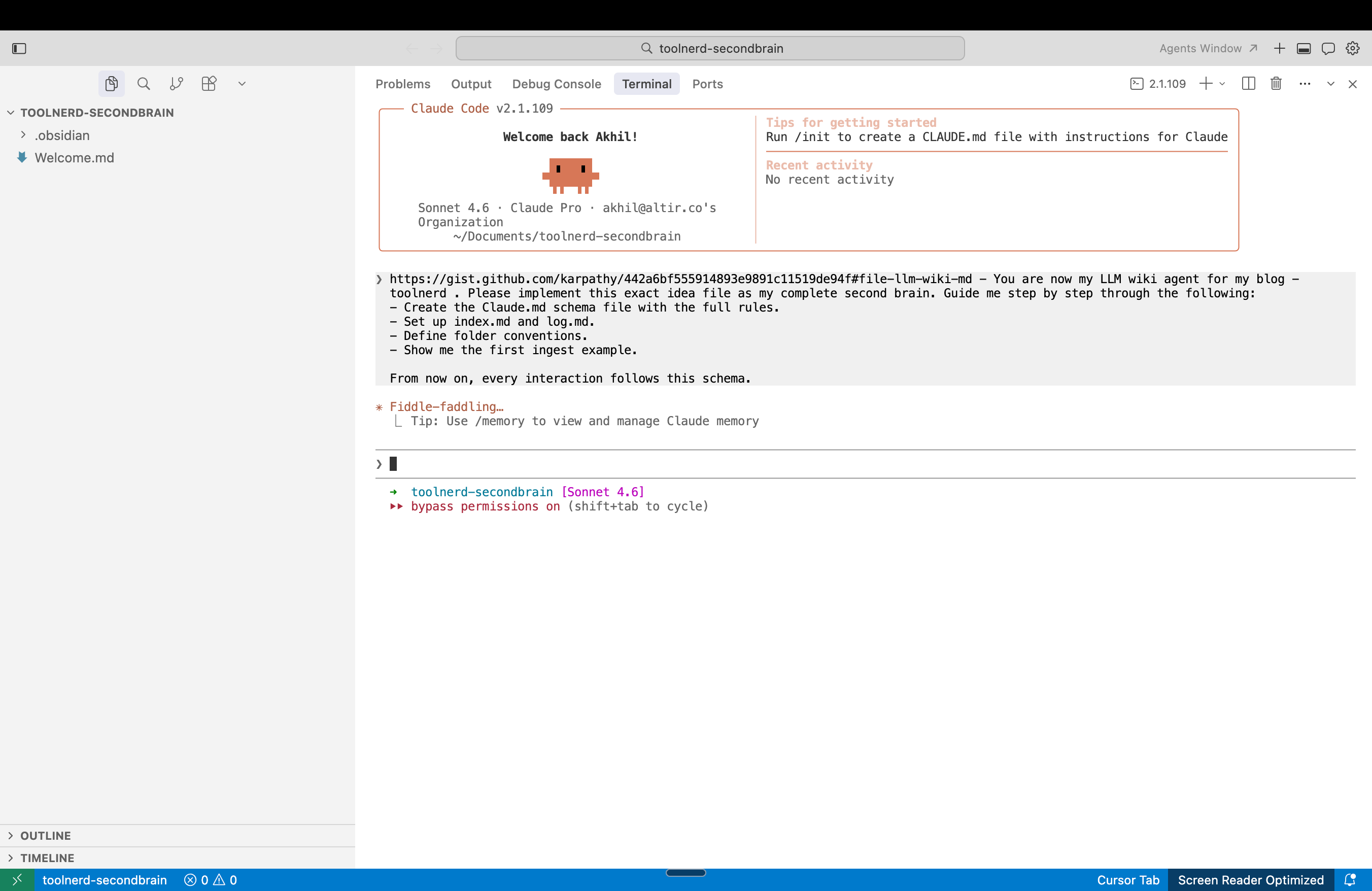
The point is to turn the abstract idea file into a working local structure.
Step 3: Let the agent scaffold the wiki
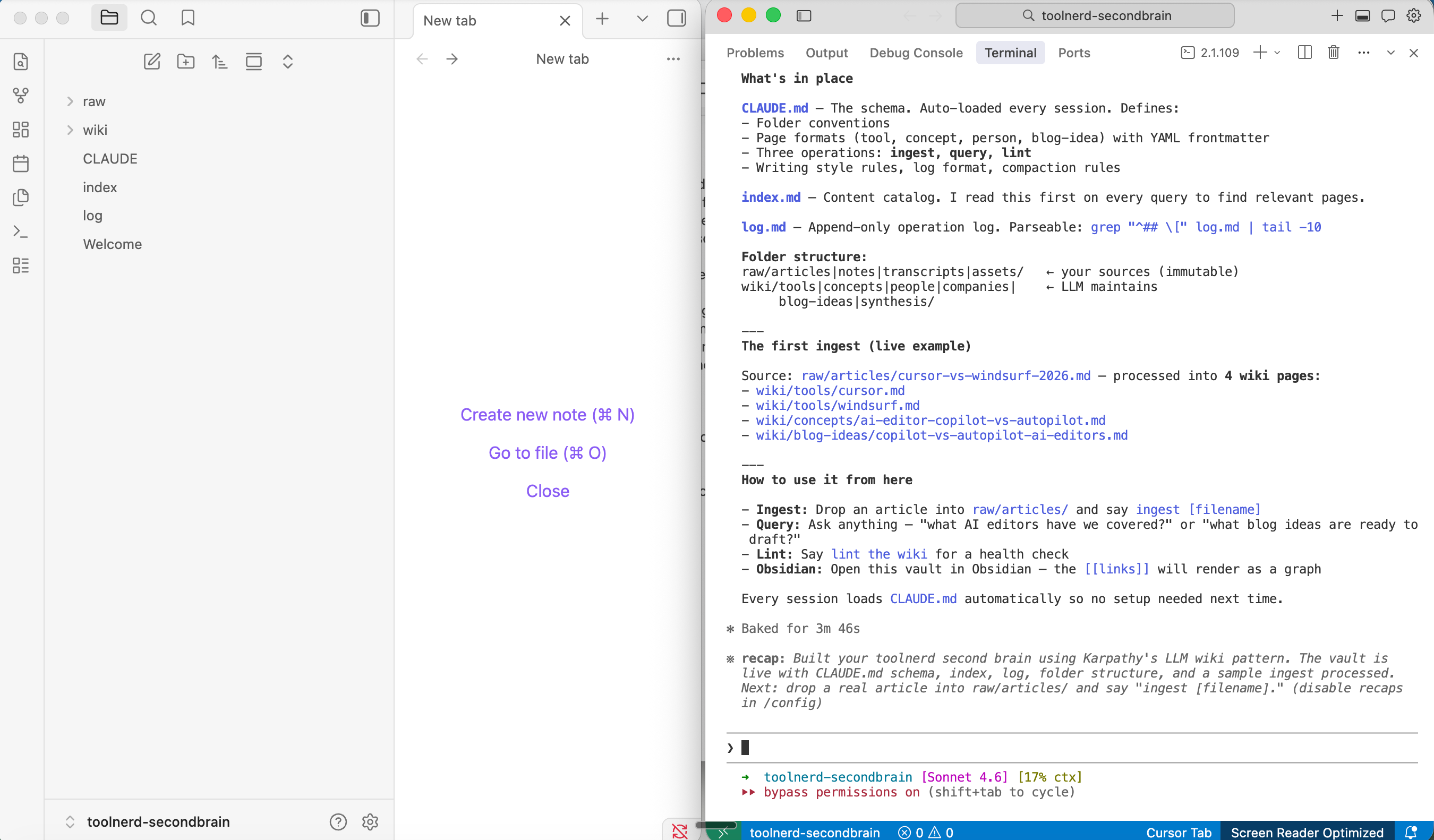
At this point, the agent should create the core folders and files for you. You want a clear raw-source layer, a wiki layer, a schema file, and the two support files that make the system navigable.
Do not overcomplicate this first version. A clean folder structure matters more than clever automation.
Step 4: Clip an article into raw/articles
Now move from setup to actual use.
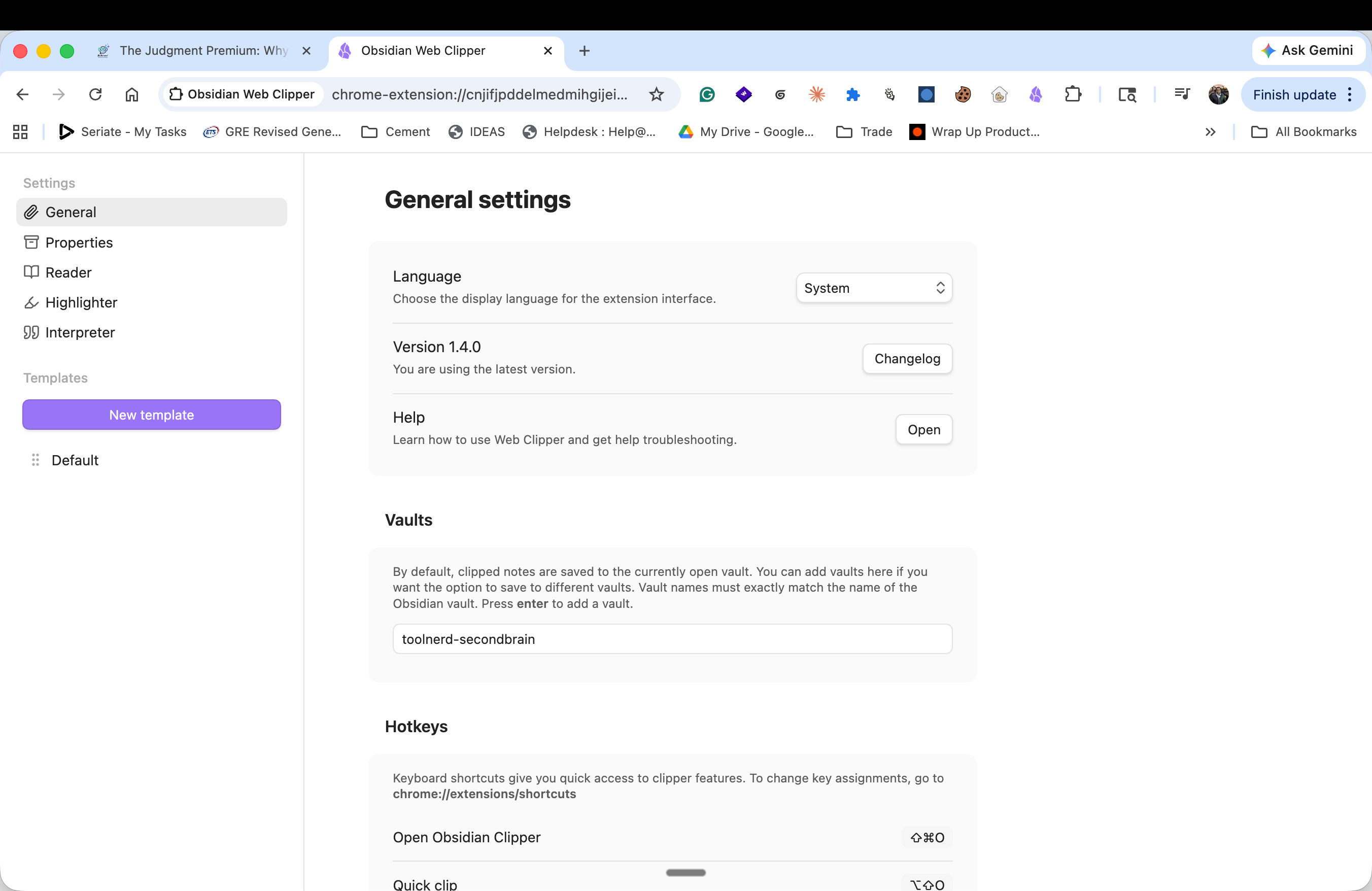
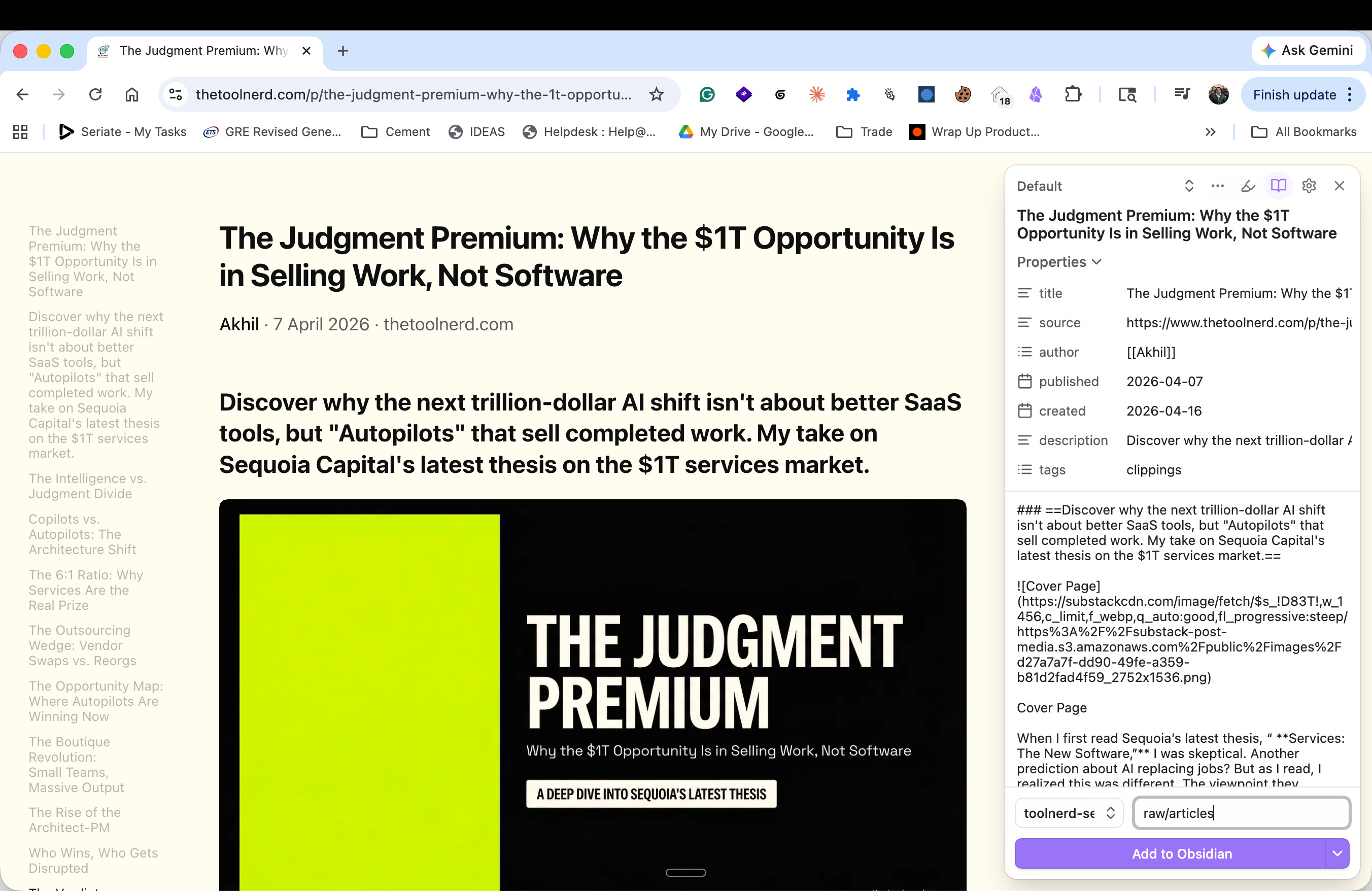
Open an article you want to save, then use Obsidian Web Clipper to send it into the vault. In the clipper settings, make sure the vault name matches exactly. Set the destination folder to raw/articles so the article lands in the source layer instead of being mixed into the generated wiki.
Add the Obsidian Web Clipper Extension
Configure it if you want to store the pages in a specific vault
Click Add to Obsidian
Step 5: Confirm the article landed in the vault
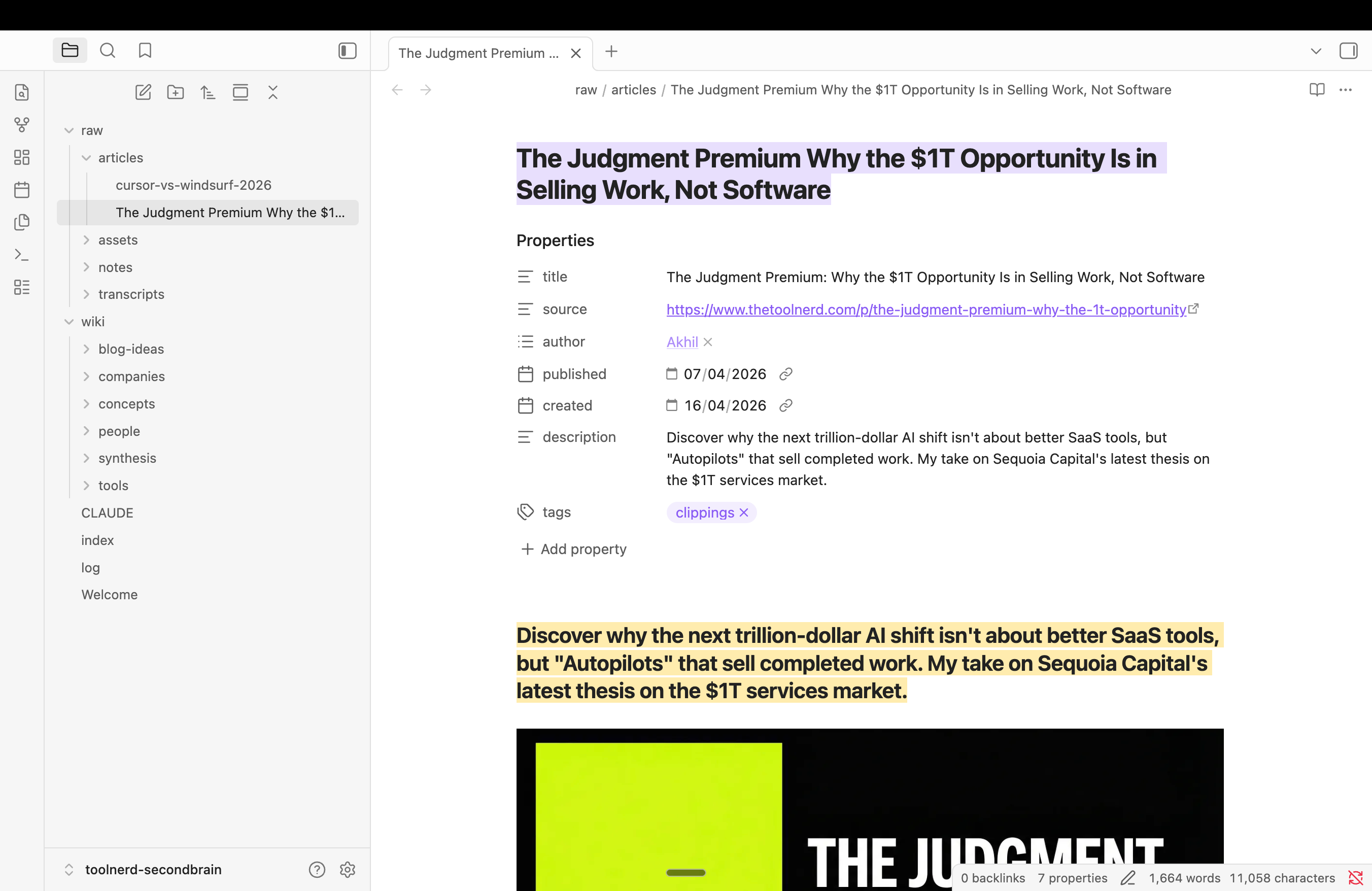
After clipping, the article should appear inside raw/articles as a Markdown file with metadata and body content. That file is now part of the raw layer. Leave it alone and let the model read from it.
Step 6: Run ingest on that file
Go back to your coding assistant and ask it to ingest the article. A simple command pattern works well here: put the file into raw/articles/ and run ingest [filename].

This is where the pattern starts to pay off. One source can update many pages. The model can revise tool pages, create concept pages, refresh summaries, and update the index in the same pass.

Step 7: Query the wiki, not the raw file
Once a few sources are ingested, shift your questions to the wiki layer.
Those questions work because they require synthesis, not simple retrieval. The wiki gives the model a place to reason from.
Step 8: Run lint when the wiki gets messy
Most people skip this part. That is a mistake.
Ask the model to lint the wiki for broken links, duplicated concepts, stale claims, missing pages, and weak cross-references. This is the maintenance loop that keeps the system usable after the novelty wears off.
Tips and tricks worth stealing from the original article
Karpathy’s gist includes several practical suggestions that are easy to miss on a quick read, and they are worth adopting early.1
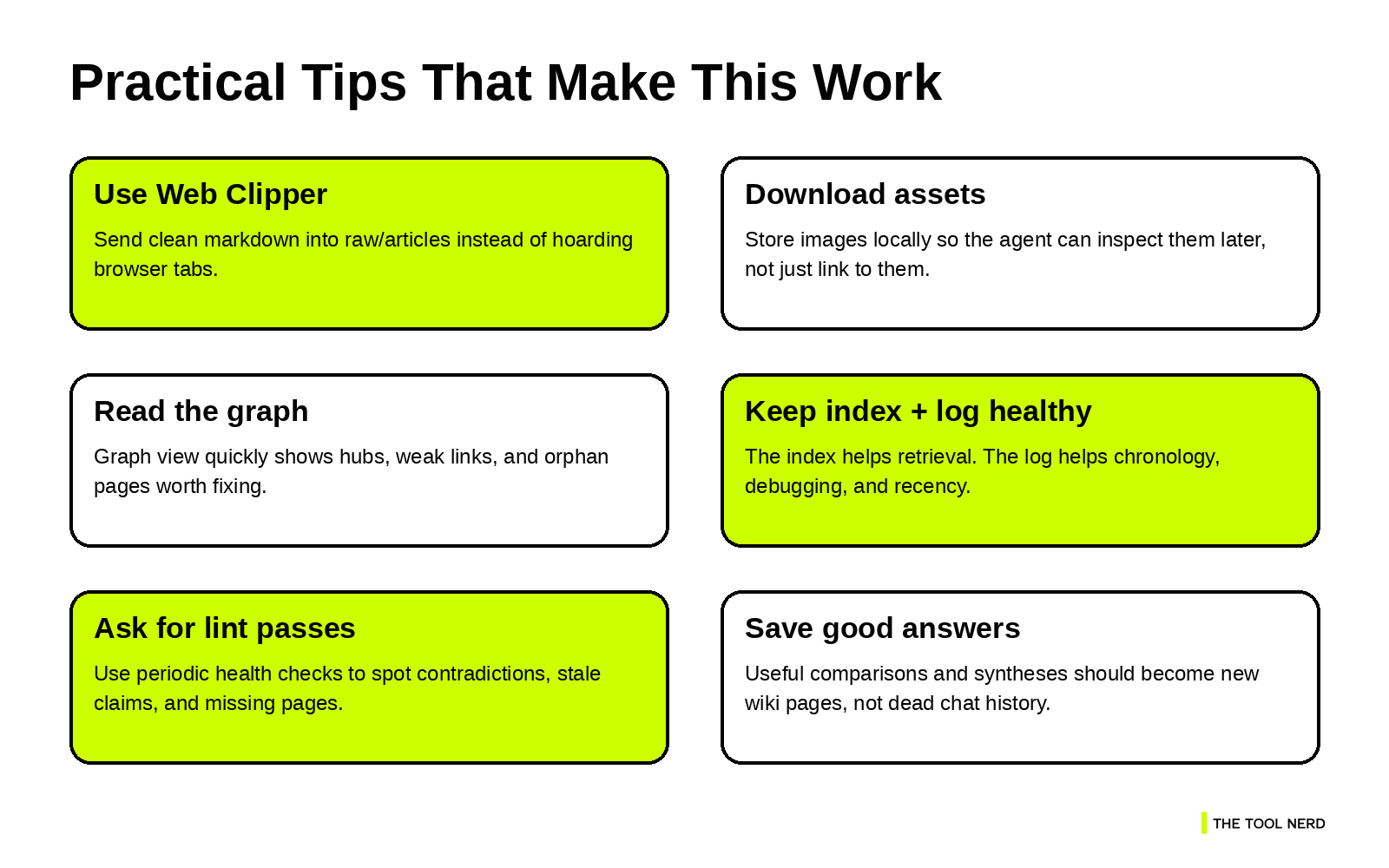
Obsidian Web Clipper is the fastest way to convert a web article into clean Markdown. If you collect a lot of articles, it removes a lot of friction. Karpathy also suggests downloading images locally. That is more useful than it sounds. If an article includes diagrams, screenshots, or charts, local assets keep them accessible even after the original URLs break.
Graph view is useful because it shows whether your wiki is growing in clusters, whether some topics are becoming hubs, and whether you have orphan pages that need linking. Dataview is another good upgrade once your wiki pages have frontmatter. It can generate dynamic lists and filtered views from metadata, which is useful when you want better navigation across tool pages, concepts, or recent updates.
There is also a useful mental shift here: the wiki is the artifact, and the chat is only the interface. Once that clicks, you start saving useful answers back into the wiki instead of losing them in conversation history.
Where this setup is strong, and where it breaks
This pattern is strong when you are reading, collecting, and synthesizing over time. It works well for competitive analysis, article research, course notes, tool tracking, learning sprints, and personal knowledge management. It is especially good in domains where the links between ideas matter as much as the ideas themselves.
It is weaker if you expect perfect automation on day one. The first few ingests need supervision. Naming conventions will evolve. Some pages will be messy early on. That is normal. Karpathy is explicit that the gist describes a pattern, not a rigid implementation.
That is why the first version should stay small. Do not overbuild search. Do not overdesign the schema. Do not import your entire digital life in one weekend. Start with ten sources. Make sure ingest, query, and lint feel natural. Then expand.
My take
What I like about this pattern is that it fixes the part of knowledge systems that humans usually avoid: maintenance. Reading is interesting. Thinking is interesting. Updating fifty interlinked notes is not. LLMs are much better at that kind of repetitive editorial work, which is why this setup feels useful instead of theoretical.
So if you want a practical starting point, do this.
Create a vault. Hand your agent the
llm-wikigist.Let it generate the schema and the first structure.
Clip one article into
raw/articles.Run ingest.
Open the graph.
Read the index.
Ask a question that requires synthesis. Then save the useful answer back into the wiki.
That is enough to feel the difference.
If you build this, pair it with the tools you already use every day.