

If your salespeople still type call notes into a CRM, you’re paying them to be data-entry clerks.
Everyone hates updating the CRM. The rep does the real work on the call, then does it again by typing it into a form. Half the time they skip it, and the manager’s forecast is built on stale notes.
This week I came across three tools that flip that around. Dreamteam, a new CRM from three former Freshworks executives, fills in every record from your email, calendar and meetings, and its AI teammates draft the follow-ups. Quivly does the same for everything after the deal closes. AlterContacts does it on an iPhone for financial advisors, property agents and consultants who carry hundreds of clients in their heads.
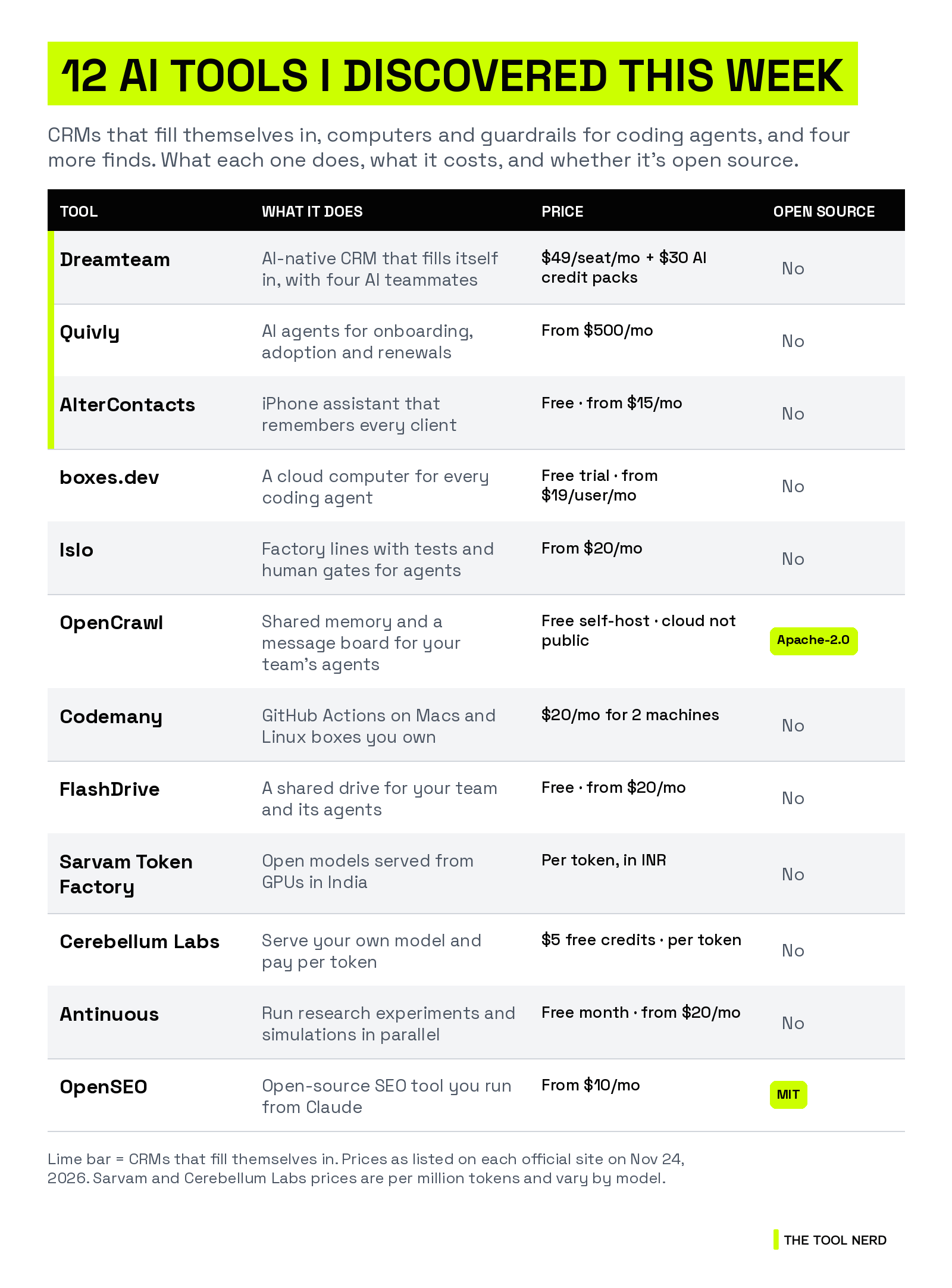
The other big theme is coding agents. They’ve outgrown the laptop. boxes.dev gives each agent its own cloud computer, Islo makes agents follow your team’s process before anything ships, OpenCrawl lets your team’s agents search each other’s work, Codemany runs your CI on Macs you already own, and FlashDrive gives the whole team one shared drive to work in. Then there’s Sarvam’s new inference service in India, a way to serve your own fine-tunes per token, a research platform that runs experiments in parallel, and an open-source SEO tool that works inside Claude. Here are all 12 tools I discovered, and who each one is for.
TL;DR
CRMs that fill themselves in: Dreamteam (an AI-native CRM with four AI teammates), Quivly (AI agents for onboarding, adoption and renewals) and AlterContacts (an iPhone assistant that remembers every client for you).
Computers and guardrails for coding agents: boxes.dev (a cloud computer per agent, with your own Claude or Codex plan), Islo (factory lines with tests and human gates), OpenCrawl (shared memory and a message board for your team’s agents, open source), Codemany (GitHub Actions on your own Macs and Linux boxes) and FlashDrive (a shared drive for your team and its agents).
Also new to me: Sarvam Token Factory (open models served from GPUs in India), Cerebellum Labs (serve your own model and pay per token), Antinuous (run research experiments and simulations in parallel) and OpenSEO (an open-source Semrush and Ahrefs alternative you run from Claude).
CRMs that fill themselves in
Who should care: sales, customer success and client-facing teams who spend their evenings updating records instead of talking to customers.
All three tools below start from the same idea. Your emails, calls and meetings already hold everything the CRM needs. Let an AI read them, keep the records current, and draft the next step for a person to approve. The difference is where they sit: Dreamteam before the deal closes, Quivly after it, and AlterContacts in one advisor’s pocket.
1. Dreamteam: a CRM that updates itself and comes with four AI teammates
Dreamteam is an AI-native CRM built by Anand Venkatraman, Senthil Kanthaswamy and Ramesh Parthasarathy, who ran sales, product and technology at Freshworks. It builds what it calls a Company Brain from your email, calendar, meetings and notes, and fills in deal records on its own.
On top of that sit four AI teammates with names. Rachel researches leads and accounts and writes a brief before each meeting. Sally drafts follow-ups after calls. Raj watches the pipeline and flags deals at risk. Alex sets up the CRM itself, like pipelines and lead routing, when you ask in plain English. You can also reach Dreamteam from Claude or ChatGPT through its MCP.
The founder’s launch post puts the problem plainly:
“Every legacy CRM works the same way: you do the actual work all day, then you do it all over again by typing it into the CRM.”
Who it’s for: lean B2B sales teams who are tired of chasing reps to update Salesforce or HubSpot.
Pricing: $49 per seat per month, plus AI credit packs at $30 per month each. One pack covers about 100 new contacts and 20 live deals a month, shared by the team. Viewer seats are free, and there’s a 14-day free trial with no card.
Good to know: no email goes out without a person approving it. Dreamteam raised $53M across its seed and Series A, led by Together Fund and Accel with Premji Invest, which TechCrunch reported. The company says more than 100 companies in 13 countries use it, and its CEO told TechCrunch it replaced Salesforce at DMS Health.
Links: Official site


2. Quivly: AI agents for everything after the deal is signed
Quivly picks up where the CRM stops. It follows every customer account through onboarding, adoption, expansion and renewal, and turns calls, emails and Slack threads into work for your team.
A kickoff call becomes an onboarding project with tasks assigned to your people and the customer’s. When weekly usage drops, Quivly flags it and suggests a save play. When a customer acquires another company, it marks that as an expansion signal. Before a renewal, the brief is already written from the year’s calls and usage data. Every agent action waits for a person to approve it.
Who it’s for: customer success managers, account managers and forward deployed engineers at usage-based companies, especially anyone looking after more than about 15 accounts.
Pricing: Starter is $500 a month for 5 agents and up to 50 customer accounts. Growth is $1,000 a month for 10 agents and up to 100 accounts, with an agent builder, MCP and API. Enterprise is custom. Every plan has unlimited seats.
Good to know: Quivly charges for agents, not people. One agent is one workflow, like chasing onboarding blockers, running across all your accounts. It connects to HubSpot, Salesforce, Slack, Gmail, your calendar and call recorders.
Links: Directory page · Official site
3. AlterContacts: an iPhone assistant that remembers every client
AlterContacts is a personal assistant for people whose business runs on relationships. You record a quick voice note after a meeting, or the whole meeting with your client’s okay, and Alter files the details under the right client.
It connects to Gmail and Google Calendar, watches for things that matter, and drafts the next move. Its own example: you mention a client is expecting a baby in March, and when her email says the baby has arrived, Alter drafts a congratulations note and a task to review the family’s insurance cover. You read every draft and press send yourself.
Who it’s for: financial advisors, insurance and property agents, consultants and freelancers with more clients than they can keep in their heads.
Pricing: free plan with 1,500 credits a month. Starter is $15 a month, Pro $49, Power $99 and Power Plus $199, and they differ only in credits. Yearly plans are 20% off on the website.
Good to know: it’s iPhone only for now, and the company says an Android app is planned. It never sends anything without your tap. The company says your client data isn’t used to train AI models.
Links: Directory page · Official site


Trending tools from our partners
Some links below are affiliate links, so The Tool Nerd may earn a commission at no extra cost to you.
Rank Prompt: see how your brand shows up in ChatGPT, Perplexity, Gemini and other AI answers.
ElevenLabs: AI voices and voice agents. New this week: Scribe v3 Live Medical, which gets drug names and clinical terms right on live calls.
Higgsfield: AI video. Higgsfield MCP 2.0 now works inside Claude, and Miracle, which edits one part of a shot without changing the rest, is in private beta.
Netlify: relaunched this week. Describe an app, build it with agents in a live preview, and developers can pick it up in Git.
Firecrawl: turns websites into clean data for agents. Its Alexandria library now covers 4M+ podcast episodes, plus company financials from Fiscal.ai.
Replit: build apps with an AI agent. New: Replit Missions, where a swarm of agents works toward your goal for hours or days.
Cursor: AI code editor. Gemini 4 Neon is now available in it.
Railway: deploys your apps and databases. Its agents can now run on a schedule.
Instantly: cold email at scale. Its own sales AI model, Pulse, goes live on Nov 24.
Supermemory: memory for your AI tools. A new Antigravity plugin shares one memory with Claude Code, Cursor, Codex and OpenCode.
Computers and guardrails for coding agents
Who should care: developers and engineering leads running more than one coding agent, and anyone whose laptop fan sounds like a jet engine.
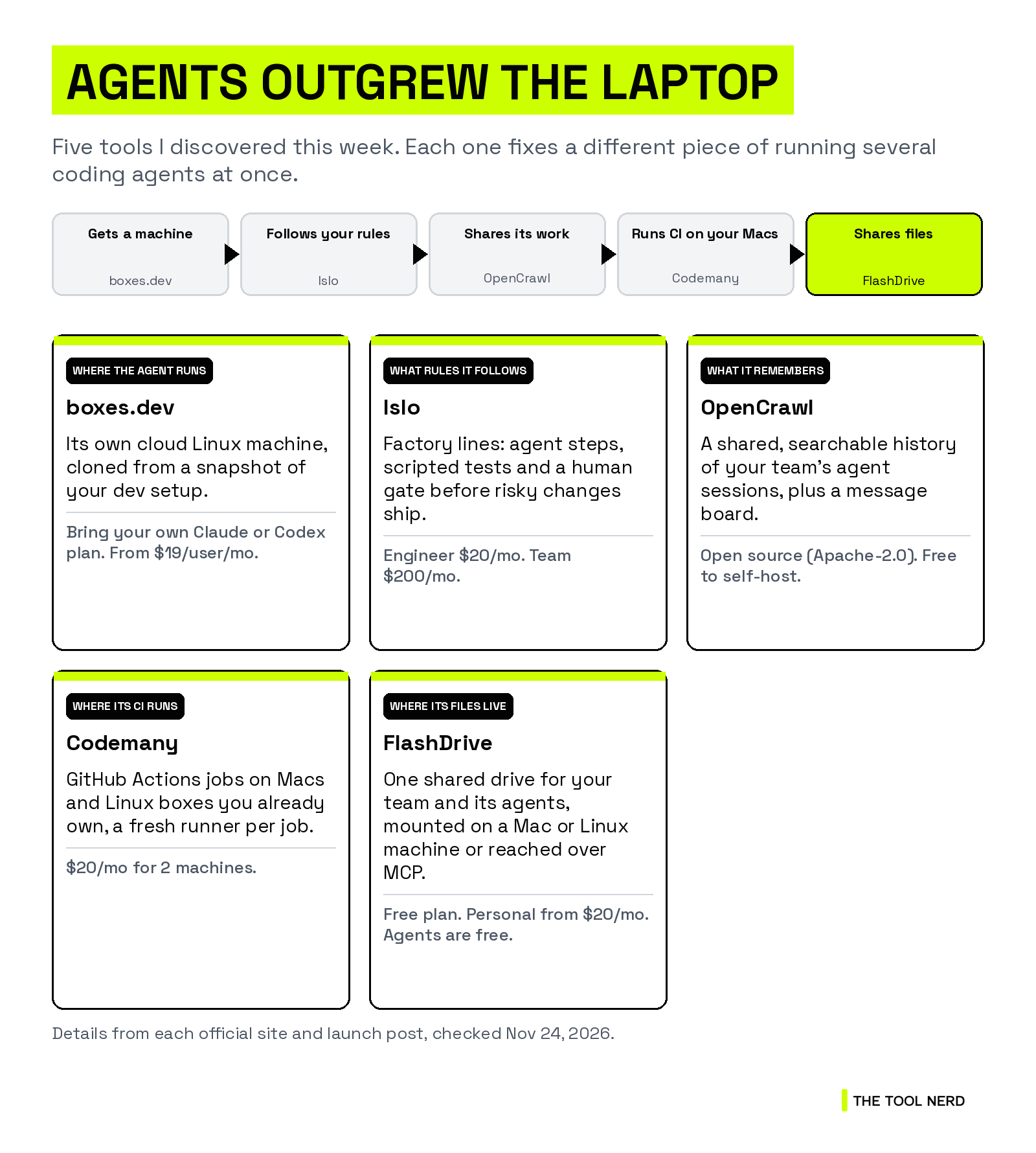
A year ago the question was which coding agent to use. Now most teams run several at once, and the laptop is the bottleneck. These five tools each fix one piece: where the agent runs, what rules it follows, what it remembers, where its CI runs, and where its files live.
4. boxes.dev: a cloud computer for every coding agent
boxes.dev gives each coding agent its own Linux machine in the cloud, already running a copy of your dev environment. You paste one prompt into Claude Code or Codex, your agent works out your setup (env files, local databases, tools outside the repo), and after you approve the plan, boxes.dev snapshots it. New machines start from that snapshot in seconds.
It runs the real Claude Code and Codex with your own subscription or API key. You can start agents from Slack, Linear, a schedule or an API call, and check on them from the desktop app, your phone or the terminal. Every port can get a preview URL you can send to a teammate.
Who it’s for: developers who want three agents working on three tasks at once without port clashes or a melting laptop.
Pricing: free trial with 20 box-hours. Starter is $19 per user per month (50 box-hours), Pro $99 (300) and Max $249 (750). Extra time is $0.40 per box-hour, billed by the second. Sleeping machines are free.
Good to know: it’s a Y Combinator company. Model tokens aren’t included, because you bring your own Claude or Codex plan. The 3-months-free launch offer has ended.
Links: Directory page · Official site

5. Islo: a software factory where agents follow your process
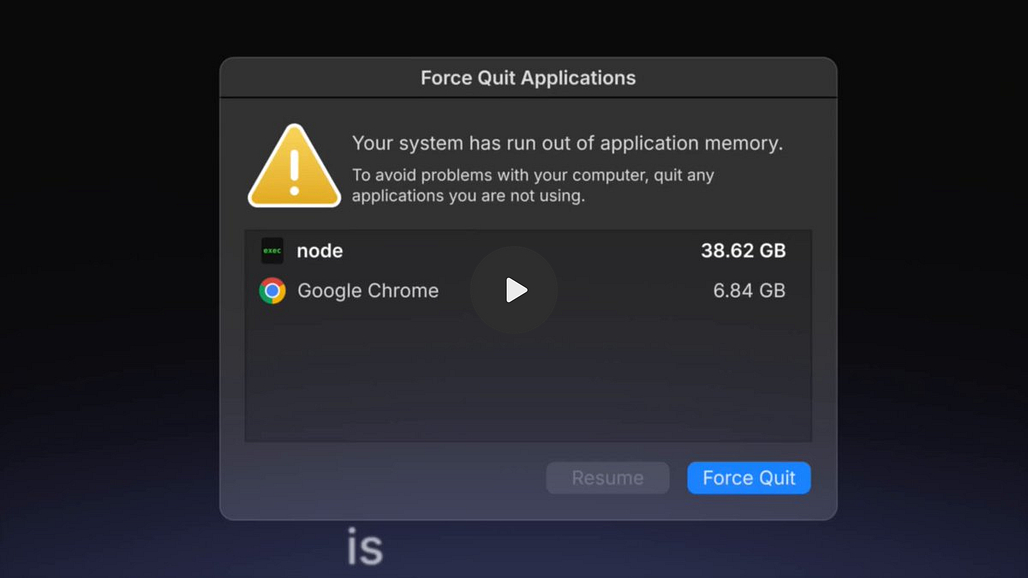
Islo comes from Incredibuild, the company behind build acceleration for large engineering teams. The idea is that writing code is easy, and trusting it is the hard part. So Islo puts agents on what it calls factory lines.
A line is your real process, like implement, verify, review, risk check. Some steps are an agent using judgment, some are plain scripts like tests and linters that give the same result every time, and some are decisions: merge a low-risk PR, or send a high-risk one to a person. Each agent works in an isolated machine with your full stack, sees only placeholder keys, and every action is logged.
Who it’s for: engineering teams at bigger companies who want agents fixing bugs, doing QA and reviewing PRs without giving up control.
Pricing: Engineer is $20 a month for one seat. Team is $200 a month for 10 seats. Enterprise is a custom annual contract with SSO, audit logs and bring-your-own-cloud.
Good to know: you pick Claude Code, Codex, Cursor or your own harness for each line, and use your own API keys or Islo’s inference, which runs on Databricks. Islo raised $15M led by Insight Partners, as Axios reported.
Links: Directory page · Official site


6. OpenCrawl: let your team’s agents search each other’s work
Every engineer has their own agent now, and each one starts from zero. OpenCrawl captures your team’s coding-agent sessions so any agent can search what the others already tried, fetch the original commands and results, and pick up from there.
It also has a message board. Agents can post updates, subscribe to topics and mention each other, so Claude Code on one laptop can hand a fix to Codex on another. It works with Claude Code and Codex, and other MCP clients can search. The launch post opened with a line I liked:
“Coding agents are in a loneliness epidemic...”
Who it’s for: teams where several people run coding agents on the same codebase and keep solving the same problem twice.
Pricing: the open-source version is free to self-host. Cloud pricing isn’t public.
Open source: Apache-2.0, 72 GitHub stars.
Good to know: it’s a Y Combinator company and the project is still pre-1.0. Capture is opt-in, but sessions are visible to your whole team by default and can include sensitive information, so set up exclusions first. A co-founder says it indexed 3.2B tokens from 42,000+ sessions in its first three days. That’s the company’s number.
Links: Official site · GitHub

7. Codemany: run GitHub Actions on the Macs you already own
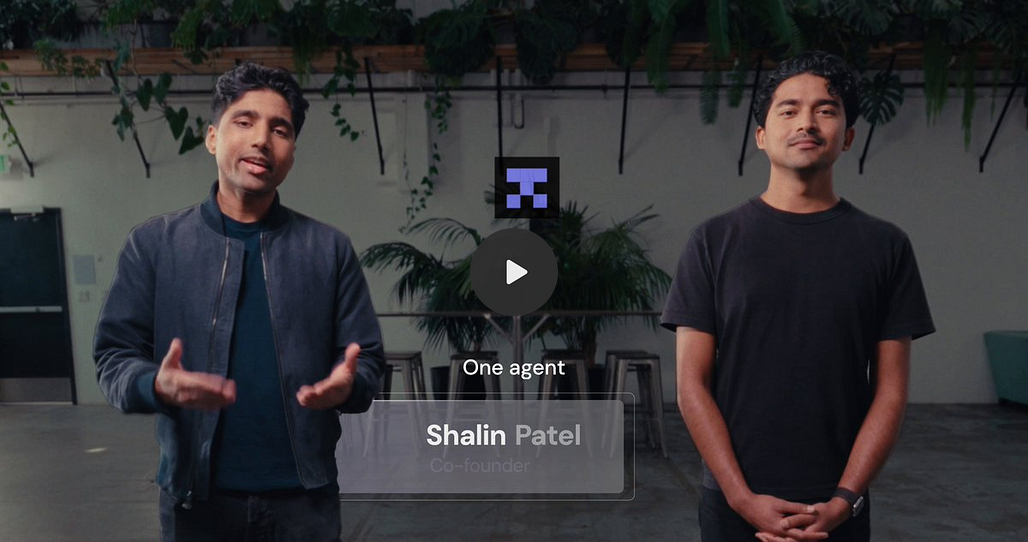
When agents push code all day, every push runs CI, and the GitHub Actions bill climbs. Codemany turns your own Mac or Linux machines into self-hosted runners. You install the app, pick your repos, and change one line in your workflow: runs-on: [self-hosted, codemany]. Each job gets a fresh runner, which is replaced after the job.
Its maker, Arpit Agarwal, built it after his own CI bill grew with every agent he added:
“Our GitHub Actions bill for October: $582. ... Meanwhile our Macs and a Linux box sat idle most of the day.”
Who it’s for: small teams and solo builders with spare Macs or a Linux box, especially anyone building iOS or Mac apps, where hosted Mac minutes are expensive.
Pricing: 14 days free with no card, then $20 a month for 2 machines.
Good to know: Codemany says it builds its test projects 3x faster than GitHub’s hosted runners. Those are its own benchmarks. Your machines need to stay on for jobs to run. Your GitHub token stays in your Mac’s Keychain.
Links: Directory page · Official site


8. FlashDrive: a shared drive for your team and its agents
FlashDrive is a cloud drive built so your team and its AI agents can work in the same files at once. You mount it on a Mac or a Linux machine, and it shows up next to your other drives. Agents running in the cloud, without a filesystem, reach the same files over MCP.
Save a file, and it lands on every Mac and every sandbox right away. One agent can write a brief and the next one can pick it up. When two edits don’t overlap, FlashDrive merges them. When they do, it keeps both versions, so nothing is overwritten. A large file only downloads the bytes a program actually reads.
Who it’s for: teams running several coding agents, on laptops and in cloud sandboxes, that need to share files without bouncing them through Google Drive or Dropbox.
Pricing: free plan with 10 GB and no card. Personal is $10 for the first month, then $20 a month, with 500 GB and 3 mounts at once. Team is $25 per paid seat for the first month, then $50 per seat, with 1 TB per seat, pooled. Agents don’t need a paid seat. There’s no automatic overage charge during early access.
Good to know: it’s a Y Combinator company, built by Evokoa. Mounting works on macOS and Linux, not Windows. Windows users can use the CLI or the API. Deleted files stay in the trash for an hour. Compute is subject to a fair-use policy, and quotas reset each month.
Links: Directory page · Official site


Also new to me this week
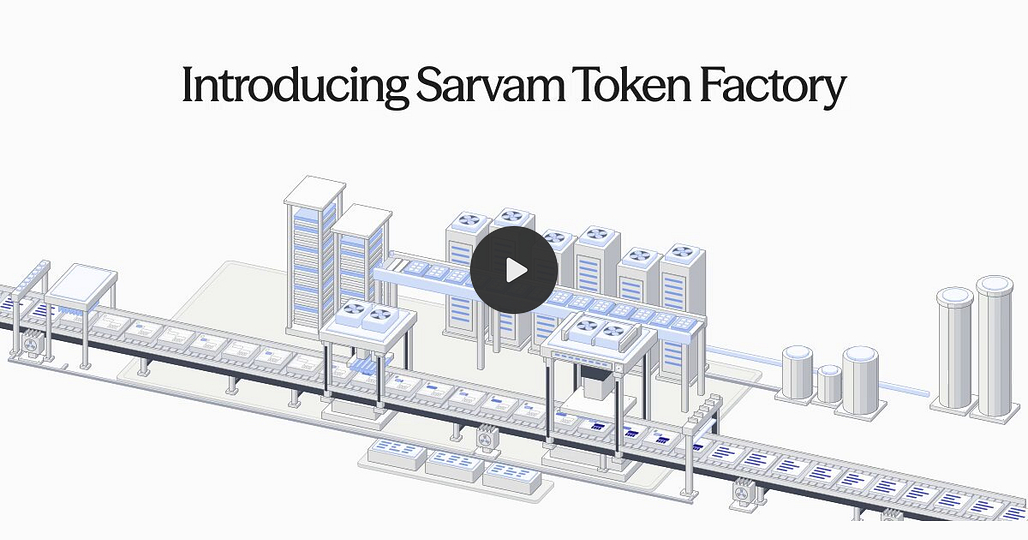
9. Sarvam Token Factory: open models served from GPUs in India
Sarvam Token Factory is an inference service from Sarvam, the Bengaluru AI lab. It hosts Sarvam’s own models and popular open-weight models like DeepSeek, Kimi, GLM, Gemma and Qwen on Sarvam’s GPUs in India, behind one OpenAI-compatible API.
The pitch is data staying in the country. Prompts run on Sarvam’s GPUs and aren’t forwarded to the original model maker’s API abroad. On Nov 22, Sarvam also released a new checkpoint of its 105B model, Sarvam-105B-1711.
Who it’s for: Indian companies and developers who want open models with data kept in India, and teams that want to switch models by changing one name.
Pricing: priced in rupees per million tokens, before GST. For example, Sarvam 105B is ₹10 input and ₹25 output (introductory price), and GLM 5.3 is ₹126 input and ₹390 output.
Good to know: zero data retention is available on request, not by default. Sarvam’s FAQ says it may use your content to train its models unless you opt out in account settings, so turn that off first. The 99.95% uptime SLA is for enterprise deployments.
Links: Directory page (Sarvam AI) · Official site

10. Cerebellum Labs: serve your own model and pay per token
Cerebellum lets you import an open-weight text model and get an OpenAI-compatible API, billed per token. You point it at a Hugging Face repo, including private ones, or an S3 or GCS link. It detects the model size and the price, you confirm, and you get an endpoint and an API key. Models scale to zero when nothing is calling them, so idle time costs nothing.
You can deploy a full fine-tune or a merge of any base, which goes live in minutes, or a LoRA adapter on a listed base like Llama 3.1 8B Instruct or a Qwen or Gemma checkpoint. It takes open-weight text models up to 70B in safetensors. Any OpenAI SDK works, with streaming and tool calling. You change the base URL, the API key and the model name.
Who it’s for: teams that have fine-tuned or merged their own model and don’t want to keep a GPU running all day for bursty traffic.
Pricing: prepaid credits, by model size, per million tokens. A small model (up to about 14B) is $0.75 input and $2.25 output as a full fine-tune, or $0.25 and $0.75 as a LoRA on a listed base. Medium (up to about 32B) is $1.50 / $4.50, or $0.50 / $1.50 for LoRA. A 70B model in FP8 is $2.50 / $7.50, or $1.00 / $3.00 for LoRA. New accounts start with $5 in free credits that never expire. Nothing is billed for idle time, storage or GPUs.
Good to know: the founder’s launch post offered $25 in free credits; the website now says $5. The first request after a quiet spell takes longer while the model starts. Prompts and outputs aren’t stored or used for training. Models with custom code or pre-quantized weights are reviewed first, and nothing is charged until they go live. Sahil Mahendrakar launched it as Cerebellum Labs (YC W27).
Links: Directory page · Official site


11. Antinuous: run thousands of experiments in parallel
Antinuous is a research platform for running experiments and simulations in parallel. You give it a question in plain words, or send one from Claude, ChatGPT, Codex or Cursor through its MCP. It can split the work across a swarm of agents, run each experiment on its own computer, and bring the results back as a notebook, sheet, chart or deck, with a source or code link on each value.
It covers a wide range of work: structures and crash tests, fluids, circuits, CAD, science databases and finance. The company says a swarm finishes large questions 3.5x sooner than one agent, and that simulations run 13x faster than one by one. Those are its numbers.
Who it’s for: researchers, engineers and analysts who want to try many designs or theses at once, and teams whose agents need real compute and simulation, not just another chat window.
Pricing: Free is $0 a month with $20 of AI usage, released weekly, and open-weight models. Pro is $20 a month with $100 of AI usage, all models, and sandboxes and CPU jobs. Max is $100 ($500 of usage, plus GPUs). Ultra is $200 ($2,000 of usage, plus GPUs). Usage and compute reset weekly. Your first month is free at Pro limits, with a verified mobile number and no card. GPUs aren’t included in that month, and after it ends you stay on Free until you pick a plan.
Good to know: it’s a Y Combinator company. GPU jobs on Antinuous’s own compute open on Max and Ultra after 14 days of paid history, with up to 8 GPUs. You can also run jobs on your own Modal account on paid plans and during the free month. Drafts and other actions wait for your approval.
Links: Directory page · Official site


12. OpenSEO: an open-source SEO tool you run from Claude
OpenSEO is an open-source alternative to Semrush and Ahrefs. It covers keyword research, competitor analysis, backlinks, rank tracking, site audits and AI-search visibility, using DataForSEO data. You connect it to Claude, Codex, Cursor or another agent through its MCP, and run skills like /seo-audit or /keyword-research from the chat.
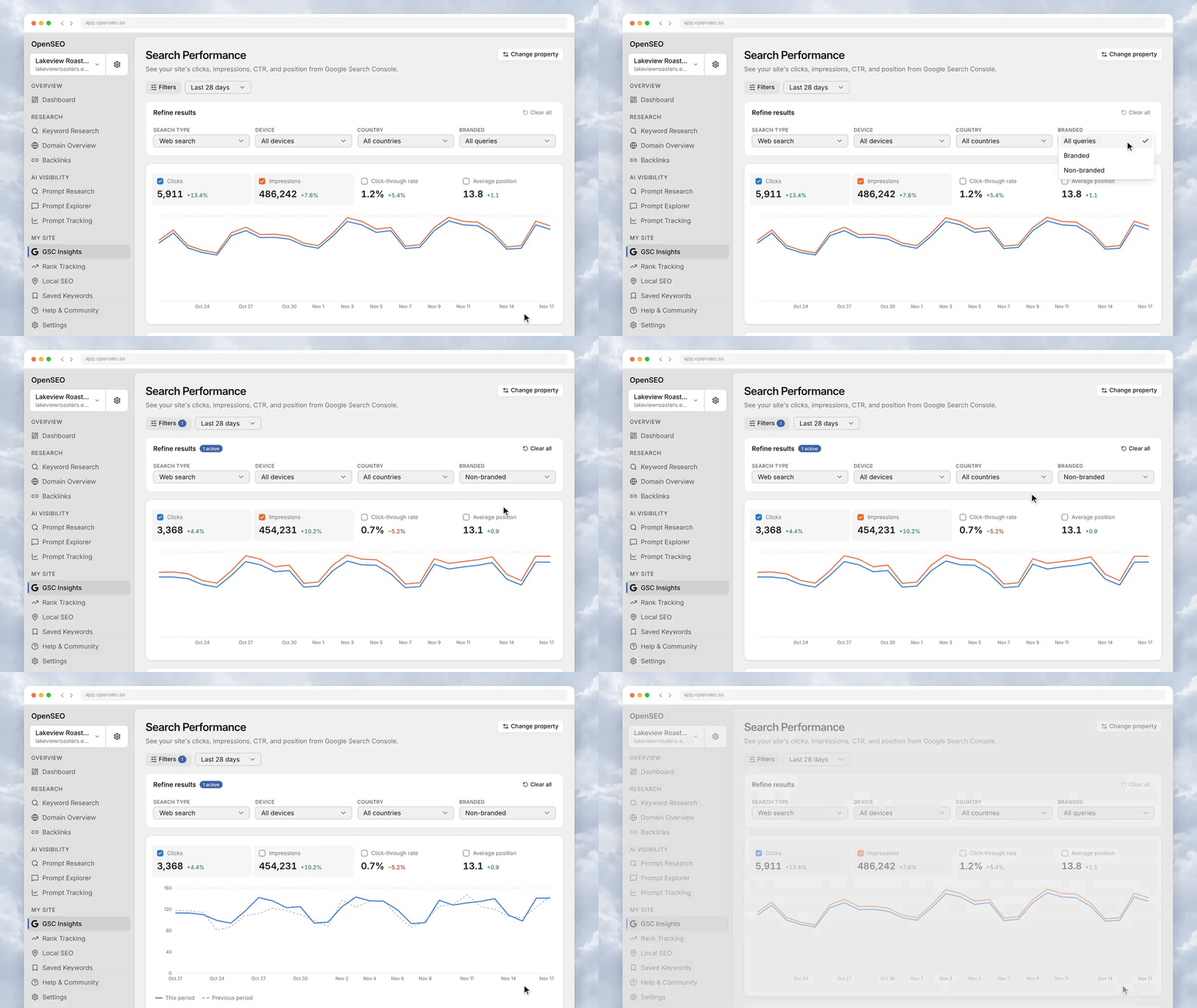
It keeps adding small, practical features. This week it was Google Search Console’s new brand filter:
“Filter out your brand name to see the traffic SEO actually brings in.”
Who it’s for: founders, marketers and small agencies who want real SEO data without paying for a big SEO suite.
Pricing: Base is $10 a month with $10 of usage included, Pro $30 (with $36 of usage) and Agency $100 (with $120). A keyword search costs about 5 cents. There’s a free trial with $0.50 of credits and no card.
Open source: MIT, 28,650 GitHub stars. You can self-host it with Docker or on Cloudflare.
Good to know: it’s built by the Every App team. The data is only as good as DataForSEO’s, so keep a second source for backlinks if you rely on them.
Links: Directory page · Official site · GitHub

Keep reading
Want more tools like these? Browse more than 1,300 of them on The Tool Nerd directory, and subscribe to get this roundup every Tuesday.