

Early last year if one would have told me that Google would be key player in the AI race, it would have been hard to believe. ChatGPT was every where and was doing fantastic!!
But that story isn’t the same anymore. Over the last 1 year Google has progressed at an amazing pace. They have built tonnes of products and doing numerous experiments.
If you have the Google AI pro license and sitting on it and using only GEMINI for chat!! You are simply wasting your productivity.
Check out the detailed plan here : Google Gemini Plans
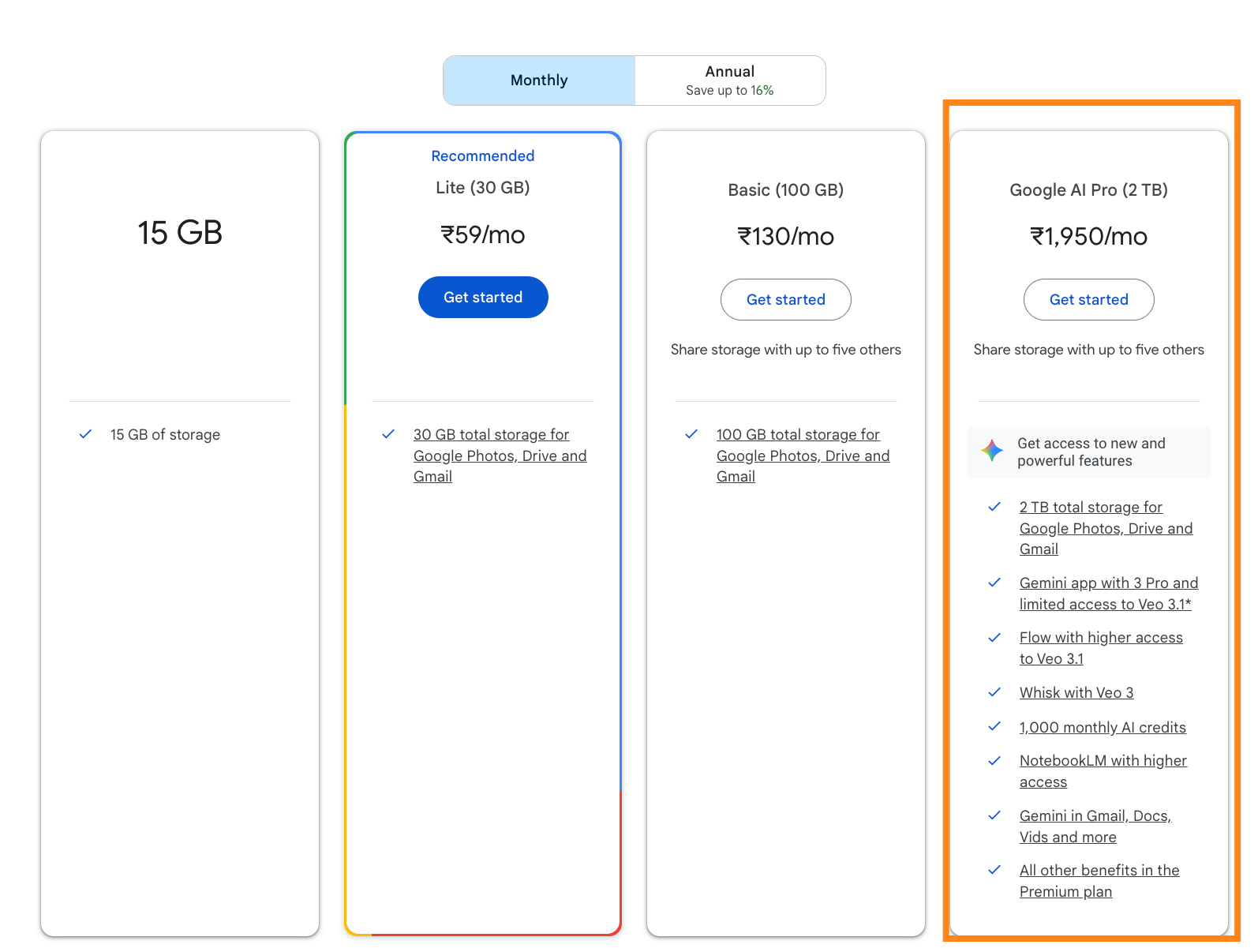
In this post I will like cover the various tools that are available for you in your Gemini AI Pro subscription, that might make your powerful.
No Time to Read? Here’s the Scoop
Google AI Pro is not a chatbot upgrade. It’s Google’s full AI stack—video, images, coding agents, research tools, and Workspace automation.
Creators get Veo video, Imagen 3, Whisk, Doppl, and Google Vids.
Developers get agentic coding via Jules, Gemini Code Assist, Stitch, and experimental agent-first IDEs.
Researchers and students get NotebookLM Plus with multi-document analysis and AI-generated audio summaries.
Everyone gets Gemini built directly into Gmail, Docs, Slides, Sheets, and Meet.
Globally, this costs about $20 a month. In India, eligible Jio 5G users get it free for 18 months.
If you only use it for chat, you’re wasting it.
I will be covering what’s in store for Creators, Developers, Non-developers/ Knowledge Workers .. as well tell you how to claim you free account in Jio with 18 months of free access.
ChatGPT also has a free version and you should try out. Covered in this article below:

Category 1: Creative Studio & Marketing
Best for: creators, marketers, agencies
Google Flow (Video via Veo)
Unlocked: Veo video models (Labs access)
Google’s VEO models are state of the art when it comes to Video generations and the best in the market.
Flow lets you generate short cinematic videos using Google’s Veo models. The real advantage is asset grounding. You can upload logos, products, and reference images so outputs stay visually consistent.
This works best for short-form marketing clips—ads, reels, launch visuals—not long narrative films.
Who benefits most:
Startup founders and marketers creating launch videos without a production team
Agencies prototyping video concepts before full production
Content creators experimenting with visual storytelling quickly
Whisk & ImageFX (Image Generation)
Unlocked: Imagen 3 and Nano Banana Pro limits
ImageFX focuses on fast iteration. You can switch styles and compositions without rewriting prompts. ( Available in select countries)
Whisk blends multiple images into cohesive mockups, handling lighting and texture better than most general-purpose image tools.
This pair is useful for mood boards, campaign concepts, and early creative direction.
Who benefits most:
Designers exploring styles and visual directions
Marketing teams testing creative ideas fast
Founders who need visuals before hiring a designer
Doppl (Virtual Try-On)
Doppl lets you try generated clothing on real photos with believable fabric behavior. Lighting and drape matter here, and Doppl handles both reasonably well.
This is most useful for fashion concepts and early design visualization, not final product shots.
Who benefits most:
Fashion designers visualizing new collections
E-commerce brands testing concepts before samples
Creators experimenting with digital fashion content
Google Vids
Most of them don’t know about this cool product which is released by Google last year.
Google Vids shines when you already have knowledge locked inside documents -PDFs, slide decks, training material, playbooks, or long reports. Instead of rewriting everything from scratch, you can feed this material directly into Vids and turn it into clear explainer videos with structure, visuals, and voiceover generated automatically. It feels less like “making a video” and more like repackaging what you already know.
AI-first video drafts: Generate a complete video structure from a prompt or document.
Document-to-video conversion: Turn Docs, PDFs, and Slides into explainer videos automatically.
Scene-based editing: Edit videos section by section without complex timelines.
AI voiceovers: Create synced narration without recording audio.
Webcam and screen recording: Record walkthroughs and demos directly inside Vids.
Built-in teleprompter: Stay on script while recording yourself.
Auto-selected visuals: Match stock visuals and assets to your script.
Drive asset integration: Pull images, videos, and files directly from Google Drive.
Basic animations and transitions: Add motion for clarity without heavy editing.
Real-time collaboration: Edit, comment, and suggest changes like Docs.
Easy sharing and export: Share via Drive links or export in standard formats.
Workspace-native workflow: Works seamlessly across Docs, Slides, Gmail, and Drive.
Veo-powered video clips: Generate short AI video snippets for visual fillers.
Automatic captions: Improve accessibility with auto-generated subtitles.
Explain-first design: Optimized for training, onboarding, and internal communication.
This is especially useful for:
Consultants who want to turn reports and frameworks into client-ready explainers
Teachers and trainers converting course material into short learning videos
Internal enablement teams creating onboarding or process walkthroughs
Solo creators sitting on written content but short on video skills
It won’t replace a motion designer, but it’s one of the fastest ways to turn existing knowledge assets into watchable, shareable videos.
Google Pomelli
Google Pomelli is Google Labs’ new AI marketing assistant built for small and mid-sized businesses that don’t have a full creative team but still need consistent, on-brand marketing.
At its core, Pomelli tries to solve one problem: turning a business’s existing identity into usable marketing content without starting from scratch every time.
You start by giving Pomelli your website URL. It scans the site and builds what Google calls a “Business DNA” — your tone of voice, visual style, colors, typography, and overall brand personality. This becomes the foundation for everything it generates.
Once that’s set, Pomelli:
Suggests campaign ideas tailored to your brand and goals
Generates ready-to-use marketing assets (images + copy)
Keeps visuals and messaging consistent across campaigns
Lets you edit and export assets for social, web, or ads
Think of it less as a chatbot and more as an AI creative assistant that understands your brand context.
This is useful for
Founders and solo operators
Small marketing teams
Agencies prototyping campaign concepts
Businesses that struggle with visual and tone consistency
It reduces the back-and-forth between “idea → design → rewrite → redesign” into a single workflow.
Availability
Pomelli is currently in public beta, available in English in limited regions (US, Canada, Australia, New Zealand), and free while it remains a Labs experiment.
If you want to get started with AI and want to get more information about AI check out these articles:


Category 2: Development & Prototyping
Best for: developers, founders, product teams
Jules (Async Coding Agent)
Jules works inside GitHub. It’s your virtual background agent. You assign it an issue, and it spins up an environment, writes code, runs tests, and opens a pull request.
It’s reliable for dependency updates, refactors, and documentation. It still needs review, but it saves real time.
Who benefits most:
Solo developers maintaining side projects
Small teams drowning in backlog cleanup
Engineering leads delegating low-risk tasks asynchronously
Stitch (UI to Code)
Stitch bridges design and implementation. Describe a UI, and it generates both the visual layout and functional frontend components.
This is useful for validating UX ideas before handing work to engineering.
Who benefits most:
Product managers testing flows without design handoff
Founders prototyping ideas quickly
Designers moving faster from concept to code
Antigravity (Agent-First IDE)
Antigravity is a VSCode fork and competition to likes of Cursor, Windsurf, and many other IDEs out there.
Anti-gravity is unique. Unlike a traditional coding environment, it focuses on directing agents rather than you writing code line-by-line. You describe the outcome, and agents handle different parts of the build.
You get access to the best models like Gemini 3 Pro, Gemini 3 Flash, Claude Opus 4.5, Claude Sonnet 4.5 etc..
They’re powerful for experiments and MVPs. Expect rough edges. This is early-stage tooling.
I have written about it in one of my previous article as well:
Claude Opus 4.5 vs Gemini 3, Nano Banana Pro and Google Antigravity IDE: Nov 2025 Mega Review

Last week was absolute chaos in the AI world. In just seven days, we witnessed three massive launches that are fundamentally reshaping how developers build software:
Who benefits most:
Early-stage founders building proof-of-concepts
Tinkerers exploring agent-driven development
Teams experimenting with new workflows
There are many other tools like
Google Code Assist : Google Code Assist is Google’s AI coding companion that helps you write, explain, refactor, and debug code directly inside your IDE with Gemini-powered context awareness.
Gemini CLI : This is like your Claude Code, Codex, OpenCode, Factory AI etc.. and is open source
Category 3: Research & Knowledge Work
Best for: students, analysts, strategy leads
NotebookLM Plus
NotebookLM lets you analyze large collections of documents together. You can query them, cross-reference ideas, and generate summaries grounded in your sources.
The standout feature is Audio Overviews & Video Overview. It turns your material into a conversational podcast-style summary that’s surprisingly useful for review and revision.
Who benefits most:
Students revising large syllabi
Researchers and analysts reviewing dense material
Knowledge workers who learn better by listening
Illuminate
If reading and researching research papers is the difficult part for you, I think Illuminated is the one you should go for.
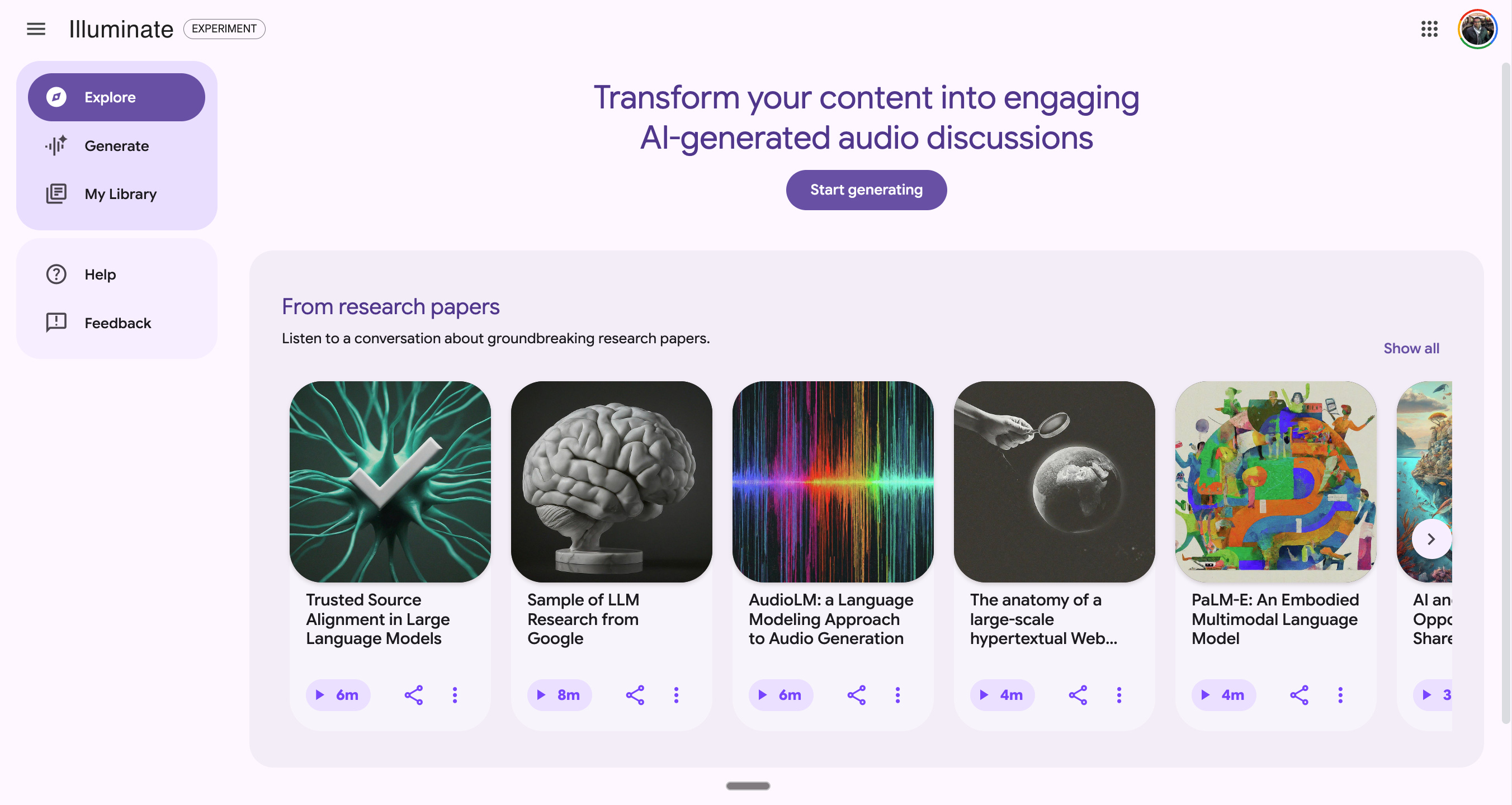
Illuminate converts dense academic papers into structured explanations and audio discussions.Learn About generates adaptive learning material that changes depth based on how you interact with it.
These tools are best treated as study accelerators, not authorities.
Who benefits most:
Students breaking down complex subjects
Lifelong learners exploring new fields
Professionals refreshing foundational knowledge
Category 4: Everyday Productivity (Where Most Value Hides)
Best for: anyone using Google Workspace
Gmail drafts replies from short prompts.
Docs expands outlines into structured documents.
Slides generates images and fixes layouts automatically.
Meet transcribes calls and tracks action items.
Sheets builds formulas, charts, and summaries from raw data.
Individually, these features feel small. Used daily, they compound.
If you are in India and a Jio Subscriber - It’s free for you.
Globally, Google AI Pro is a paid subscription.
In India, Jio’s partnership turns it into a temporary arbitrage. Eligible users on ₹349+ 5G plans get 18 months free. The tools are the same. The limits are the same. Only the price changes.
If you’re outside India, this shows what Google is bundling.
If you’re in India and eligible, this shows what to activate before the window closes.
How to Claim the Offer (India)
Open the MyJio app.
Confirm an active Unlimited 5G plan (₹349+).
Tap the Google AI Pro banner.
Activate the 18-month subscription.
Make the most of this access. Lean into AI, explore Google Gemini Pro, and actually learn how to use these tools. AI isn’t optional anymore—it’s becoming a basic skill, and the gap will only widen between people who experiment early and those who don’t.