


For the last decade, “3D modelling” was synonymous with video games and blockbuster movies, a highly specialized skill used primarily to create Orc warriors or a superhero’s cape. As we move deeper into 2026, the demand for 3D content has shifted well beyond the entertainment sector.
We are seeing a “spatial computing” revolution where every industry, from healthcare to heavy construction, is demanding three-dimensional visualization. Architects require rapid visualization props. Product designers need to instantly translate sketches into prototypes. Robotics engineers demand thousands of synthetic 3D objects to train complex navigation algorithms.
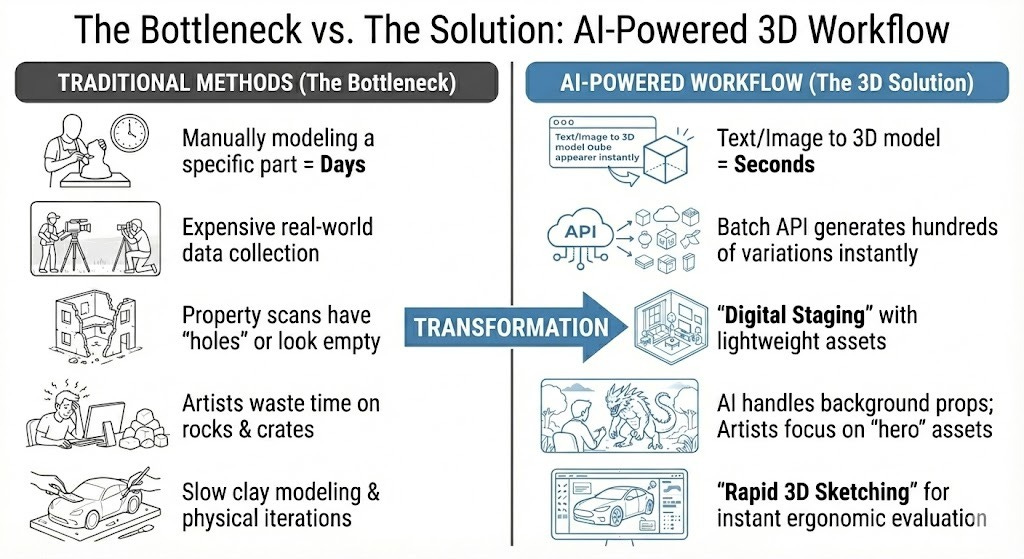
The bottleneck is that traditional 3D modeling is slow and technically demanding. Manually modeling a specific chair or a mechanical part can take days. AI-powered platforms like Tripo Studio solve this by using generative AI to produce 3D models from text prompts or 2D images. This isn’t just assisting game developers; it’s creating new efficiencies for professionals in design and engineering.
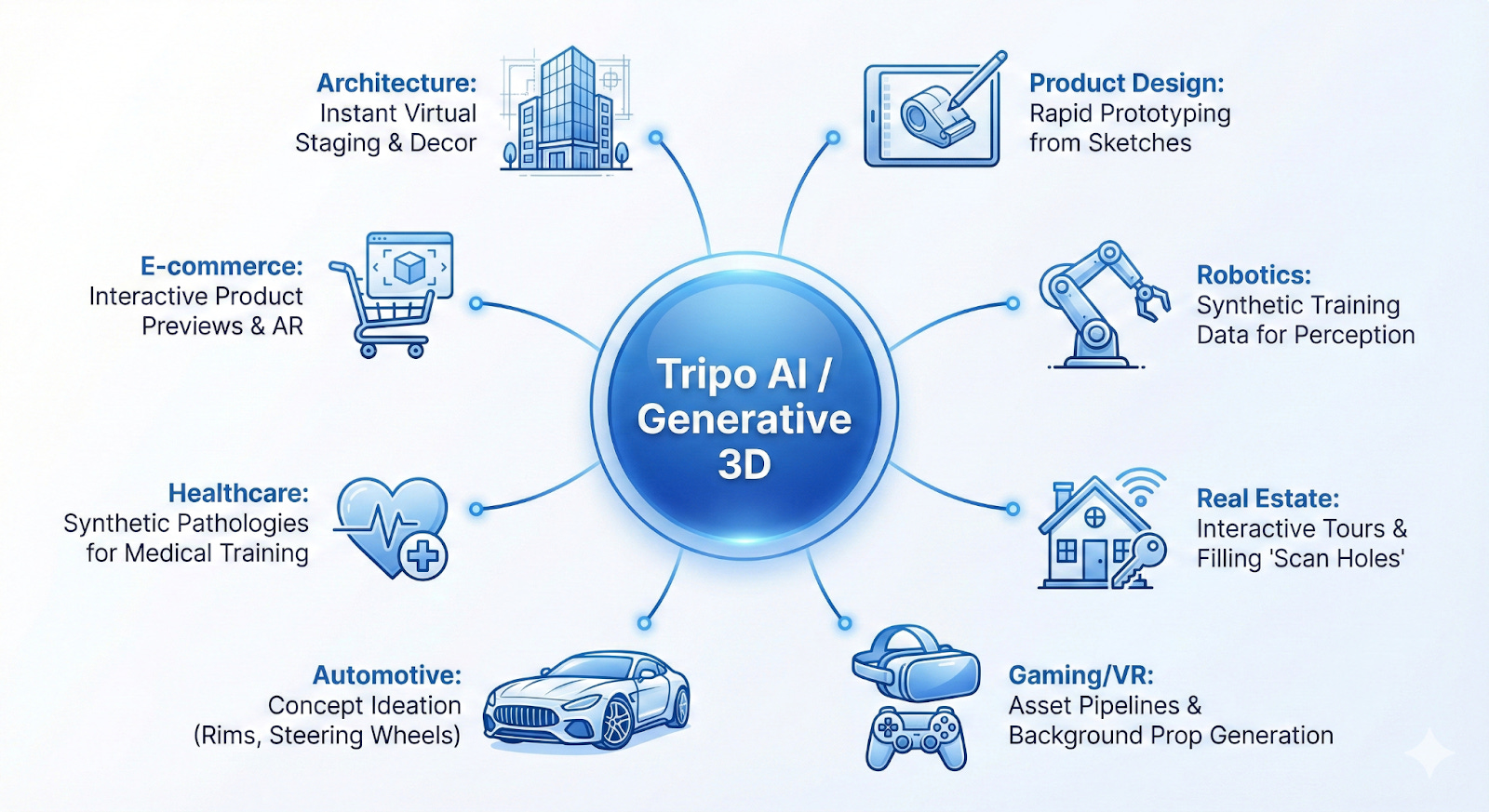
Here is how Tripo’s AI capabilities drive innovation across eight industries, including the tools to visualize them in Virtual Reality (VR).
If you want to go deeper into how AI is changing 3D workflows, check out these guides:
👉 From Zero to Film-Ready 3D Characters with Tripo AI — Learn how creators are generating production-quality characters using Text to 3D and advanced workflows.

👉 The Best AI 3D Model Generators for 2026 — Compare the top tools, including Tripo, and see how Image to 3D and generative pipelines stack up.

These articles complement the real-world use cases covered here and provide hands-on perspectives for builders, designers, and AI enthusiasts.
1. Architecture and Interior Design: Instant Virtual Staging
For designers and architects, communicating a vision to a client requires “staging”, populating an empty 3D space with furniture, lighting, and decor to create a sense of place. Historically, this meant tedious hours scouring expensive asset libraries for a specific item, or modeling it from scratch.
The 3D Solution:
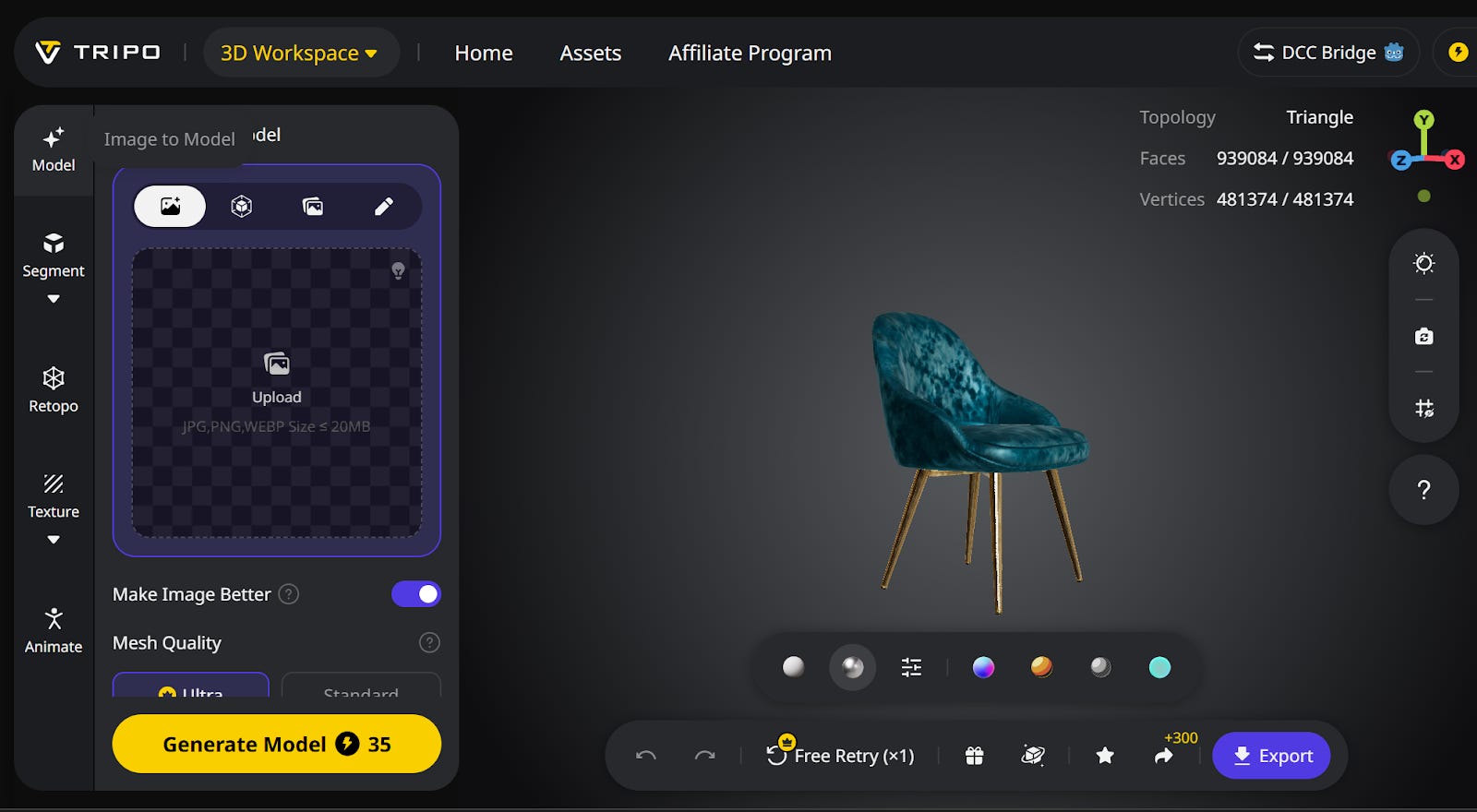
Using the Text to 3D model generation feature in Tripo AI, a designer can simply input a detailed description and receive a usable 3D asset in seconds.
Workflow: Instead of generic stock assets, generate unique decor items instantly. You can fill a s
helf with specific books, vases, or sculptures that match the client’s exact taste.
Benefit: Provides truly custom visualizations to clients and drastically reduces the design-to-presentation time. Tripo stands out with Style Consistency. You can use prompts to ensure every object shares the same aesthetic. Tripo’s “Texture Upscale” feature will give that extra texture fidelity that makes the difference between a “game asset” and a ”photorealistic prop.” This is important because architectural renders are often viewed at 4K resolution.
VR Integration: Walking Through the Design
Architects don’t just want to see a render; they want to walk through it to understand the scale.
How to Use: Export your furniture model from Tripo as a .GLB file. Drag and drop it directly into Arkio (available on Meta Quest and iPad). You can then place the furniture in a mixed-reality view of the actual room, or scale it down to “dollhouse mode” to view the layout from above.
2. Product Design and Industrial Manufacturing: Rapid Prototyping
The transition from a two-dimensional sketch to a three-dimensional prototype is often the most time-consuming phase in product development. Industrial designers may sketch dozens of iterations for a new gadget or tool before a CAD engineer even begins work.
The 3D Solution:
Designers can upload their rough concept sketches directly into Tripo’s Image to 3D model feature.
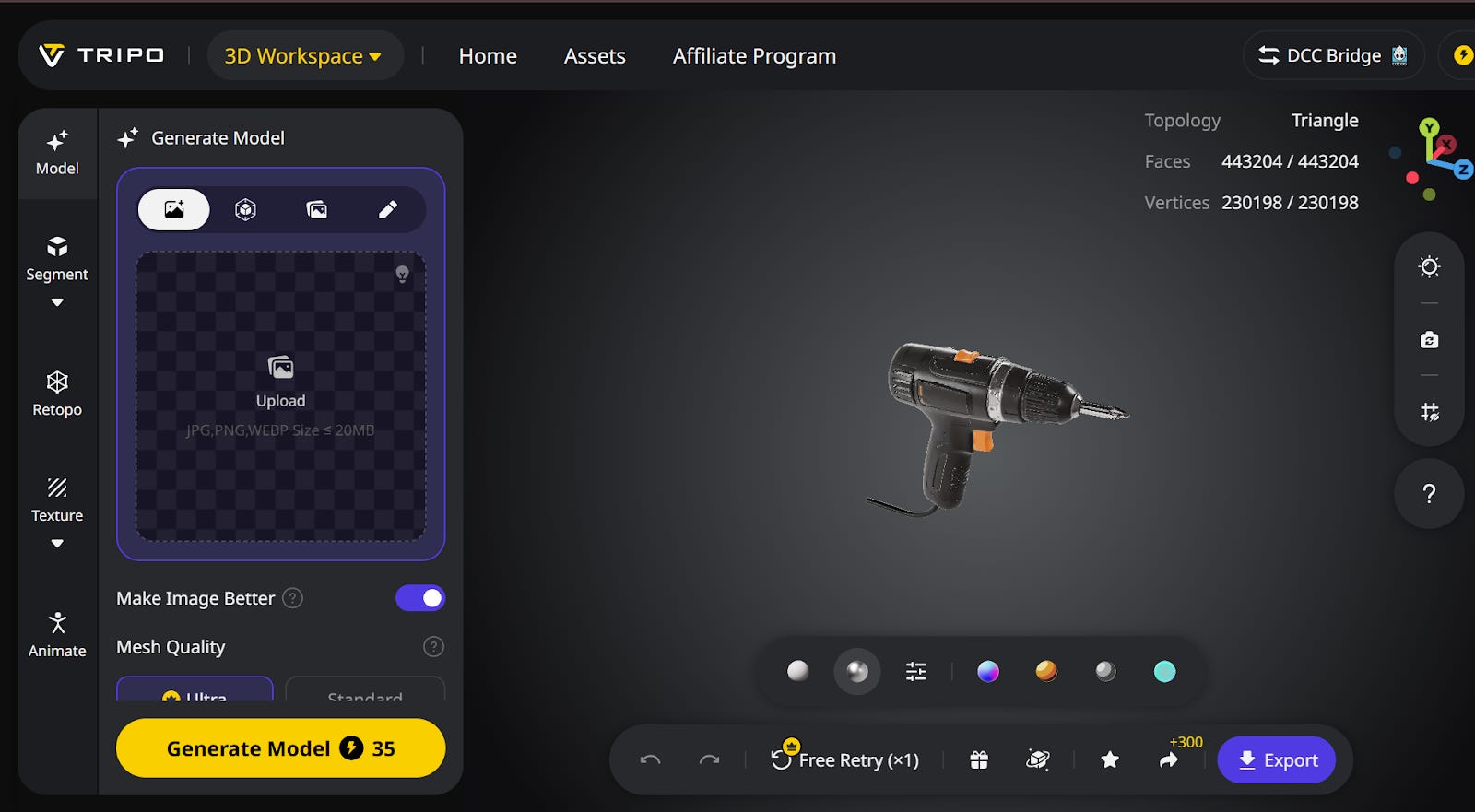
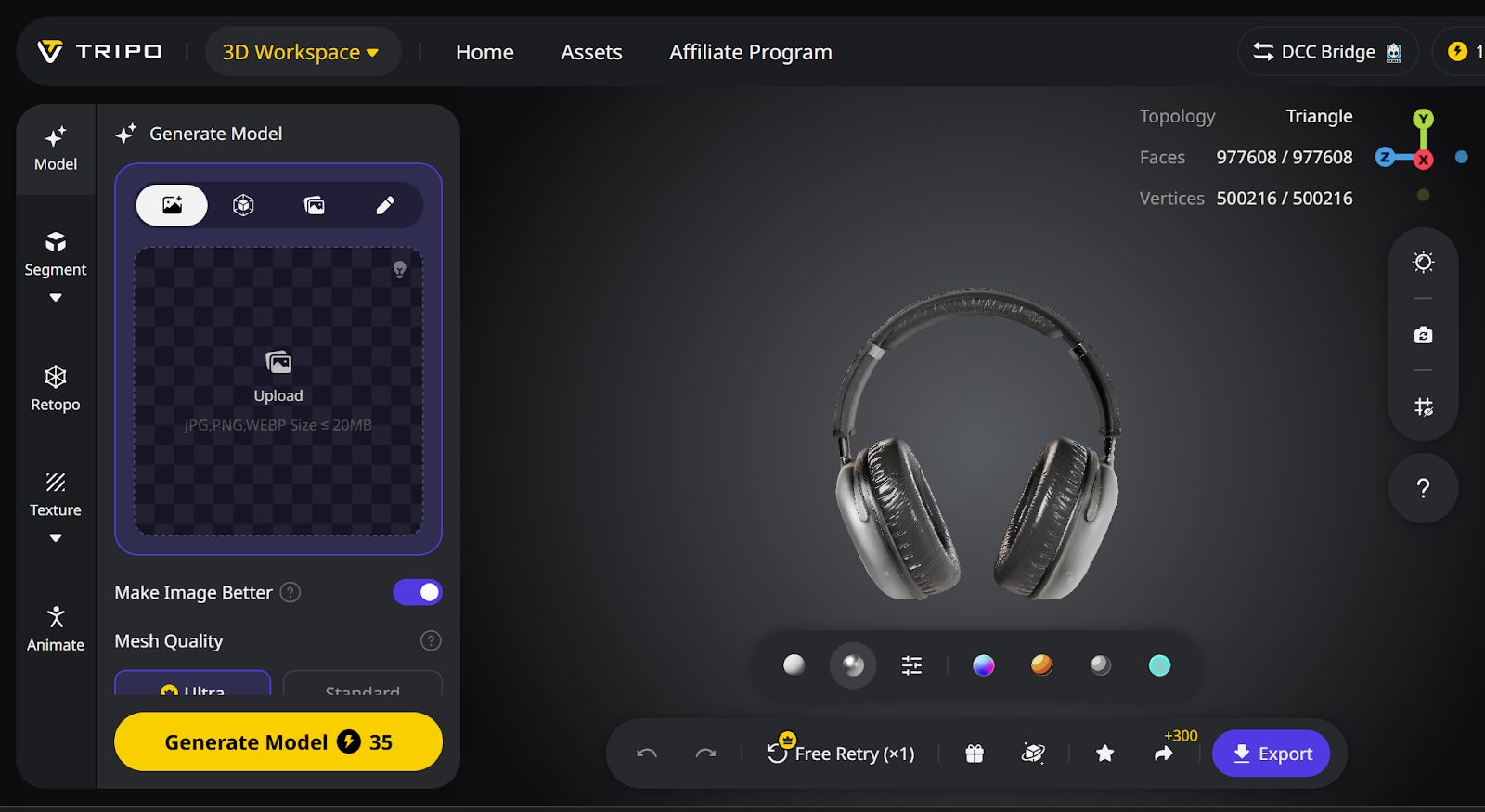
Workflow: A concept is sketched on paper, photographed, uploaded to Tripo, and instantly converted into a 3D mesh that can be rotated and viewed from all angles.
Benefit: A shape is useless if you don’t know what it feels like. Tripo automatically generates Physically Based Rendering (PBR) Maps (Roughness, Metallic, Normal), allowing designers to visualise whether a new headphone casing looks better in “Matte Plastic” or “Brushed Aluminum.”
This facilitates rapid iteration on volume and form in minutes, not days. It effectively bridges the gap between 2D ideation and 3D CAD, enabling faster and cheaper decision-making before costly engineering begins.
VR Integration: Ergonomic Validation
Designers need to “hold” the object to check ergonomics and scale before manufacturing.
Recommended Tool: Gravity Sketch.
How to Use: Import the Tripo 3D model into Gravity Sketch (Free on Meta Quest). This allows designers to sketch over the 3D model in 3D space, refining the shape or adding annotations for engineers. It turns a static model into an interactive design review.
3. Robotics: Training Data for AI Perception
Robots in logistics and warehousing must accurately perceive objects in their environment. Training a robot’s AI to recognize a tool or a package requires thousands of unique 3D examples within a virtual simulation (Sim2Real).
The 3D Solution:
Engineers use Tripo Studio to batch-generate hundreds with their Powerful API for diverse variations of common objects.
Workflow: Generate vast and diverse datasets (e.g., 50 different types of bottles, 100 different tools) to effectively train computer vision systems.
Benefit: It drastically lowers the cost and time required to produce synthetic training data, accelerating the development of reliable real-world robot interaction. Also Engineers can effectively use the Batch generate feature using Tripo’s API to generate many variations of 3D meshes without using the web interface or use the rich library of ready-to-use 3D model assets. This will help them to create a massive synthetic dataset for a fraction of the cost of real-world data collection.
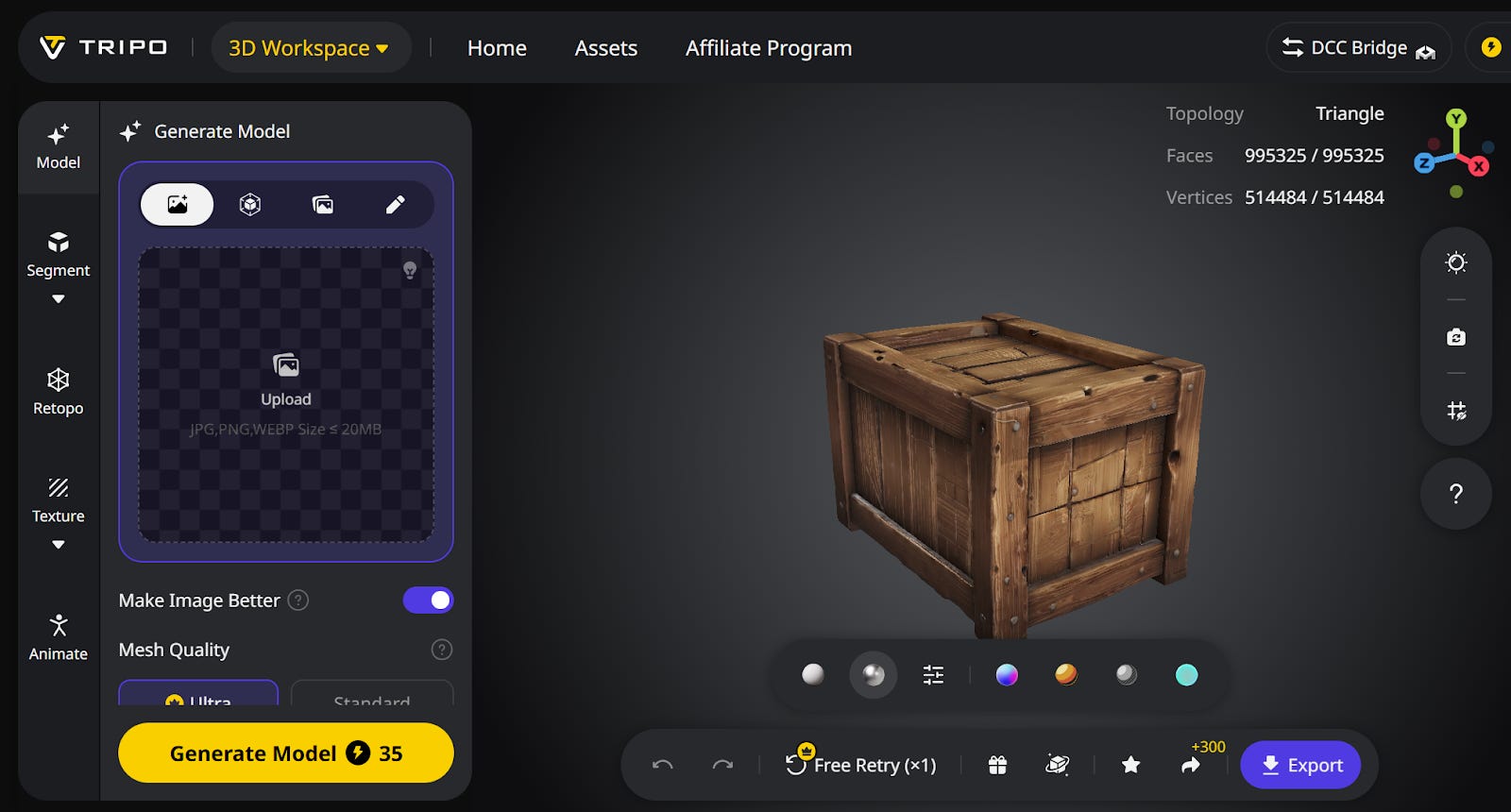
4. Real Estate: Interactive Property Tours & Virtual Staging
Static property photos are fading. High-end listings now demand immersive virtual tours. A common issue is that professional property scans often contain “holes” or rooms that appear empty.
The 3D Solution:
Real estate marketers use generative AI to digitally stage and ‘dress’ these virtual tours.
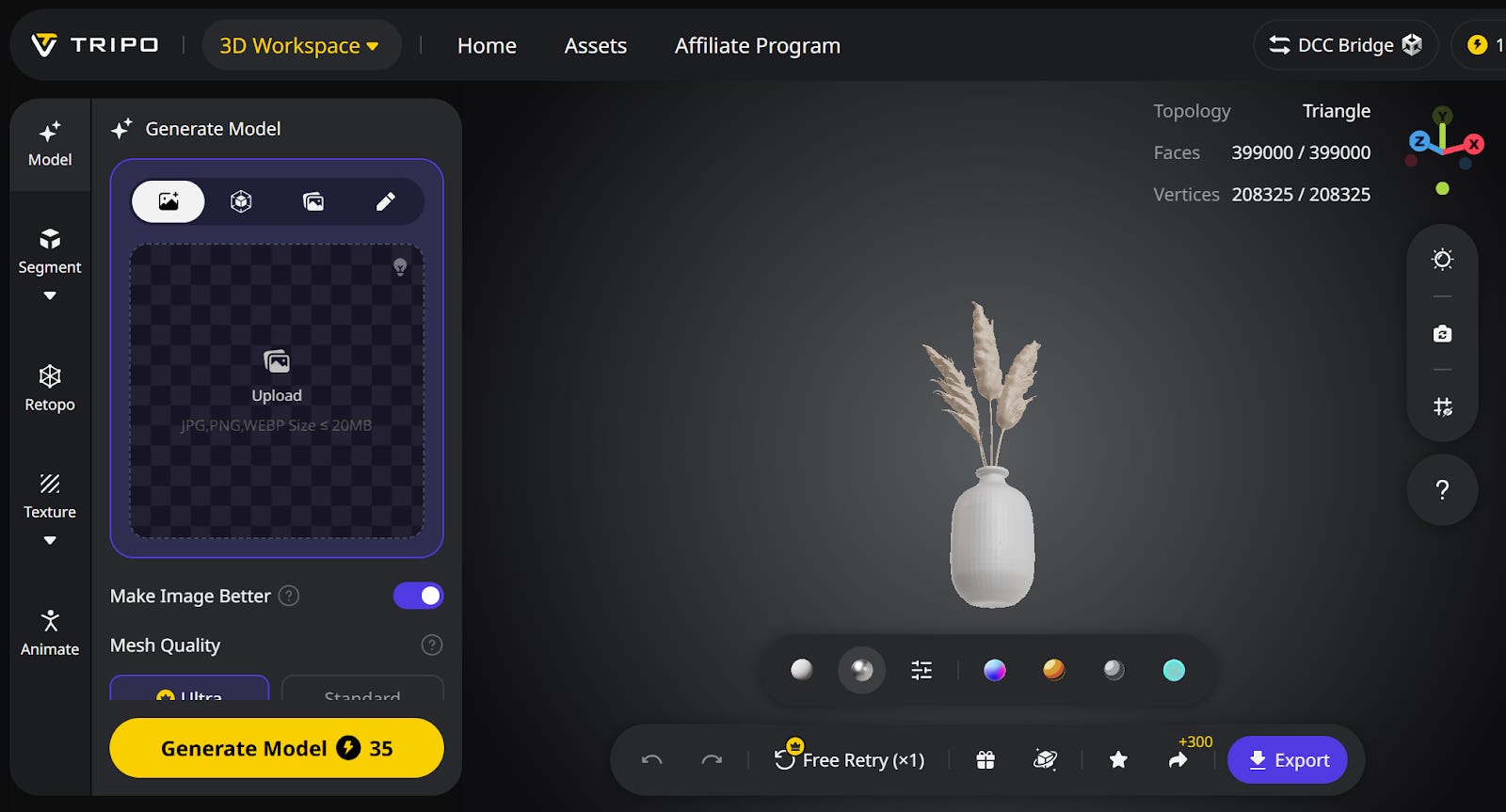
Workflow: Use Text to 3D model in Tripo AI to create aesthetic, specific props (e.g., “Modern fruit bowl,” “Elegant light fixture”) that match the home’s style. These are seamlessly inserted into the virtual tour.
Benefit : Tripo’s auto-retopology ensures the models are low-poly and lightweight (small file size) so they don’t crash the viewer’s phone, while still looking high-quality. This increases viewer engagement and allows potential buyers to better visualize the space’s full potential, leading to faster sales cycles.
VR Integration: The Virtual Open House
Converting a static tour into an immersive walkthrough where clients can walk from room to room.
Recommended Tools: Matterport or Spatial.io.
How to Use: Upload your 3D models to a Spatial.io gallery that clients can visit via a VR headset or just a web browser. It’s as easy as uploading a photo to Instagram, creating a “Virtual Showroom” accessible from anywhere in the world.
5. Gaming and VR: The Asset Production Pipeline
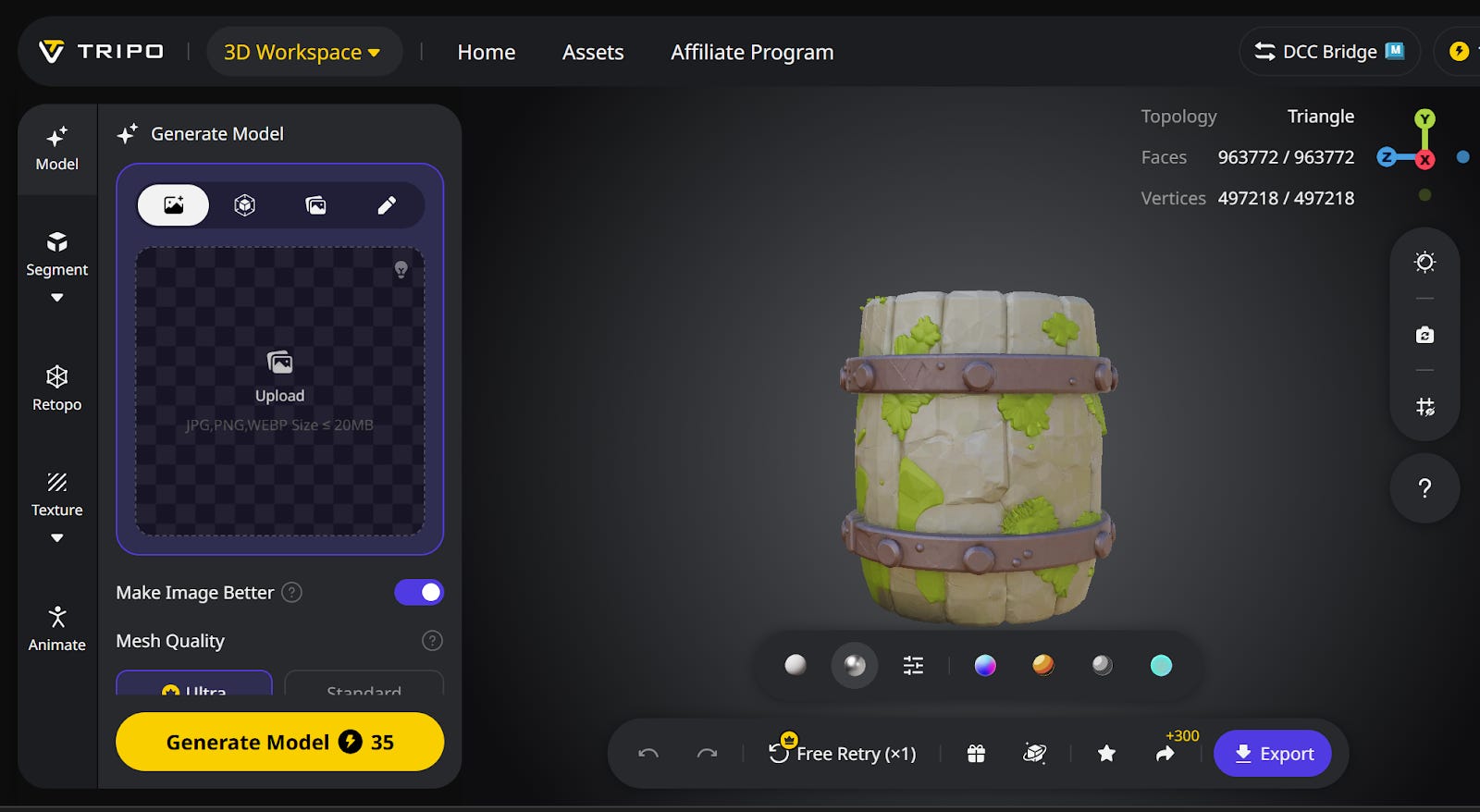
Game development remains a primary driver of 3D technology. Beyond “hero” characters, the cost lies in environmental assets. A game world requires hundreds of background elements: rocks, trees, crates, and barrels
The 3D Solution:
Game studios are integrating Image to 3D model in Tripo AI to turn concept art for these props directly into textured, game-ready assets.
Workflow: Concept artists sketch a desired prop, and AI instantly converts it into an optimized 3D model. Technical artists can then focus on final rigging.
Benefit: Custom Texture Styles & Magic Brush. You can use the AI texture Generator to apply a “Stylized Fantasy”, creating custom texture styles, which helps keep environments cohesive.
Tripo allows you to enforce a visual style consistently across different assets. You can apply a “Hand-Painted” or “Voxel” filter to a generic barrel. Senior 3D artists are freed to concentrate on high-value, unique assets, while AI manages the production of high-volume background content that populates the game world.
6. Automotive Industry: Concept Ideation & Design Evaluation
Automotive design traditionally relies on slow processes like clay modeling. Before a car ever reaches the physical clay stage, designers go through countless digital iterations to test aesthetics and ergonomics.
The 3D Solution:
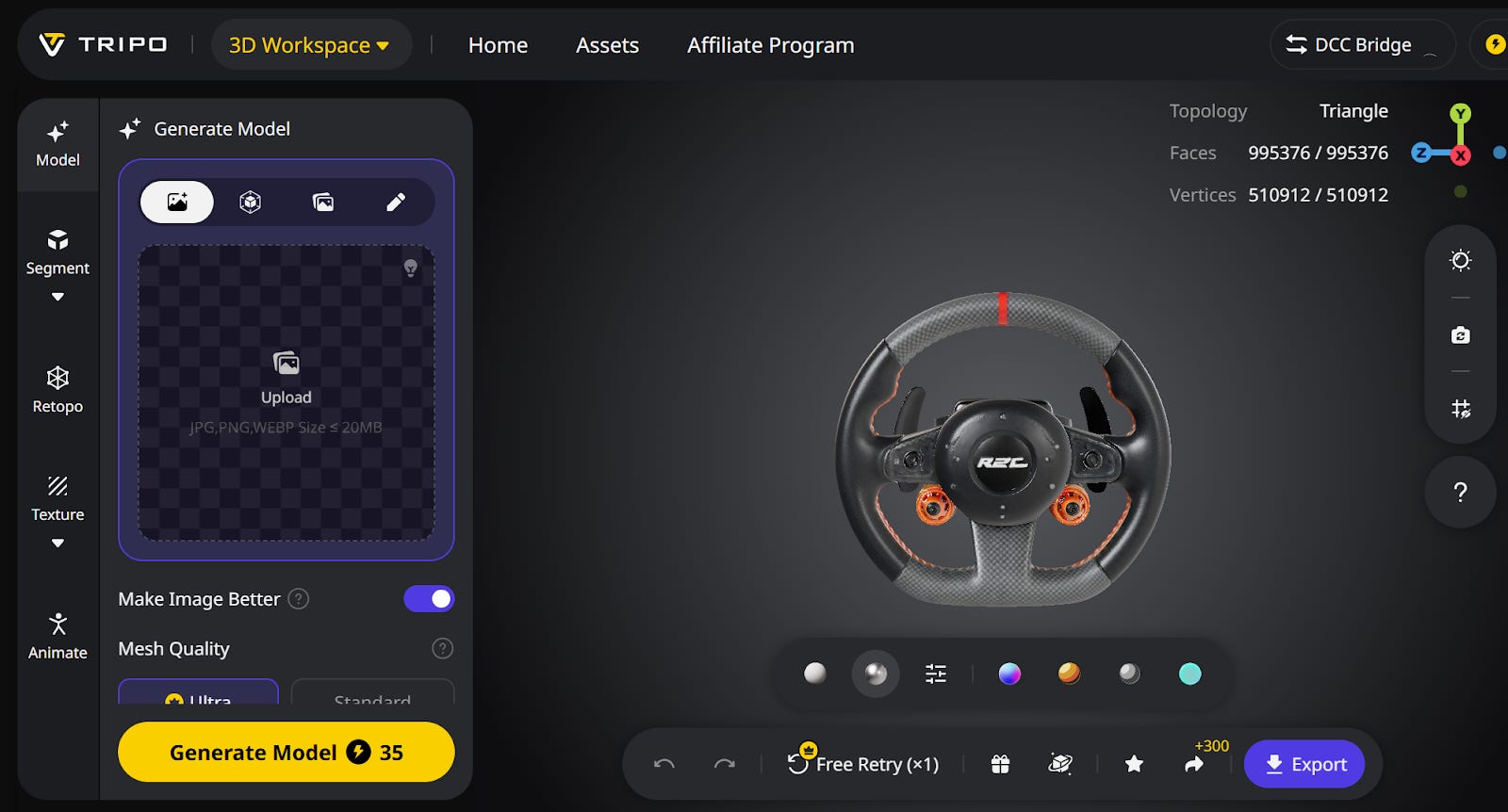
Automotive designers use Image to 3D model in Tripo AI to transform 2D sketches of specific car components, rims, steering wheels, seats, or mirrors, into instant 3D objects.
Workflow: A designer can sketch ten variations of a steering wheel, convert them all to 3D instantly, and place them into a VR environment to check for feel and fit.
Benefit: GLB/USDZ Export. The ability to instantly get a standard file format means designers can throw the model into a high-end renderer like VRED immediately. This allows for “Rapid 3D Sketching,” enabling instantaneous evaluation of a part’s ergonomics and aesthetics in a 3D context.
VR Integration: High-Fidelity Inspection
Checking reflections and surface quality in a photorealistic environment.
Recommended Tool: Sketchfab (Easy/Universal) or Autodesk VRED (Pro).
How to Use: Export the steering wheel or rim to Sketchfab. Anyone with a VR headset can hit the “View in VR” button on the website and inspect the part immediately, seeing how light interacts with the curves.
7. Healthcare: Medical Visualization and Simulation
Medical 3D libraries are often limited to idealized, “textbook” anatomy. However, real patient cases are complex, involving tumors, specific fracture types, and rare pathologies.
The 3D Solution:
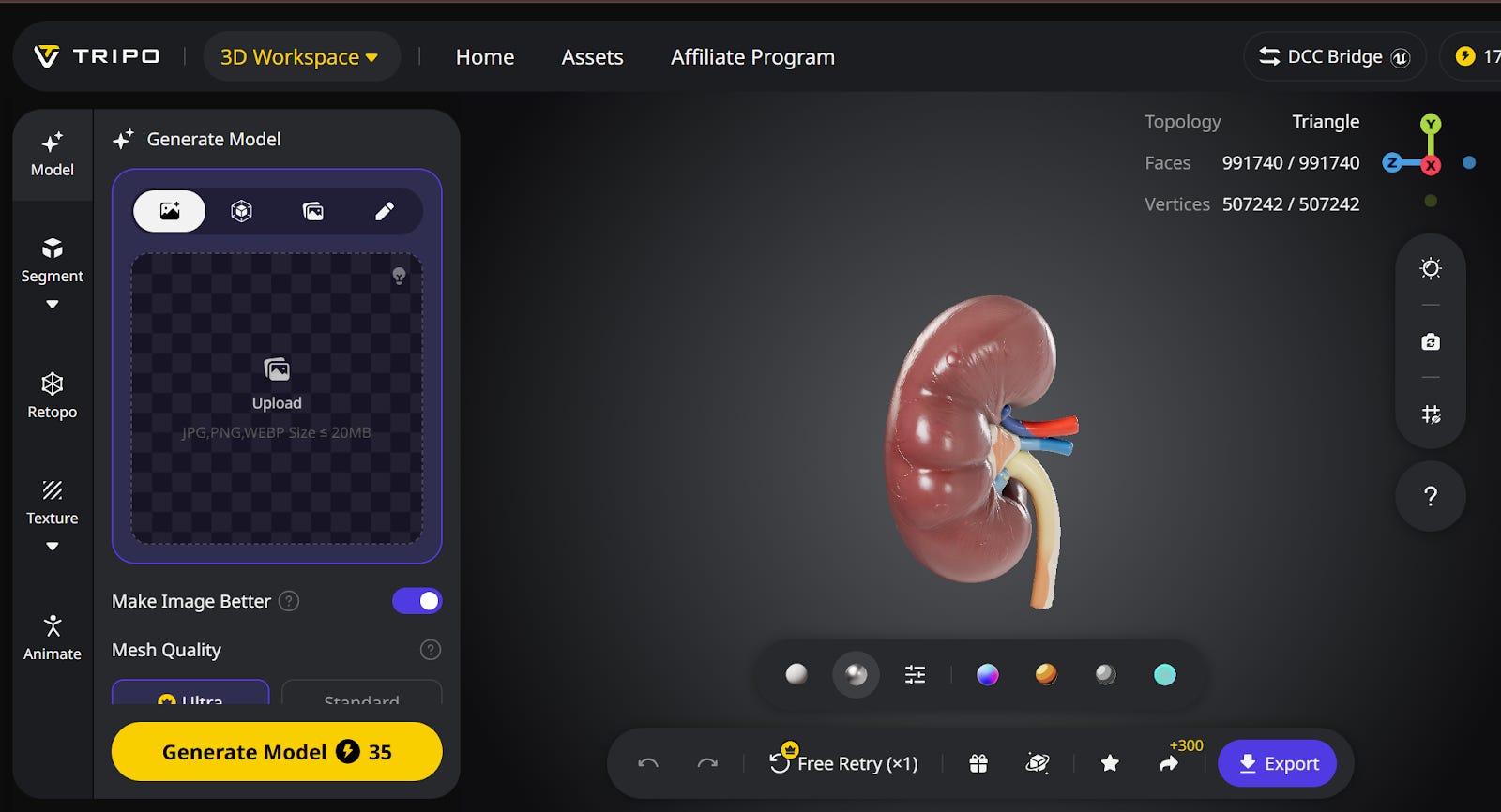
Medical educators use Text to 3D model in Tripo AI to generate highly specific “Synthetic Pathologies” for training.
Workflow: An instructor generates 3D models based on pathology descriptions: “Healthy human liver,” “Liver with early-stage cirrhosis,” “Complex tibial fracture.”
Benefit: Tripo uses the models that have the context for Anatomical Specificity. The AI can interpret complex medical prompts.These assets facilitate a “Digital Cadaver Lab” experience, allowing students to examine and plan for rare conditions they may not encounter physically for years.
VR Integration: Collaborative Learning
Professors and students examining a model together in the same virtual room.
Recommended Tool: Engage VR or [suspicious link removed].
How to Use: Professors can import specific pathological models generated by Tripo into a shared virtual classroom in Engage VR. Students put on headsets and can pass the “virtual organ” around to discuss the specific defect.
8. E-commerce/Retail: Interactive Product Previews
In online retail, 2D product photos are becoming insufficient. Customers expect to see a product from every angle or use Augmented Reality (AR) to place the item in their living space.
The 3D Solution:
AI is used to rapidly create a full 3D model from as little as a single product photograph or text description.
Workflow: An e-commerce platform feeds a new product photo into the AI, which generates an interactive 3D model. This model is then instantly usable in an AR application on the customer’s phone.
Benefit : Automated Texture Mapping. Tripo doesn’t just make the shape, it wraps the photo onto the model as a texture, preserving the brand logos and fabric details crucial for retail. Provides a premium, high-engagement shopping experience, reduces customer friction, and significantly lowers return rates.
Viewing Your Models in VR (The Easy Way)
You don’t need expensive enterprise software to actually see these models in the real world. If you have a Meta Quest 3 or Apple Vision Pro, viewing your AI creations is incredibly accessible.
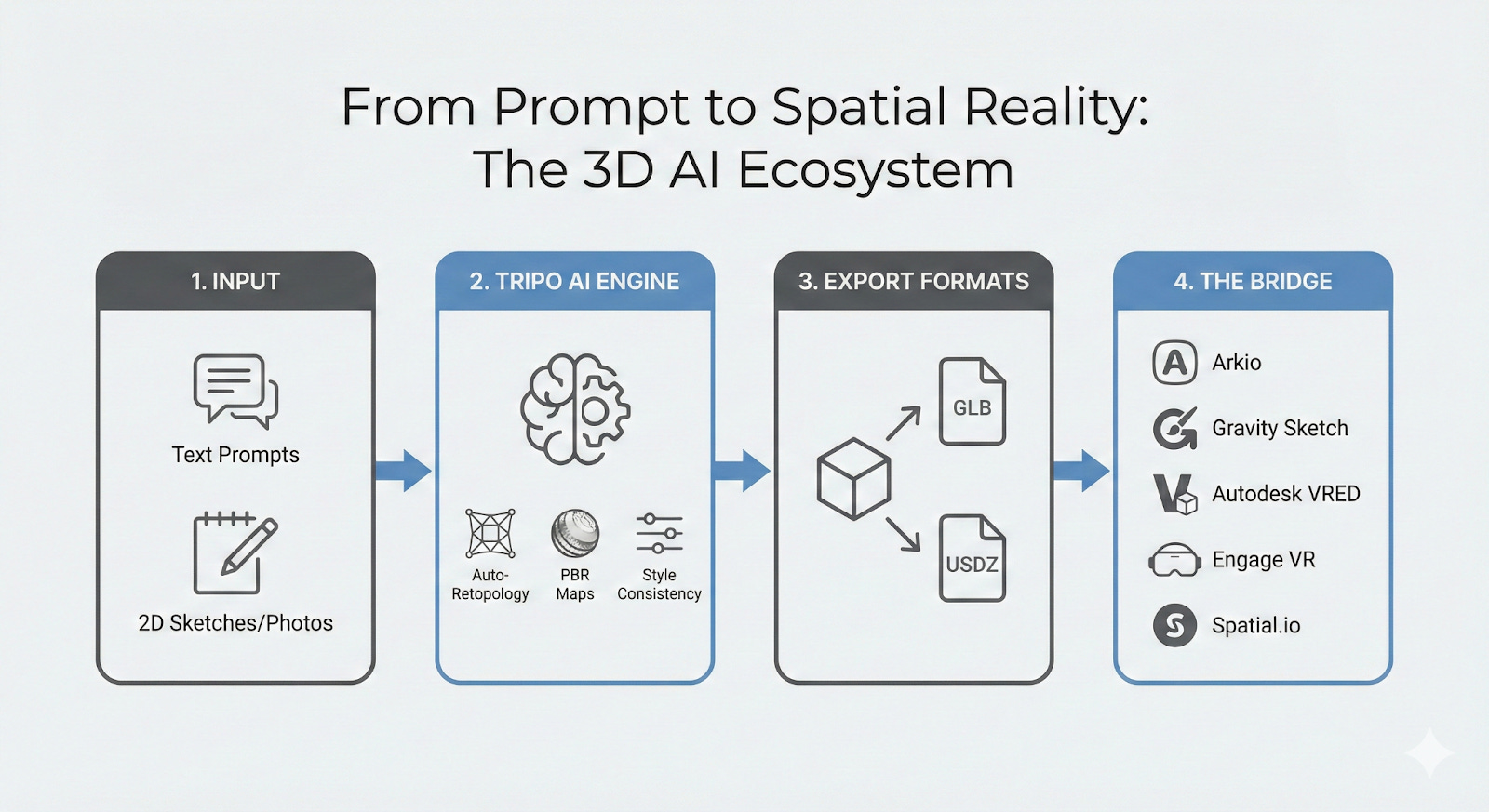
Think of Sketchfab as the “YouTube of 3D”, just upload your model, open their site in your headset’s browser, and hit “View in VR” to stand right next to it. If you need to collaborate, drag and drop your model into a free Spatial.io room, send a link to your team, and walk around the object together as avatars. Or, for the quickest fix, just use the native approach: export as .USDZ (for Apple) or .GLB (for Quest) directly from Tripo AI, and AirDrop or email it to yourself, and open the file to see it sitting on your coffee table in Mixed Reality as if it were physically there.
The Future is 3D: A Fundamental Professional Tool
The hurdle to widespread 3D adoption has been the technical complexity of the software. Tools like Tripo Studio is dismantling that barrier, placing professional-grade 3D generation within reach of every creator, designer, and engineer.
Whether you are an architect selling a vision, a product designer refining a shape, a robotics engineer training perception systems, or an e-commerce manager enhancing product pages, the ability to generate 3D assets is becoming an essential professional superpower.
With its versatile toolkit—from Text-to-3D and Image-to-3D generation to batch processing, API access, PBR material support, and style-consistent texturing—Tripo adapts to the unique demands of each industry. We are moving from a world where 3D was a specialized discipline to one where it is a fundamental tool for communication, creation, and innovation across every industry. The spatial computing revolution is here, and Tripo is your gateway to being part of it.
Disclosure: This post is an advertorial.