

I’ve been using Claude Code daily for months. And honestly, the things that have made me more productive are the discovery of these commands over time - not all at once, but gradually, as I kept running into situations where I needed more control.
There are so many commands. As you use the product on a daily basis, you start seeing which ones are actually useful for your workflow and which ones you’ll never touch. In this article, I’ve tried to summarize the ones I regularly use, plus a few that the community has flagged as genuinely powerful. If you’re just getting started with Claude Code, this will save you weeks of discovery.
What Are Claude Code Commands?
Claude Code commands are slash-prefixed instructions and CLI arguments that control how Claude operates at a session and workflow level. They go beyond prompting. You’re not asking Claude to do something - you’re configuring how it thinks, branches, loops, and executes.
The difference matters. A prompt tells Claude what to do. A command tells Claude how to operate.
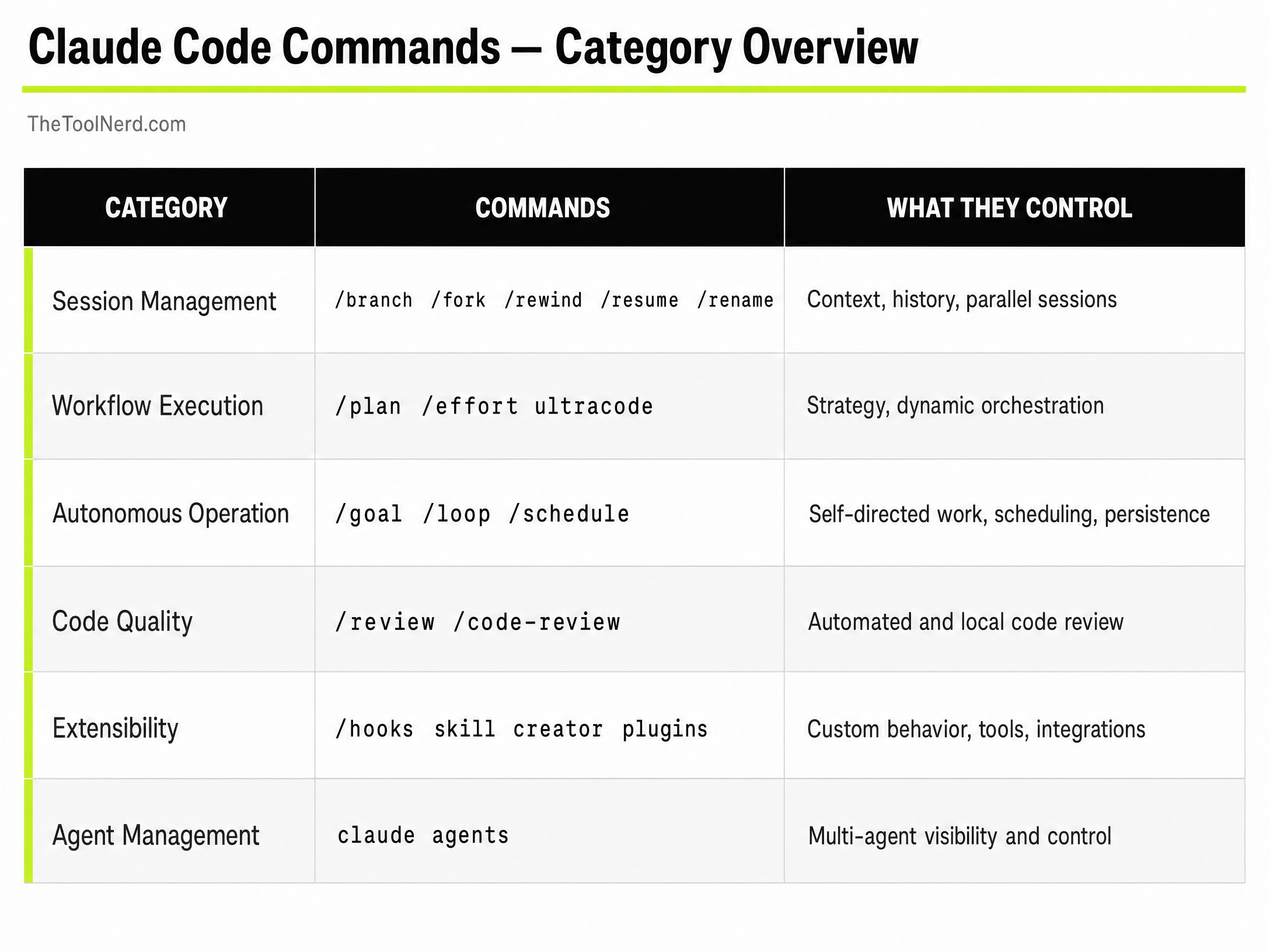
Check out my previous articles on the best Claude Skills, Best Agent Harnesses:


Session Management: Control Your Context Before It Controls You
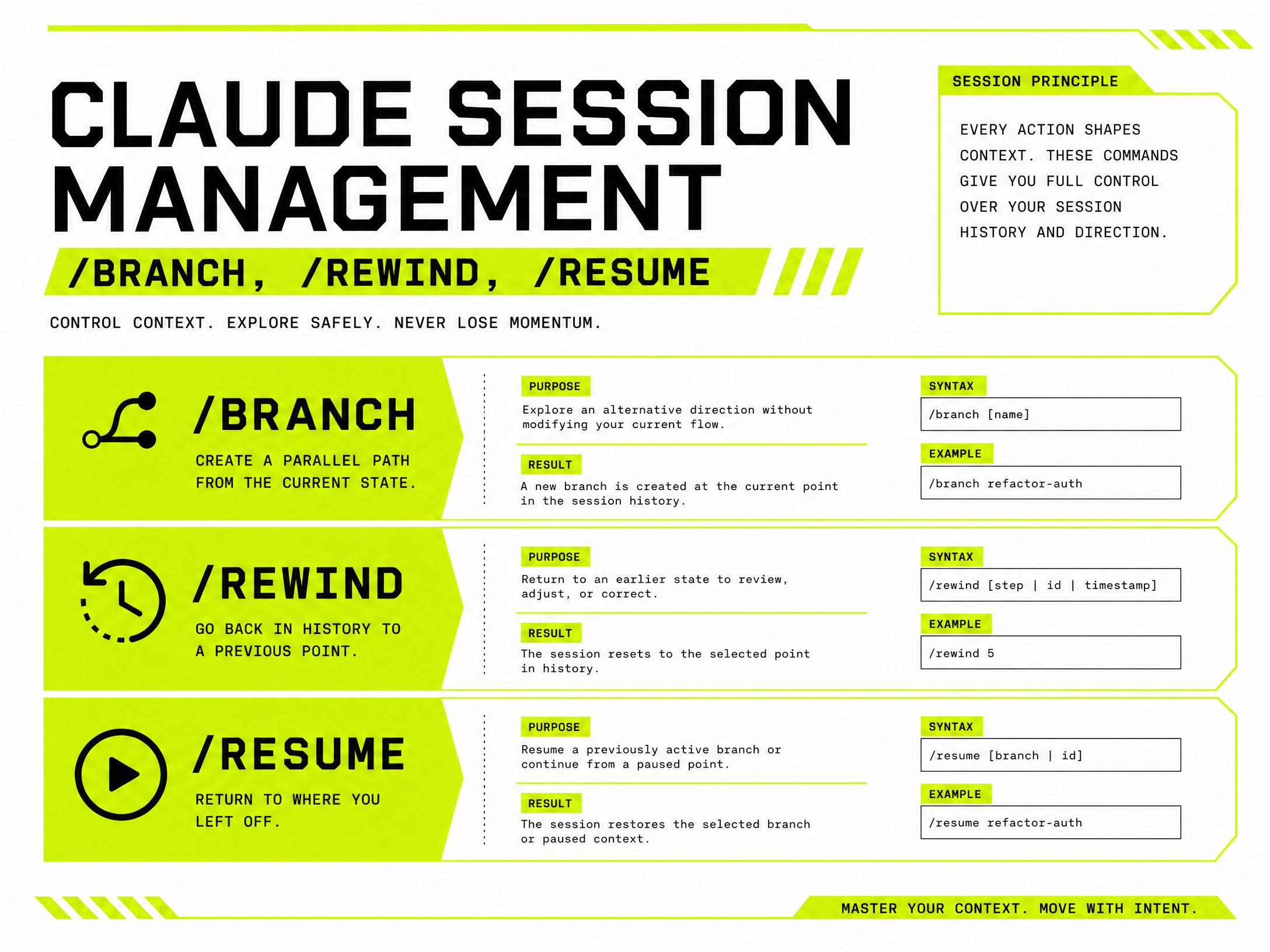
Context pollution is the silent killer of long Claude sessions. You start sharp, then twenty turns in, Claude is carrying irrelevant history into every response. These commands exist to prevent that.
/branch — Split Your Session, Keep Your Sanity

/branch creates an independent copy of your current session at that exact point. Both branches share the same history up to that moment, then diverge completely.
I use this whenever I have two competing approaches to a problem and I don’t want to pick one blind. Branch, test both, keep the one that works.
/branch "try-redis-cache-approach"
Use it when you’re exploring alternatives, testing different fixes, or want to experiment without touching your main session.
/fork — Spin Off a Subagent

/fork spawns a background agent that inherits the full conversation context. The key difference from /branch: you’re not creating a parallel version of yourself - you’re delegating a task to a subagent that runs independently while you continue in the main session.
/fork "run security audit on the auth module"
/rewind — Undo Without Starting Over
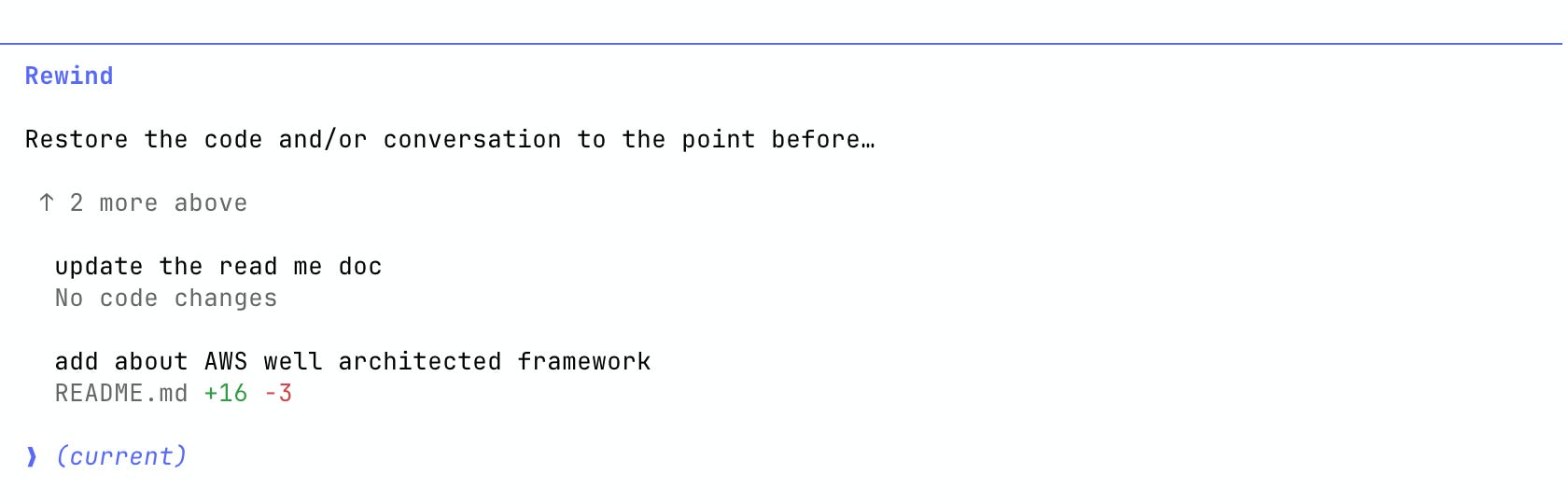
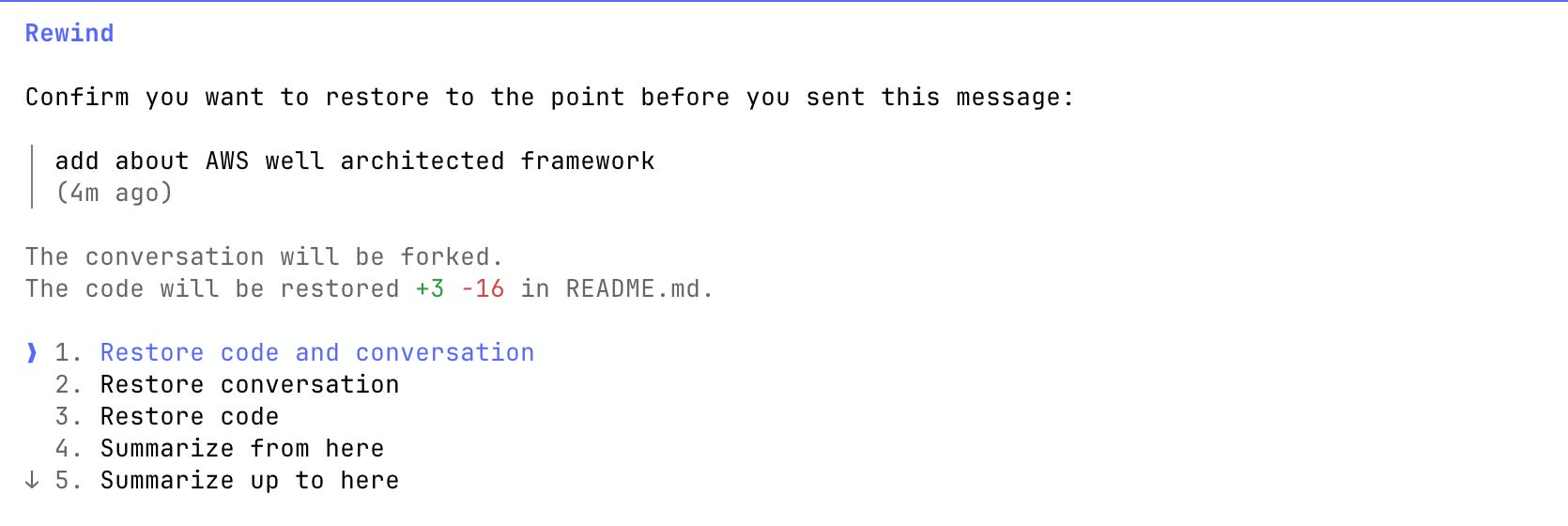
/rewind is the undo button Claude should have had from day one. It lets you restore your session - code, conversation, or both - to any previous point. The screenshots above show the two views: the history picker showing each prompt with its file diff, and the restore options (restore code and conversation, restore conversation only, restore code only, or summarize from that point).
This is not just cosmetic. If Claude made file changes you want to roll back, /rewind handles that too - you’ll see the exact diff before confirming.
/rewind
Use it when Claude goes off-track, when a prompt led somewhere unproductive, or when you want to try a different direction from a known-good state.
/resume — Pick Up Any Session by Name
Working across multiple projects means multiple sessions. /resume lets you jump back into any named session with full context intact.
/resume "auth-module-bugfix"
/rename — Keep Your Sessions Findable
As sessions multiply, names matter. /rename lets you update a session name as the work evolves.
/rename "session-1" "payment-api-refactor-v2"
Planning and Execution: From Idea to Implementation
/plan — Think Before You Build
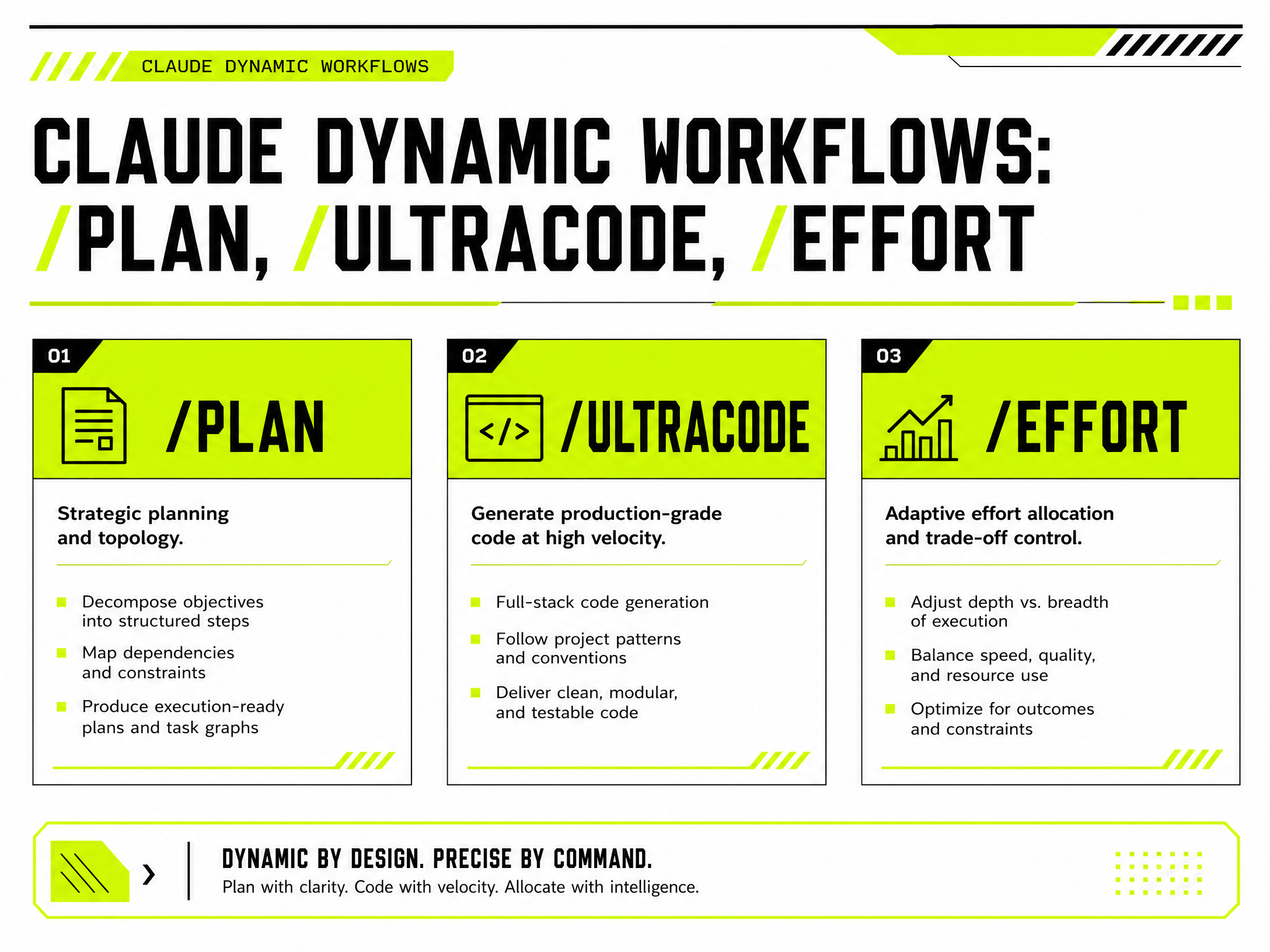
/plan puts Claude into a collaborative planning mode. Before any code is written, you and Claude work through the problem together - defining scope, exploring approaches, identifying risks. This is where I start every non-trivial task.
The right workflow is: use /plan to align on strategy first, then move to execution. Once the plan is solid, that’s when you bring in /effort ultracode.
/plan
Refactor the billing module to support multi-currency pricing
/effort ultracode — Dynamic Workflow Orchestration

This one needs a proper explanation because there’s a lot of confusion about what “ultracode” actually is.
ultracode is not just a higher effort level. It’s two things depending on how you use it.
As a keyword in a prompt, typing ultracode in your message triggers Claude to write a dynamic workflow for that specific task - a JavaScript orchestration script that a background runtime executes, coordinating up to 16 concurrent subagents. Intermediate results live in script variables, not in Claude’s context window, which is what lets it scale past what a single conversation can coordinate.
As a session setting (/effort ultracode), it combines xhigh reasoning effort with automatic workflow orchestration for every substantive task in the session. Claude plans a workflow for each task without waiting for you to ask. One request can turn into several workflows in sequence - one to understand the code, one to make the change, one to verify it.
This is what makes it genuinely autonomous. You’re not prompting Claude through steps. You’re giving it a task and letting the orchestration layer figure out how many agents to spin up, how to partition the work, and how to verify the result.
/effort ultracode
Or trigger a single task as a workflow:
ultracode: audit every API endpoint under src/routes/ for missing auth checks
A practical note: this is expensive by design. The docs recommend dropping back to /effort high for routine work and using ultracode only when the task genuinely needs multi-agent orchestration - codebase-wide audits, large migrations, cross-checked research.
Autonomous Operation: Let Claude Work While You Don’t
/goal — Define Done, Then Step Away
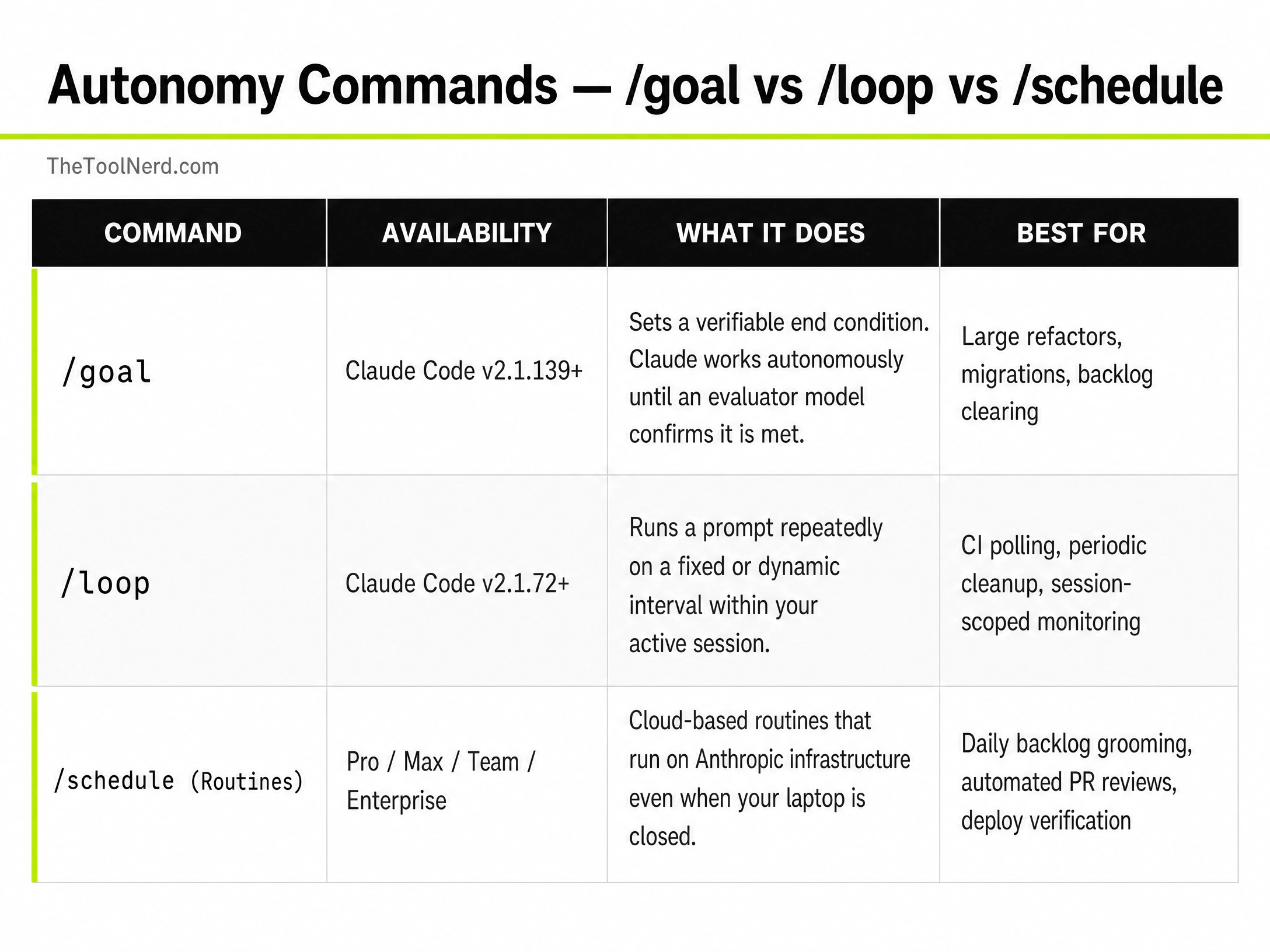
/goal sets a verifiable end condition. Claude works toward it continuously - spawning subagents, running tests, iterating - until a separate evaluator model confirms the condition is met.
No more typing “keep going” every three files. No more babysitting a migration.
The key is writing the condition like a contract. “All tests in test/auth pass and git status is clean” works. “Make it better” does not.
/goal all 17 service files migrated to the new auth API, all tests passing, no regressions
A developer on Reddit ran a 9-hour autonomous /goal session that produced 45 commits and ingested 4.16 million rows of data across 5 successive passes with 41 subagent invocations. The session chained 4 self-paced goal commands. That’s the ceiling of what this command can do when you write the condition precisely.
Use it for large refactors, backlog clearing, migrations - any task where the finish line is clear and verifiable.
/loop — Recurring Tasks Inside Your Session
/loop runs a prompt repeatedly on an interval you define. You can set a fixed cadence or let Claude choose dynamically based on what it observes - shorter waits when a build is active, longer waits when nothing is pending. Sessions can hold up to 50 scheduled tasks. Tasks expire after 7 days.
/loop 15m check CI status and flag any failures
Use it for CI polling, periodic cleanup, or any monitoring task you want running in the background while you work.
/schedule (Routines) — Cloud Automation That Outlives Your Session
/loop stops when your session ends. /schedule doesn’t.
Routines run on Anthropic-managed infrastructure - they keep firing whether your laptop is open or not. You can trigger them on a cron schedule, via an API endpoint, or based on GitHub events like a PR being opened.
/schedule daily PR review at 9am
/schedule list
/schedule run
Use it for daily backlog grooming, automated code reviews on every PR, deploy verification scripts, or anything you’d otherwise set up in a cron job.
Code Quality: Review Without the Bottleneck
/code-review and /review — Catch Issues Before They Ship
Claude offers two distinct review modes depending on where you are in the workflow.
/code-review is for local, in-session reviews. Run it against your current diff and Claude flags issues by correctness, reusability, simplification, and efficiency. Fast feedback before you commit.
/review (as part of the Code Review feature) is for pull requests. It runs multiple agents in parallel, analyzes changes across the codebase, and posts inline comments sorted by severity. This integrates directly into your CI/CD pipeline.
/code-review
Use /code-review before pushing. Use /review as part of your PR workflow when you want automated, multi-agent analysis before human review.
Extensibility: Build Claude Into Your Workflow
Hooks — Automate Responses to Events
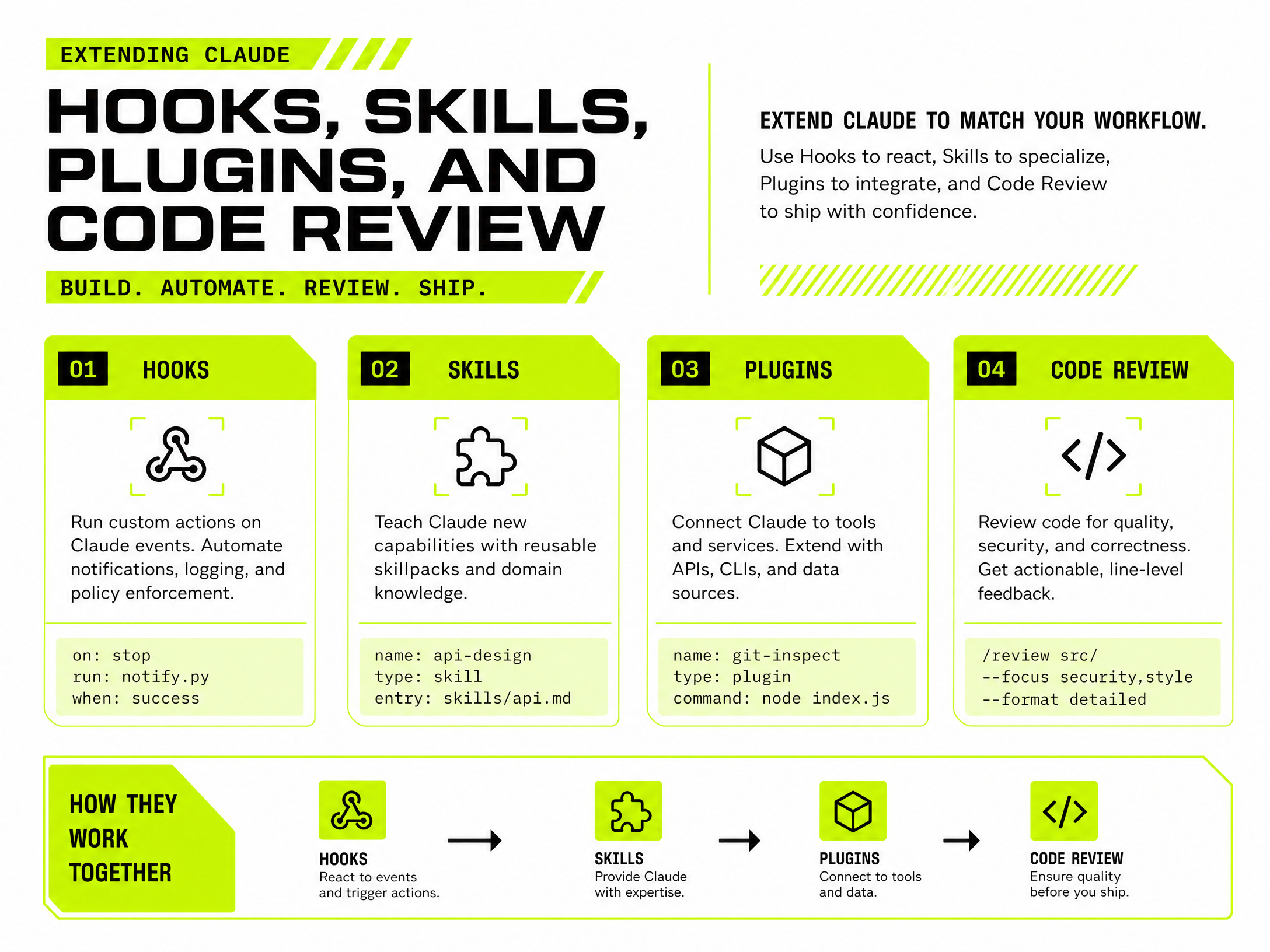
Hooks let you inject logic at specific points in Claude’s workflow. You can use the built-in hooks that come with Claude Code, or build your own through hook development. Whether it’s running a linter before code is committed, sending notifications, or enforcing custom permissions - hooks fire automatically at the right moment without you having to prompt for it.
/hooks
Use hooks when you want Claude’s behavior to respond automatically to events rather than waiting for your input.
Skill Creator — Teach Claude Your Workflows
Skills are reusable playbooks defined in a SKILL.md file. You write the instructions once, and Claude loads them whenever that skill is relevant. This is how you encode domain-specific knowledge - your team’s review checklist, your deployment process, your debugging methodology - so Claude applies it consistently across sessions.
I’ve written a full breakdown of the 10 best Claude skills worth installing at TheToolNerd.com. If you’re serious about extending Claude, that’s the place to start.
mkdir ~/.claude/skills/my-workflow
# Create SKILL.md with your instructions
Plugins — Package and Share Extensions
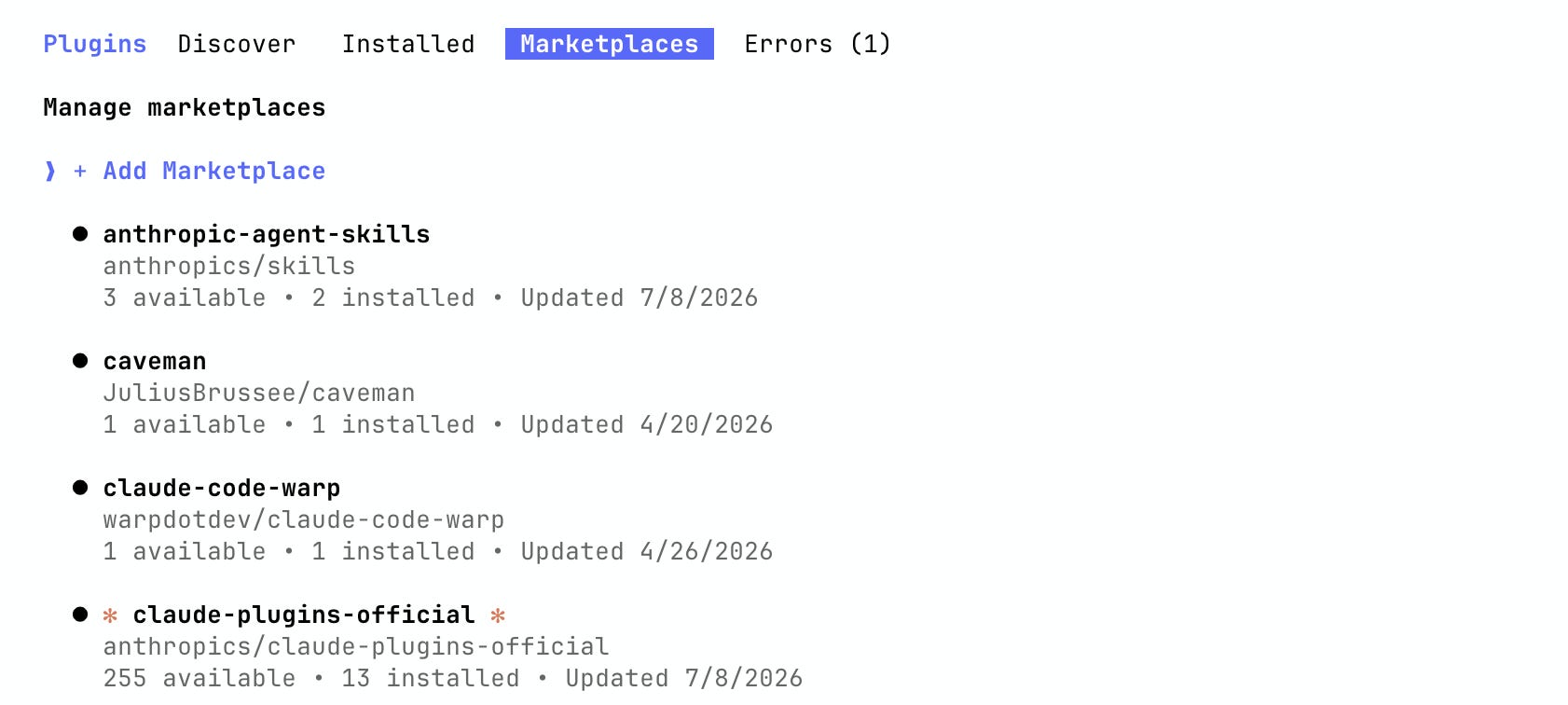
Plugins bundle commands, agents, skills, hooks, and MCP servers into a distributable package. The Plugins Marketplace (shown above) already has official Anthropic plugins, community plugins like caveman and claude-code-warp, and the claude-plugins-official registry with 255 available plugins.
Use plugins when you’ve built something worth reusing across projects or sharing with a team.
Agent Management: See What Your AI Workforce Is Doing
claude agents — Your Agent Control Panel
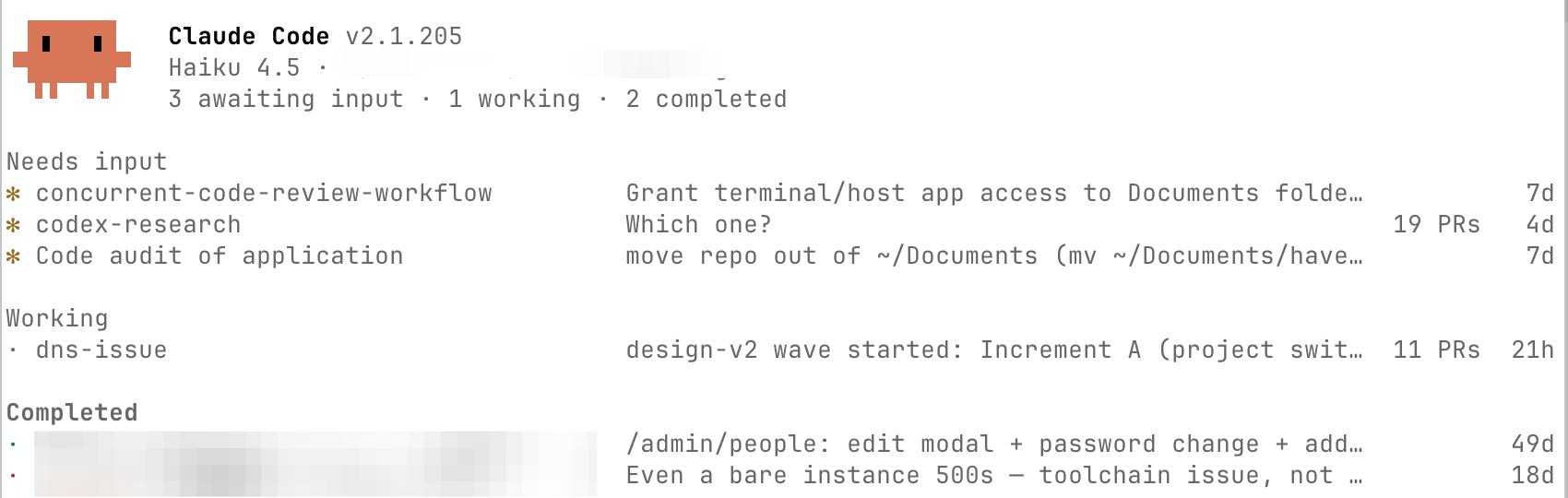
The claude agents panel shows every active session in one view. You can see which agents are working, which need your input, and which have completed. The panel above shows a real session: 3 agents awaiting input, 1 working, 2 completed - with task names, last activity, and PR counts visible at a glance.
From here you can attach to any session, dispatch new tasks, or review completed work without losing context in your main session.
claude agents
Use it any time you’re running more than one agent in parallel. Without this view, you’re flying blind.
A Few More Worth Knowing
/compact manages your context window during long sessions. When a conversation gets unwieldy, /compact intelligently summarizes the history so Claude stays sharp without losing the thread.
The WebSearch and WebFetch tools let Claude pull live information from the internet mid-workflow - useful for research tasks, documentation lookups, or validating external data.
AskUserQuestion lets Claude pause and ask you a clarifying question with multiple-choice options before proceeding. Underrated for complex tasks where ambiguity early on causes wasted work later.
The Bottom Line
The developers getting the most out of Claude Code aren’t using better prompts. They’re using the right commands for the right situations.
Start with /plan before any complex task. Use /branch when you have competing approaches. Set a /goal when the finish line is clear and you want Claude to drive itself there.
Build a skill for any workflow you repeat more than twice. And when a task genuinely needs multi-agent orchestration, ultracode is the switch that moves execution out of the conversation and into background agents.
The commands are the operating layer. Once you know them, you stop prompting and start orchestrating.