

I’d never really used voice notes.
That changed when I started coding with AI. Models need as much information and context as you can give them, and writing all of that down took a lot of time.
Typing also gets in the way of thinking. Half the time I was correcting myself: write a word, go back, delete it, rewrite it so it explains things properly. Somewhere in that loop, I’d lose the clarity of the thought.
Speaking is different. You use the language you actually understand. You explain the context properly. You’re in a flow state, just thinking aloud.
When you speak, you’re not doing two things at once. And you end up giving far more information than you ever would by typing.
So I went looking for speech-to-text. Wispr Flow was the first tool I found. I tried the free 2,000-word plan, really liked it, and once I started, it was hard to go back.
Over time, Wispr Flow kept getting better, and its features became much more powerful. I picked up a one-year plan through a Lenny’s Newsletter subscriber perk, and I’ve been hooked ever since.
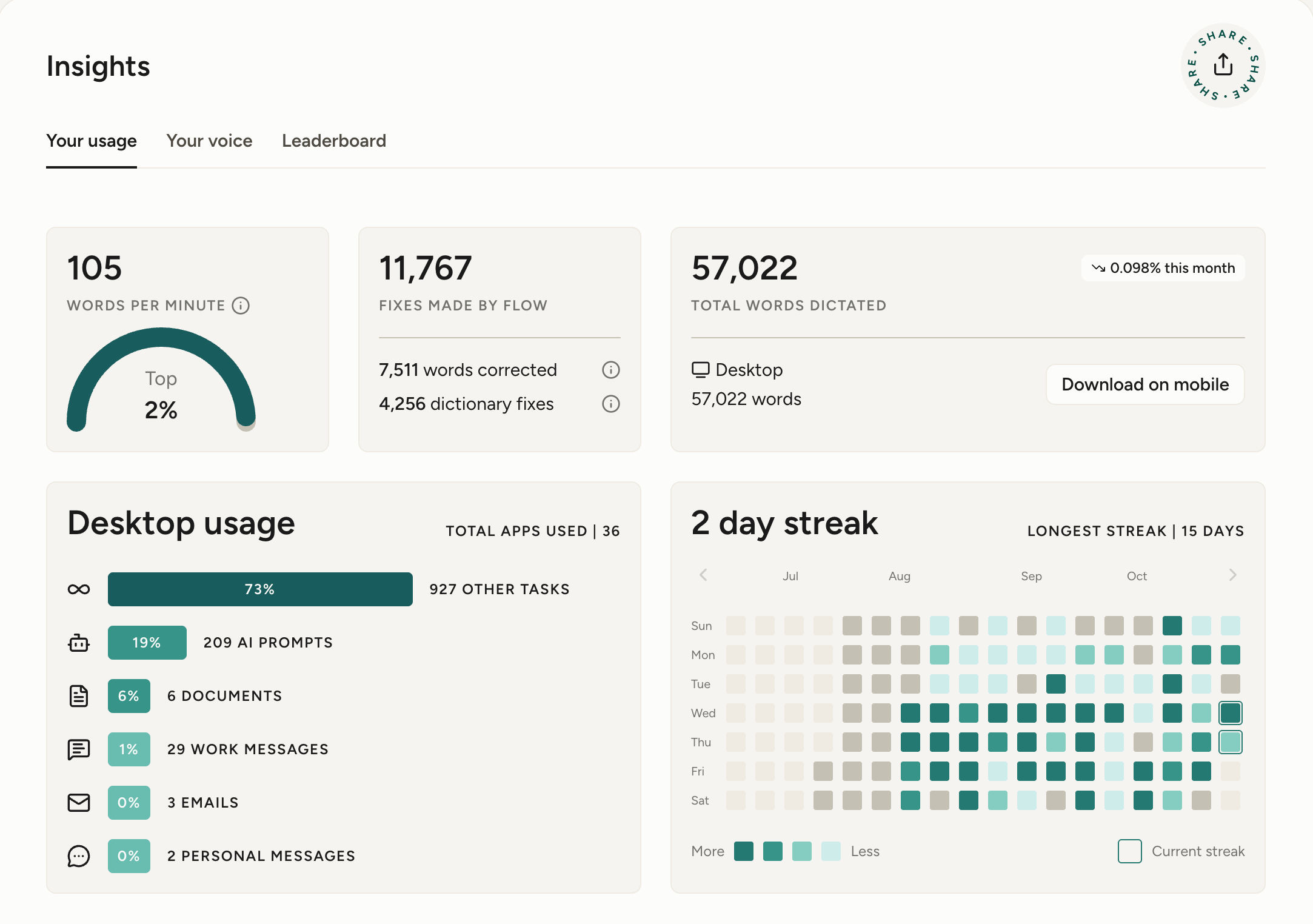
I recently switched plans, so my current Insights dashboard only goes back to August. Here’s what it shows for that stretch:
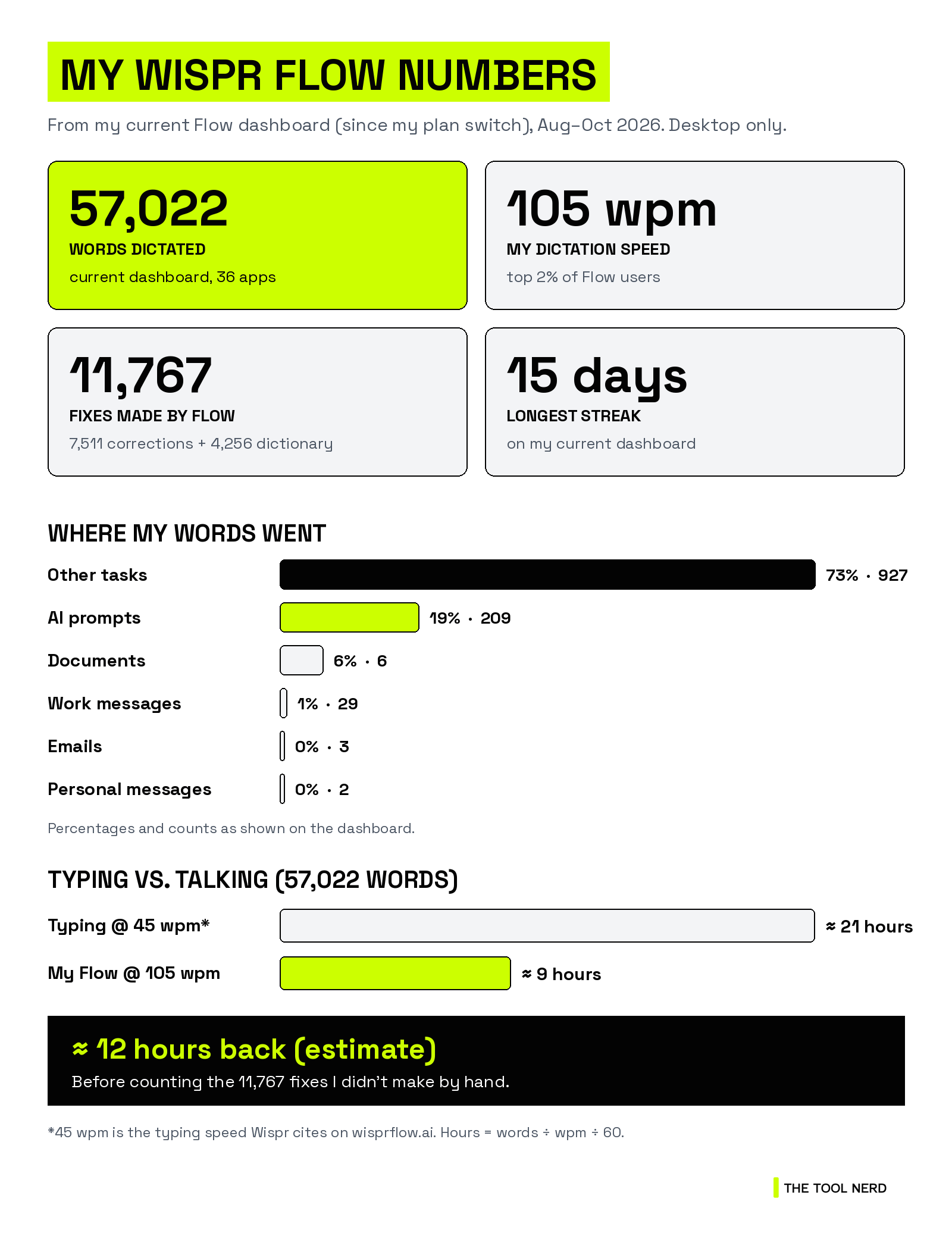
57,022 words dictated since the switch, all on desktop, across 36 apps.
105 words per minute. Flow says that puts me in the top 2% of its users. For comparison, Wispr cites 45 wpm for typing.
209 AI prompts, the biggest named category after general tasks.
11,767 fixes made by Flow: 7,511 words corrected and 4,256 dictionary fixes. That’s cleanup I didn’t do by hand.
Longest streak: 15 days. Current streak: 2.
Quick math: 57,022 words at 45 wpm is about 21 hours of typing. At my 105 wpm, it’s about 9 hours of talking. That’s roughly 12 hours back. It’s an estimate, and it doesn’t count the time Flow saved me on those 11,767 fixes.
The rest of this post is the practical version: where it actually helps, why it’s worth paying for, and how to get set up.
Where it actually saves time
The biggest win wasn’t email. It was prompts. My dashboard backs that up: 209 AI prompts, against just 3 emails so far.
In practice, a spoken prompt carries the full picture: what you tried, what broke, what “done” looks like. AI tools do better work with that context.
Here’s where Flow earns its place on my machine:
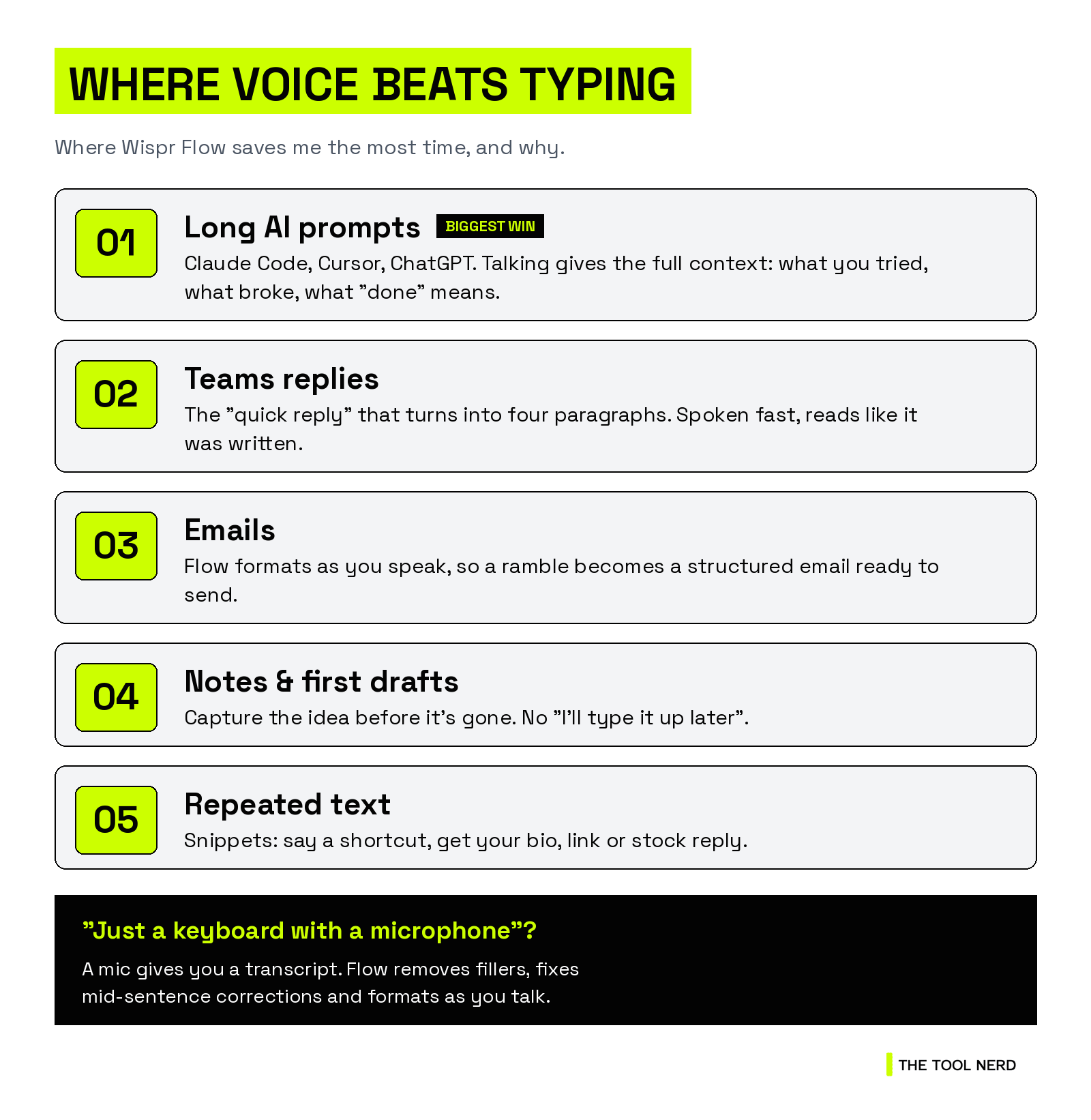
Long prompts in Claude Code, Cursor and ChatGPT. I explain the bug the way I’d explain it to a teammate. Flow turns it into clean text right in the prompt box.
Teams replies. The “quick reply” that turns into four paragraphs. Talking is faster, and the result still reads like a written message.
Emails. Flow can format as you speak, so a rambling update comes out as a structured email that’s ready to send.
Notes and first drafts. Ideas you’d lose because typing them out felt like a chore.
“It’s just a keyboard with a microphone”
A microphone gives you a transcript. Flow gives you what you meant to write.
On Wispr’s own homepage, the demo input is a messy ramble, with filler words, a “wait, actually”, and a corrected deadline. The output is three clean sentences with the correction applied. That’s the job: Flow removes filler words, adds punctuation, and catches your mid-sentence changes.
Wispr claims Flow is 4x faster than typing (they put typing at 45 wpm and Flow at 220 wpm). Your numbers will vary. Mine is 105 wpm, not 220, and that’s still more than double the typing speed Wispr cites.
What I love (and the one con)
It’s easy to use. I just dictate, and Flow turns my rambling speech into a very good prompt.
The cleanup is fantastic. It cleans up and autocorrects my language as I speak. My dashboard counts 11,767 of those fixes.
It understands other languages well, especially Indian languages. Wispr says Flow supports 100+ languages, and in my experience it holds up well beyond English.
The one con: once in a while there’s a lag before the text appears. It’s very rare. Overall, it’s one of the most reliable speech-to-text experiences I’ve seen.
“Is it worth paying for?”
Fair question, since there’s a free plan.
For me, the value isn’t turning speech into words. It’s how little I have to fix afterwards. Here’s what Wispr lists on its site, and what made the difference for me:
Works in every app. Flow types wherever your cursor is, with no plugins or integrations. Gmail, Teams, Notion, your terminal, your code editor, ChatGPT, Claude, Cursor. If you can type there, it works.
Auto-edits as you talk. Filler words removed, punctuation added, corrections applied. Lists and paragraphs come out formatted.
Learns your vocabulary. Client names, product names, acronyms, jargon. Flow picks them up automatically, or you add them to your personal dictionary.
Snippets. Say a shortcut and Flow expands it into your bio, a link, an address, or a stock reply.
Styles per app. Casual in messages, more formal in email. You set the tone per context.
100+ languages. It auto-detects, but Wispr recommends picking the language you’re speaking for the best accuracy.
Every device. Mac, Windows, iPhone and Android, synced.
Privacy basics covered. Wispr says your data is never sold, you can opt out of model training, and it lists SOC 2 Type II, ISO 27001 and HIPAA readiness.
One practical tip from Wispr’s own FAQ: avoid AirPods and Bluetooth earbuds for dictation. They compress audio and can miss the start of what you say. Your laptop’s built-in mic is fine.
Switching from Granola?
Flow now also includes a meeting Notetaker, so dictation and meeting notes sit in one subscription.
If you pay for Granola right now, Wispr has a switch offer. They cover your remaining paid Granola time with Wispr credit, plus up to three bonus months, up to 12 months total.
The fine print, straight from the offer page:
For eligible individual paid Granola plans only
Verification of your Granola plan is required
Credit is based on the paid time left when your Wispr credit starts
You can import your exported Granola notes, summaries and transcripts
You can start using Flow while they review your submission.
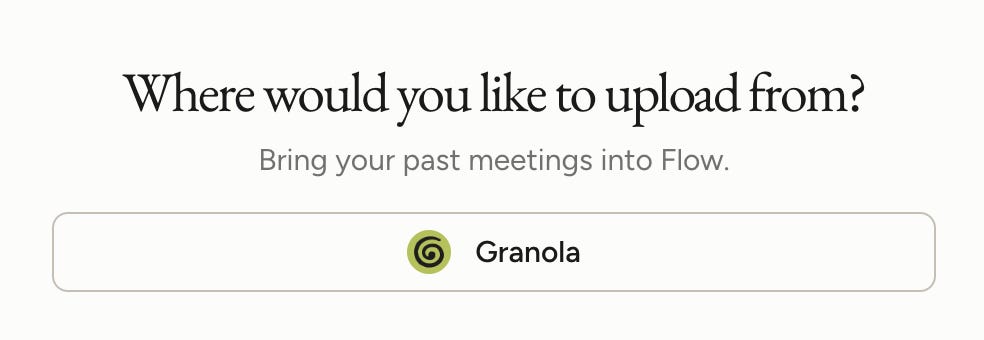
You also don’t lose your history. You can import past Granola meetings right inside Flow: open Notetaker setup and choose Import from Granola.
👉 Claim the Granola switch offer: Start with my Wispr Flow link
What it costs
Here’s what Wispr’s pricing page shows as I write this:
Free: $0. Dictation on Mac, Windows, iOS and Android, 100+ languages, dictionary and snippets, and limited Notetaker access. Desktop dictation is capped at 2,000 words a week, with limited weekly use on mobile. No credit card and no trial countdown.
Pro: $15/user/month, or $12/user/month billed annually (20% off). Unlimited dictation, longer Notetaker history, and team billing with no minimum seats.
Students and educators with an education email get 50% off Pro. Non-profits get a discount.
Enterprise adds SSO/SAML, enforced HIPAA, admin controls and more. Contact sales.
My advice: start on the free plan. 2,000 words a week is enough to know within a few days whether voice fits how you work. If you hit the cap by Wednesday, that’s your answer.
The bottom line
Voice works for me because I can think aloud, and Flow handles the cleanup.
If you write long prompts, answer a lot of Teams messages, or think faster than you type, give it a week. The free plan is enough to find out.
If you sign up through my link, it costs you nothing extra, and it supports this newsletter.
Already using it? Reply and tell me the one place you dictate most. I’ll share the best answers in a future issue.
Disclosure: the Wispr Flow links in this post are my referral links. If you sign up through them, I may earn a commission at no extra cost to you.