

If you’re on Twitter and follow AI development closely, you’ve probably already seen it mentioned a few times — people casually sharing how they’re building end-to-end AI applications using this simple loop-based approach.
If you haven’t heard of Ralph Loop yet, let me introduce you to what it is and why it’s powerful.
What is Ralph Loop?
Ralph Loop is essentially a simple iterative loop where an AI system keeps attempting a task, evaluates the outcome, and then tries again - until the task is done.
Instead of trying to solve everything in one shot, the loop allows the model to:
attempt a solution
observe what worked or failed
adjust based on that feedback
repeat
The model doesn’t keep the state in its own memory. The state is stored outside — in files, outputs, tests, or the environment. Every run starts fresh, but it can still use the results from the previous run.
This makes the whole system surprisingly robust and easy to reason about.
Why the name “Ralph”?

Ralph, from The Simpsons, is simple, persistent, and completely unbothered by whether he’s doing things the “right” way.
He doesn’t plan ahead, doesn’t overthink outcomes, and doesn’t stop just because something failed once.
He just keeps going. That’s the spirit behind the name.
Ralph Loop works the same way — not smart in a single shot, but effective through repetition. Try, fail, adjust, repeat. No ego, no memory baggage, just forward motion.
That’s exactly how this pattern works. The model isn’t expected to be perfect. It’s expected to try, fail, learn from the outcome, and repeat.
Ralph is a Bash loop.
Where this concept really started
The core idea of this loop-based approach was articulated much earlier by Geoffrey Huntley, way back in July 2025 long before it became popular in today’s AI tooling discussions.
He described this pattern as a deterministic loop operating in a non-deterministic environment — letting repeated attempts converge on a working solution over time.
You can read his original explanations here:
https://ghuntley.com/ralph/
https://ghuntley.com/loop/
Keep yourself updated with the latest happenings in AI
How it became popular again
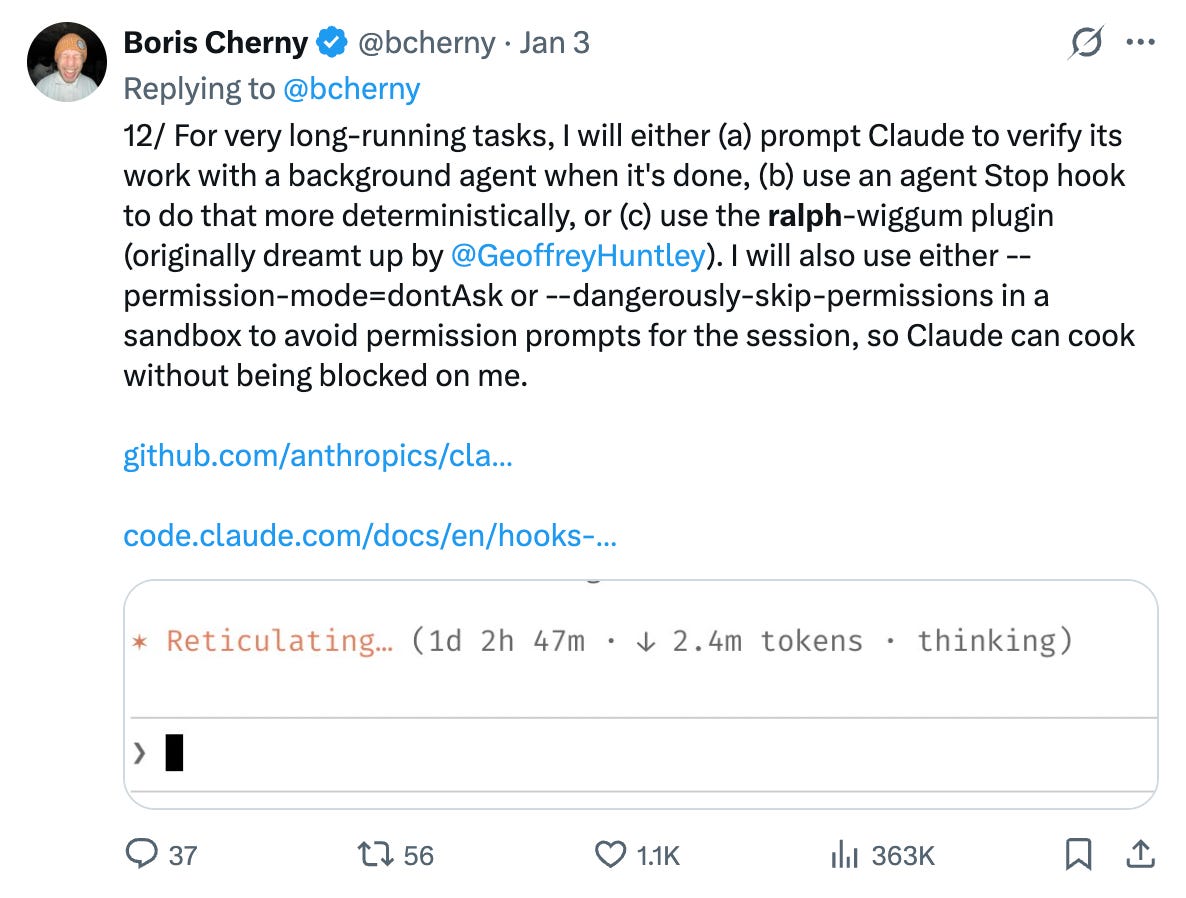
This one post by Boris Cherny (the one who built Claude Code), made it viral!!
People are doing a lot of experiments with Ralph Loop and how to make effective use of it but in this article i will focus on the simple one that I was done by Ryan Carson (https://x.com/ryancarson), founder of Amp.
He has packaged this idea into a clean, easy-to-try implementation — which made it much more accessible for builders who wanted to experiment quickly.
That version is simple, effective, and very easy to get started with.
Check out this repo:
https://github.com/snarktank/ralph
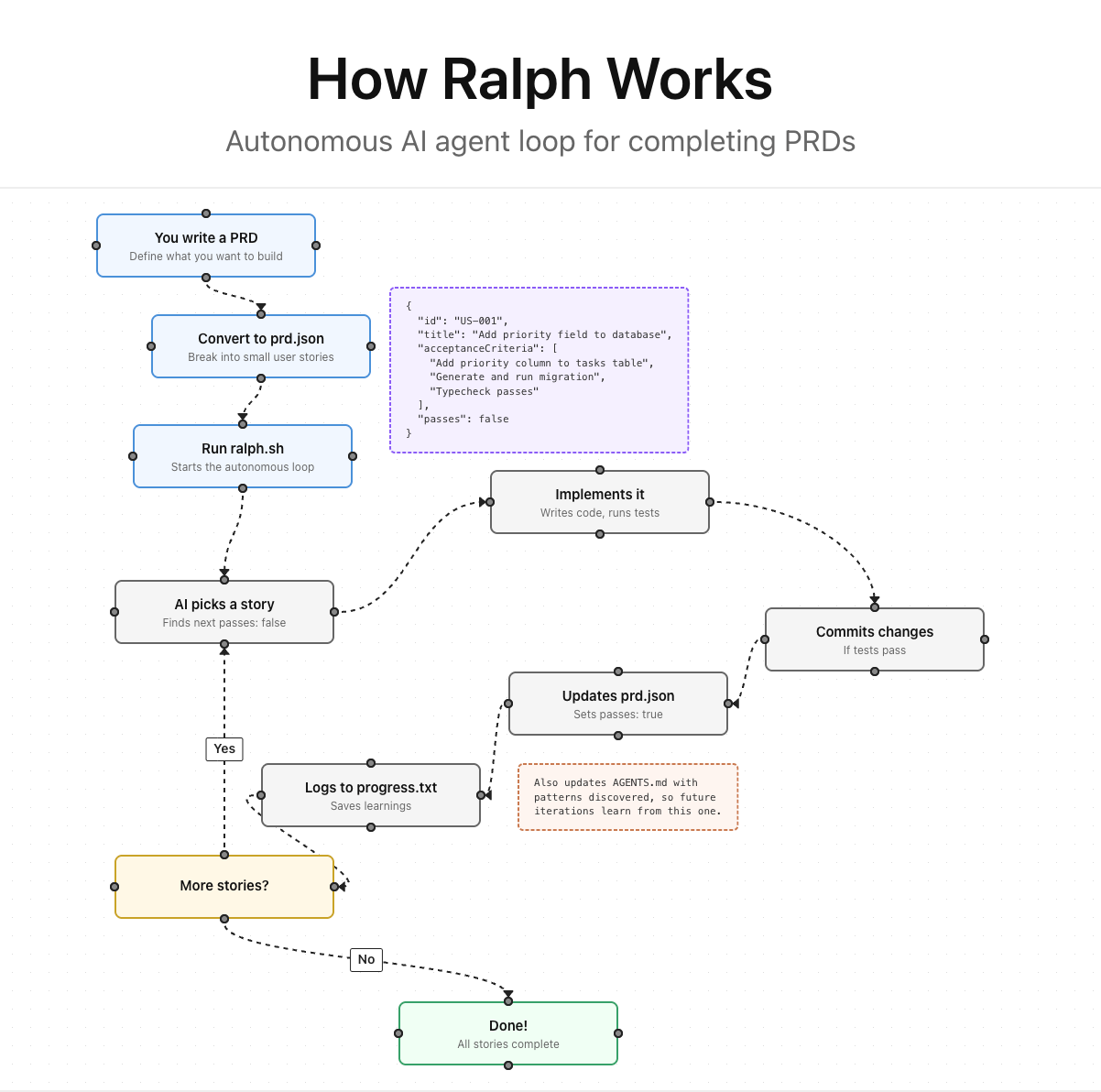
Read this article by him:

For a More Detailed Video:
Step-by-Step: Running Ralph Loop with Claude Code
Now that we have understood Ralph Loop concept, let’s actually run it.
We’ll do this with Claude Code (primary), and I’ll mention AMP CLI wherever relevant ( as this one is created by founder of Amp ). By the way this logic would work in any CLI or Coding Agent you are using.
Step 1: Install Claude Code CLI (if you don’t have it)
Claude Code is the easiest way to run Ralph Loop right now.
Reference doc for setting up Claude Code: https://code.claude.com/docs/en/quickstart
Mac:
curl -fsSL https://claude.ai/install.sh | bashWindows Power Shell:
irm https://claude.ai/install.ps1 | iexOnce installed, make sure this works:
claude --help
If you prefer AMP CLI, that works too — Ralph supports both.
# AMP CLI (alternative)
npm install -g @amp-labs/amp
You only need one of these.
Step 2: Get Ralph into Your Project
You have two ways to do this.
Option A: Copy Ralph into your project (recommended for first-timers)
This keeps everything local and easy to inspect.
git clone https://github.com/snarktank/ralph.git
From your project root:
mkdir -p scripts/ralph
cp ralph/ralph.sh scripts/ralph/
cp ralph/CLAUDE.md scripts/ralph/
chmod +x scripts/ralph/ralph.sh
You now have:
the Ralph loop script
a Claude-specific prompt file
everything versioned with your project
Option B: Install Ralph as a Claude skill (cleaner if you use Claude a lot)
Claude Code supports skills, and Ralph ships as one.
mkdir -p ~/.claude/skills
cp -r ralph/skills/prd ~/.claude/skills/
cp -r ralph/skills/ralph ~/.claude/skills/
This makes prd and ralph available globally inside Claude Code.
If you’re using AMP instead:
mkdir -p ~/.config/amp/skills
cp -r ralph/skills/prd ~/.config/amp/skills/
cp -r ralph/skills/ralph ~/.config/amp/skills/
Step 3: Create a PRD (using the PRD skill)
Before Ralph can loop, it needs clear tasks.
You don’t write the PRD manually.
You give one sentence.
Inside Claude Code, run the PRD skill and describe your project, for example:
“Build a simple Next.js app with a login page and dashboard.”
Claude will ask a few follow-up questions and generate a structured PRD.
Save the output as something like:
prd.md
That PRD is the source of truth for everything Ralph does next.
Step 4: Convert the PRD into Ralph format (PRD → PRD JSON)
Ralph doesn’t work directly on markdown.
It works on a structured task list: prd.json.
Use the PRD converter (comes with the Ralph skill):
Load the
ralphskillConvert
prd.md→prd.json
At the end of this step, you should see a file like:
prd.json
This file contains:
individual user stories
pass/fail flags
metadata Ralph uses to decide what to work on next
Step 5: Run the Ralph Loop
Now comes the boring (and powerful) part.
From your project root in the Terminal:
./scripts/ralph/ralph.sh --tool claude
Or, with a max iteration limit:
./scripts/ralph/ralph.sh --tool claude 10
That’s it.
You’ve started the loop.
What Happens After You Run It
Each iteration, Ralph will:
Pick the next unfinished item from
prd.jsonAsk Claude Code to implement it
Run checks (tests, type checks, etc.)
If it passes:
commit the changes
mark the item as complete in
prd.json
Write learnings to
progress.txtUpdate
AGENTS.md / CLAUDE.mdwith patterns it discoversLoop again
Every iteration starts with a fresh Claude context.
All memory lives in files and git — not the model.
When Does It Stop?
Ralph exits automatically when:
all PRD items are marked as passed
or the max iteration count is reached
Files You Should Keep an Eye On
prd.json→ what Ralph is working onprogress.txt→ what Ralph has learnedAGENTS.md/CLAUDE.md→ conventions and patternsgit history → actual progress
If something feels off, these files tell you why.
That’s it.
If you can write one sentence describing your project, you can run Ralph Loop with Claude Code.
The rest is just a loop doing its thing.
Reference Articles & New Tools for reference
https://www.aihero.dev/tips-for-ai-coding-with-ralph-wiggum
https://www.aihero.dev/essential-ai-coding-feedback-loops-for-type-script-projects
TUI based Interface for Ralph: https://ralph-tui.com